Most salon booking software offers self-serve booking, smart calendar management, reminders, automated wait lists and cancellations, and payment processing. But how these features are designed and integrated can significantly affect your day-to-day operations, revenue, and overall customer experience.
In our experience working with tens of thousands of salons over several decades, the most important details to look for are:
- Uptime: Many salon owners end up switching platforms simply because the software keeps going down. If you can’t book appointments or take payments, you’re losing revenue. A few hours of downtime on a busy Saturday are bookings you’ll never get back.
- Chair optimization features combined with scheduling automation: A basic calendar and reminder texts will not keep your chairs full. The best salon booking software automatically manages the schedule so every chair stays booked as much as possible. It intelligently learns how long appointments typically take for each client, so their next appointment is booked for the right amount of time. And it fills last-minute cancellations from a wait list without staff involvement. This reduces gaps between appointments, double-bookings, and empty chairs.
- Fully integrated payment solution: Payment processing is commonly offered through a third-party vendor. If your payment processor isn’t directly part of your salon booking software, it can create several problems. Downtime risk increases because the system depends on multiple providers working together. Reporting also becomes more limited, and combining booking and sales data to track things like your top-performing stylists or services can become difficult or impossible. And when payment issues happen, support often means contacting a separate company. That’s why core operational features like payments work best when they’re built directly into the salon software.
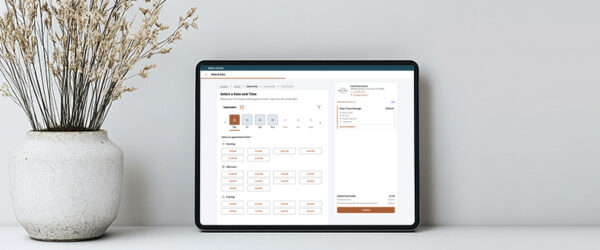
- The client experience: What you sell is not only the service, but also the impression your salon makes. That impression starts when a client books and depends on two things: ease and branding. Clients should be able to book, reschedule, and confirm at any time without creating an account, because every added step loses bookings. And the booking page, which should be running inside your own website, should show your salon’s name, branding, and service descriptions, rather than sending clients to a generic page branded by the software vendor.
- Ease of use and support: A long feature list does not help if your front desk needs to go through six screens to book one appointment. When evaluating software, ask the vendor for a live walkthrough of your most frequent daily workflows, like scheduling an appointment and processing a checkout. You want a system your staff can navigate quickly and efficiently.
- Onboarding and ongoing support: Look closely at what the vendor offers after you sign. Does the company provide a structured onboarding process, or simply give you a login and expect you to learn the software yourself? When you have a technical glitch, can you reach a real person by phone, or are you left navigating an automated chatbot or waiting 24 to 48 hours for a support ticket response? Thorough onboarding helps your team master the system, and live support is there to get them unstuck quickly if a question or issue pops up.
In this guide, we compare the best salon booking software options for both established and growing salons.
We start with Meevo, our all-in-one platform built so that the booking process automatically coordinates with a lot of the daily management tasks involved in running a salon or barbershop. Then, we look at 7 alternatives so you can see which tool fits your salon best.
Schedule a demo today to see Meevo’s all-in-one salon software in action.
Meevo
Meevo is an all-in-one salon booking software built for multi-stylist, multi-service businesses. Our platform features include an AI search bar with voice recognition, wait list automation, drag-and-drop rescheduling, and automated booking optimization.
We also offer a full suite of salon management features that help you:
- Run a fuller, more consistent schedule, with stylists’ time booked tightly and fewer gaps between appointments
- Reduce revenue lost to no-shows and last-minute cancellations
- Create a smoother experience for clients, from the first online booking through checkout and rebooking
- Drive more repeat business by automating rebooking, memberships, and loyalty directly into the booking flow
- Make smarter business decisions backed by reporting that tracks how bookings are actually driving your revenue
On top of that, Meevo runs on enterprise-grade cloud infrastructure with a baseline uptime of 99.95%, so your salon stays up and running without interruptions that cost you money or disrupt the client experience.
Below, we walk through six ways Meevo’s booking software helps your salon bring in more clients, keep your schedule full, and grow.
Make it effortless for clients to book themselves
Online booking is where salons can lose a lot of clients, and the reasons are often the same: the website doesn’t look professional enough, customers don’t want to create a login to book, or the system is slow or not working properly.
Meevo’s online booking removes each of those friction points.
- Easy booking, fewer duplicate client records: Clients can book appointments online without creating an account, making it quick and convenient to schedule services. For clients who want to create an account, they can easily use their Google or Facebook accounts. Meevo automatically creates client profiles and uses phone numbers, email addresses, and our matching algorithm to help reduce duplicate records.
Salons using Meevo’s online booking see a 60% higher booking conversion rate.
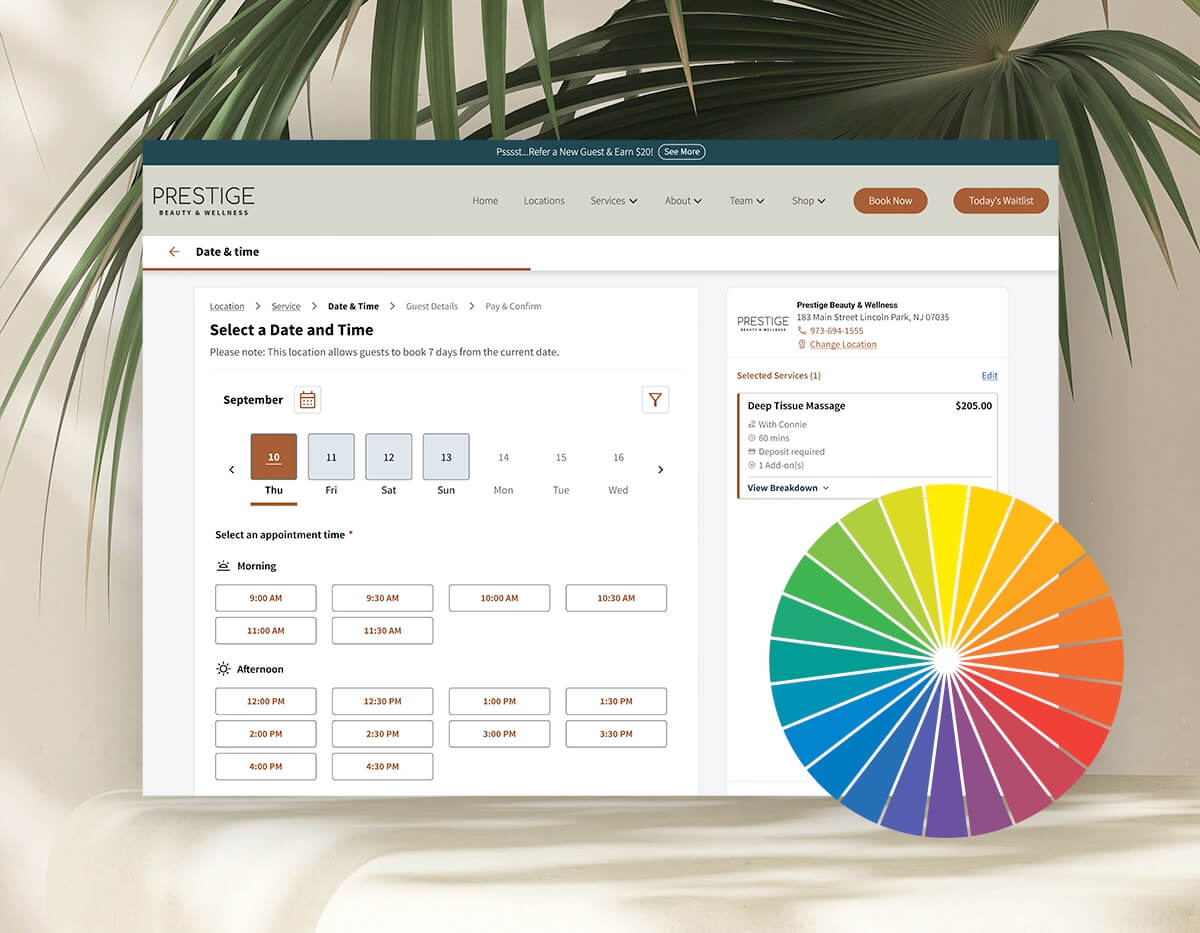
- Fully branded booking experience: The booking page shows your salon’s logo, colors, service descriptions, and customizable reminder copy—and it runs inside your own website. For many clients, this is their first impression of your salon. A page that looks professionally branded can be the difference between a completed booking and a drop-off.
- 99.95% uptime: Meevo is almost never offline, with fewer than five hours of total downtime per year. High uptime ensures clients can book and buy 24/7, reducing the risk of losing a sale or a customer to technical glitches.
- Bookable directly from Google: A “Book Online” button appears in Google Search and Google Maps results, so clients can schedule without navigating away from their search.
- Smart upsell prompts turn the booking flow into a revenue opportunity. When a client books a service online, Meevo can prompt them to add a related service before they confirm (a gloss or scalp treatment alongside a color, for instance). Salons using this feature see an average ticket increase of 10–20%.
- Self-rescheduling via direct link: Clients can reschedule through a link sent with their appointment confirmation or reminder. Because it’s so easy, they’re more likely to reschedule than simply not show up.
- Mobile check-in on arrival: Clients can check in for their appointment from their phone when they arrive, and staff are notified automatically. It keeps the reception area from feeling crowded, reduces front desk workload, and gives clients a more modern, high-end experience from the moment they walk in.
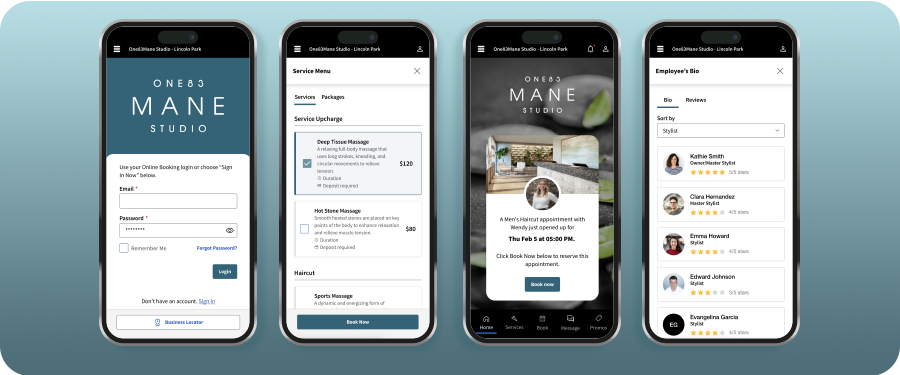
- MeGo client app: MeGo is Meevo’s mobile app for clients. Clients use a single login to book appointments—and, if you have multiple locations, can easily switch between them. It puts everything they need in one place, also allowing them to message your staff, check in on arrival, and even buy memberships or gift cards right from their phone.
Automate scheduling across staff, rooms, and resources to save time and reduce front-desk workload
Scheduling in a multi-stylist salon requires juggling your staff and resources to keep every single appointment running smoothly. When handled manually, keeping track of these moving parts can be incredibly stressful, taking up administrative time and still leading to scheduling errors.
Meevo scheduling features handle the majority of this coordination automatically.
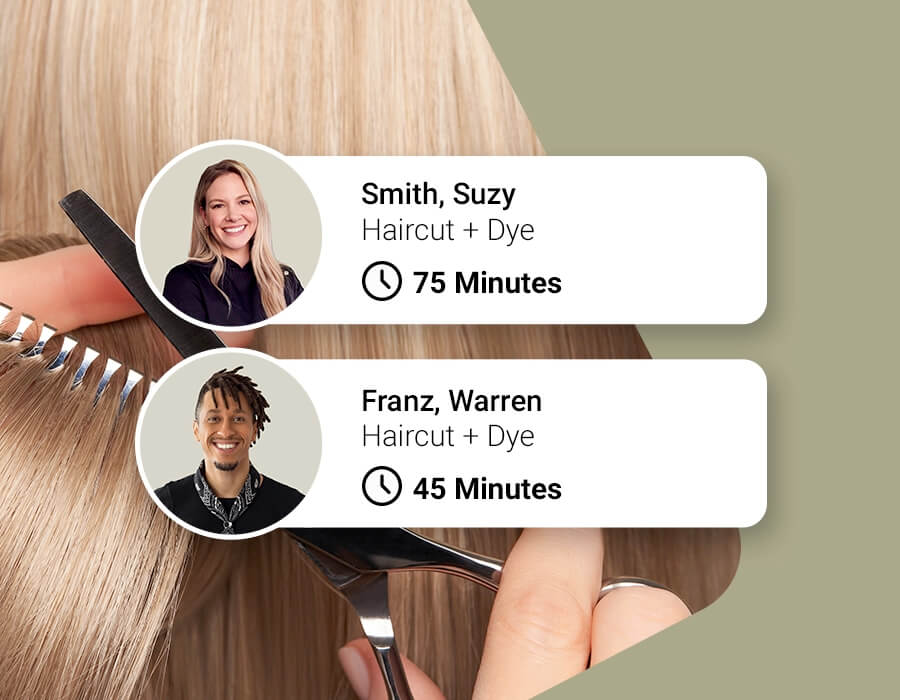
- Intelli-booking: Over time, Meevo learns how much time specific clients typically need with each staff member and recommends appointment lengths accordingly. For example, if Angela takes 45 minutes for a haircut and Jenny takes 30, the system adjusts the scheduled time automatically. This helps keep the schedule tight so you avoid dead time or rushed appointments, and can be set up per client or per employee.
- Precision booking for shorter services: Meevo lets you book quick appointments (such as bang trims or eyebrow waxing) in exact 5 or 10-minute slots. This keeps shorter services from taking up too much space on your calendar and stops tiny gaps from turning into hours of lost productivity.
- Resource management: Meevo prevents overbooking of limited physical resources, including rooms, chairs, and equipment, even when staff are available. For example, a salon with three pedicure stations and four nail techs cannot run four concurrent pedicures. Meevo handles this by blocking that booking automatically.
- Couples and group bookings: Clients can book up to five people in a single step, while Meevo automatically assigns the right rooms, chairs, and stylists. That way, your front desk doesn’t have to piece together separate appointments or worry about matching up the schedule for a group.
Room types are also configurable. You can designate couples’ rooms for multi-person appointments, set partition rooms to accommodate two clients at once, and assign maximum capacities per resource.
Across a busy week, these micro-decisions can happen hundreds of times. Automating them completely frees your staff to focus on the clients right in front of them, while closing the gaps that quietly cost you revenue.
Speed up booking on the front-desk side with an easy-to-use system
A booking tool can have every feature in the world, but if basic tasks require too many steps or aren’t easy to navigate, then your staff will likely make more mistakes, clients might wait longer, and the software often ends up creating more work than it saves.
Meevo’s system is straightforward to use and easy to learn:
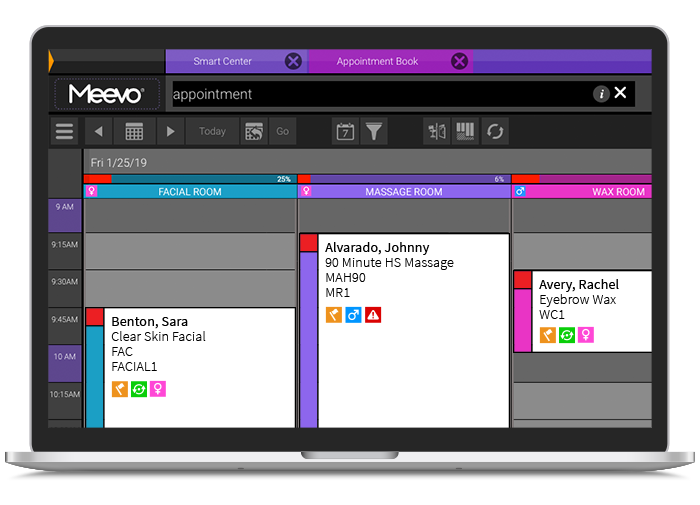
- Color-coded, drag-and-drop appointment book: The Meevo appointment book is fully drag-and-drop on both desktop and mobile. Each service gets its own color, and staff can choose whether just the sidebar is color-coded or the entire appointment block, depending on what gives them the clearest at-a-glance view.
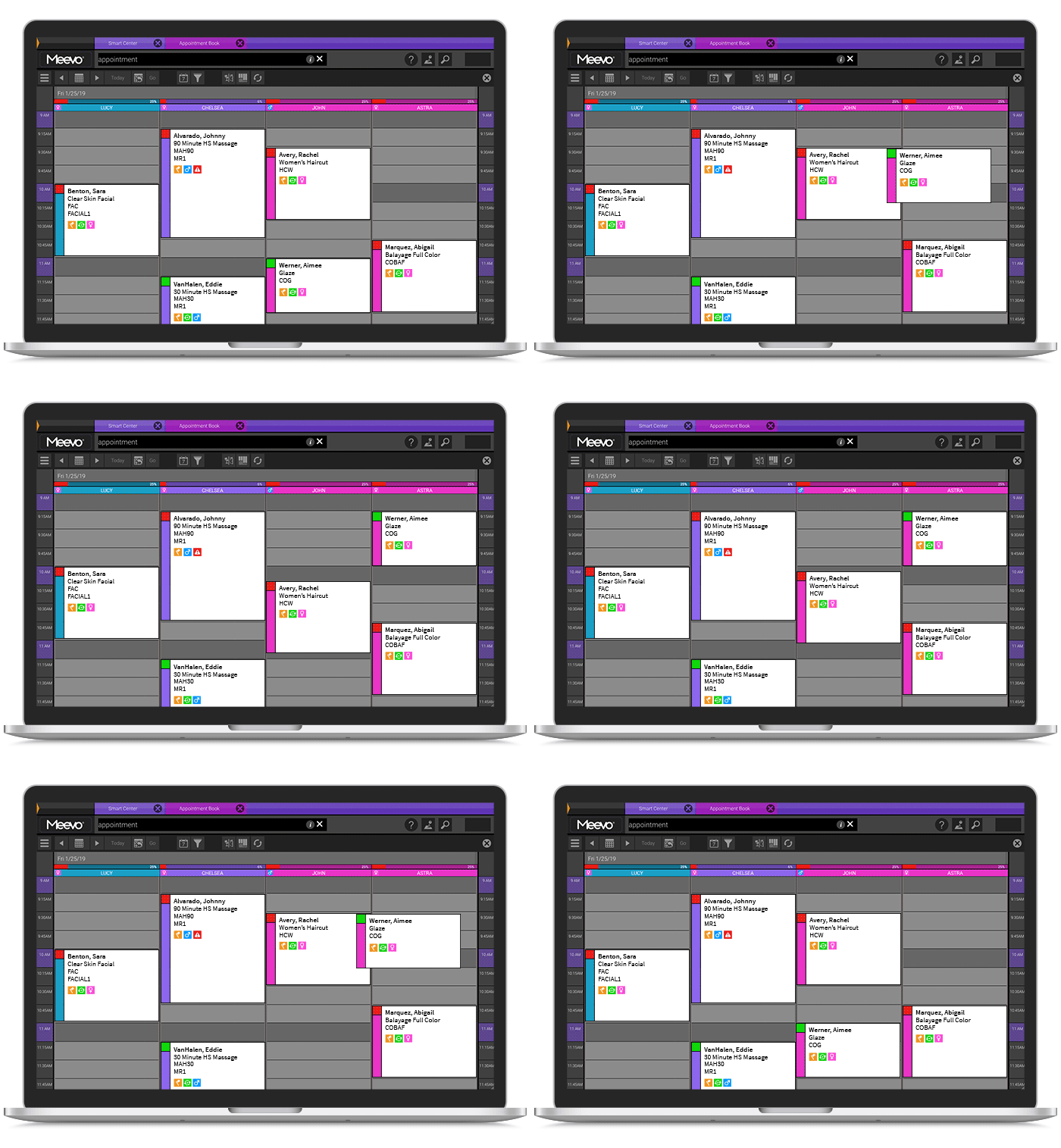
- Visual booking icons: Each appointment block shows icons that staff can hover over for quick context. This instantly reveals if a client is new or returning, their specific client type (such as friends and family, military, or senior citizen), and any problem flags.
- Role-based calendar views: Meevo lets you control exactly what each staff member sees when they log in. Owners and managers see the full appointment book across all staff and resources. Front desk staff see check-ins, confirmations, and the schedule they’re managing. Service providers can be set to see only their own column or the full book, depending on what the owner prefers.
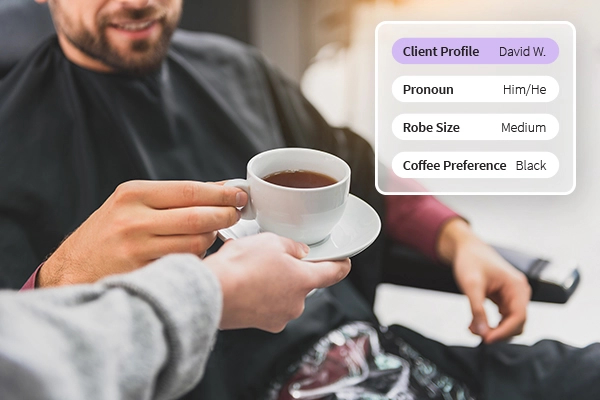
- One client profile from the appointment: When a client books online for the first time, Meevo creates their profile automatically through their phone number or email (this can also be gathered at their first visit if they didn’t book online). From there, the profiles are customizable so you can add details like services received, color formulas, stylist notes, package balances, membership status, retail purchases, tip history, and lifetime spend.
For salons with multiple locations, the profile follows the client everywhere. That means every appointment starts with context, and clients get a consistent, personalized experience rather than having to re-explain their preferences every time.
- ConvoBar®: Meevo’s patented ConvoBar is a smart, AI-driven command bar at the top of the screen. Staff type or speak in natural language (for example, “Haircut with Emily on Friday”), and ConvoBar scans provider schedules, service durations, room and chair availability, and booking rules to surface the right screen or information.
ConvoBar can speed up the scheduling process by up to 10x compared to manually working through the calendar. And for new front desk employees who don’t yet know the system, ConvoBar means they can find what they need immediately rather than having to interrupt a manager.
These features make Meevo easy to use on a daily basis. If a client needs to change their time, you just drag their appointment to a new slot. If you want to see whether a guest is new or returning, just hover over their name to check instantly.
Protect revenue from no-shows and short-notice cancellations
In a salon, an open chair is a loss of revenue. Once a slot passes unfilled, that potential revenue vanishes forever. This leaves stylists idle and wastes the preparation time that could have gone to a paying client on your wait list.
Meevo addresses this at every stage of the booking process, from the policies clients accept when they book to the automated systems that fill open slots without front desk involvement.
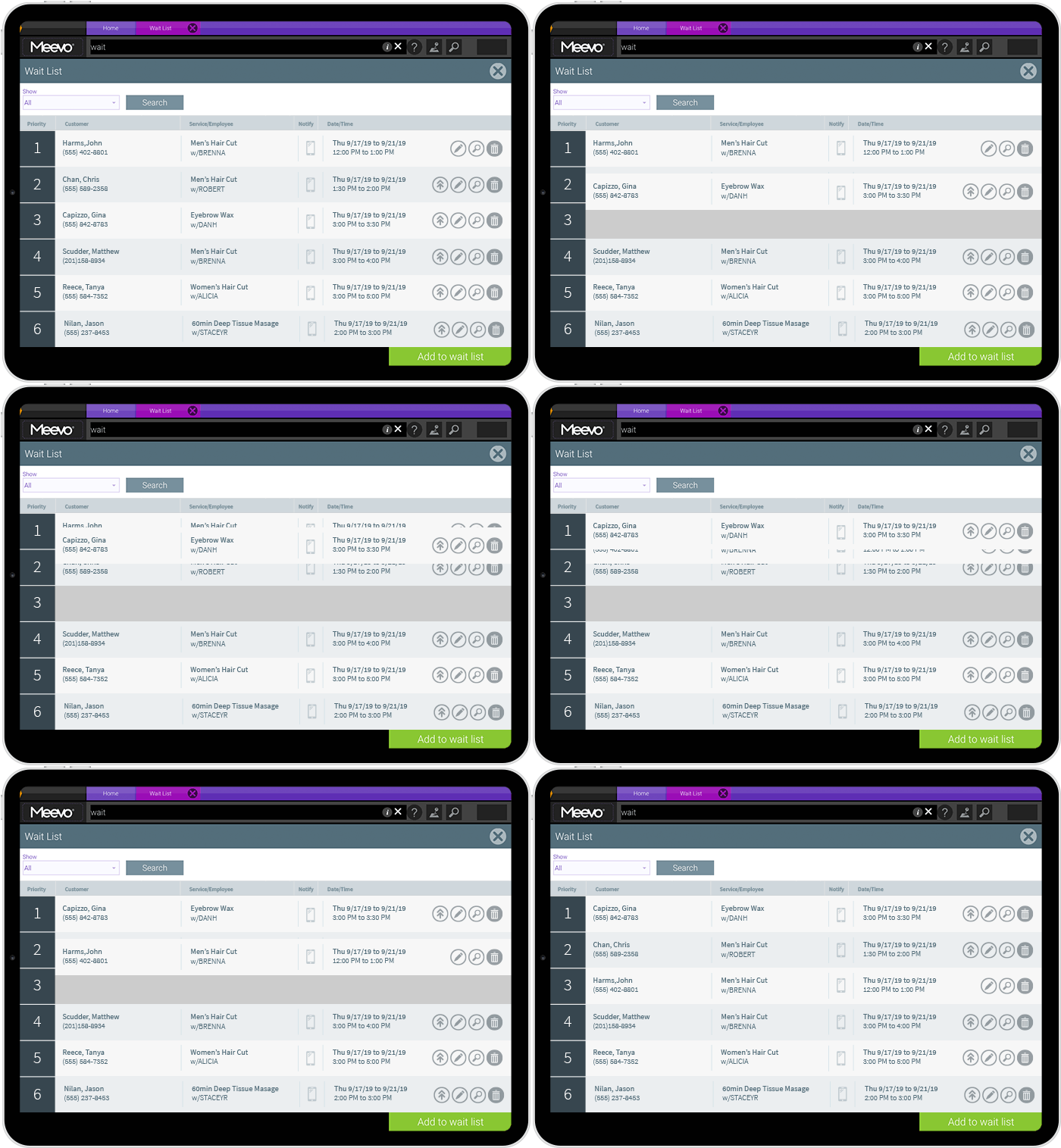
- Automated wait list: This is one of the most reliable ways to keep the schedule full. With Meevo, clients can add themselves to the wait list during online booking, or the front desk can add them directly.
Meevo scans the appointment book every five minutes for new openings or gaps and automatically texts matching clients based on their available date range and time preferences. Clients confirm by reply and Meevo books the appointment without front desk involvement. If a client doesn’t respond, Meevo works down the list until the slot is filled.
Specific clients can also be flagged as VIP and moved to the top of the wait list, so they are the first to be notified when a slot opens.
- Cancellation policies and deposits: Meevo protects your revenue before an appointment is even confirmed by requiring clients to accept your cancellation policy. Cancellation policies are completely customizable so that you can include whatever terms you’re comfortable with. You can require deposits up front, which has virtually eliminated no-shows for the salons using it.
This also gives you clear documentation to win credit card chargeback disputes if a client pushes back. MeevoPay wins around 53% of chargebacks, compared to an industry average of 35-40%, and maintains a chargeback rate of less than 0.02% across all transactions.
- Appointment prepay and payment collection at booking: Meevo gives you several ways to protect against lost revenue at the booking step. Clients can prepay for their appointment while booking, which speeds up checkout on the day of the appointment and can reduce no-shows by up to 20%.
Salons can also require a card on file, which allows missed-appointment fees to be charged according to the salon’s policy and reduces cancellation risk.
- Automated reminders: Appointment reminders go out automatically by text or email, and you can edit the wording so the messages match the salon’s tone. Because clients confirm by direct reply, front desk staff can identify unconfirmed appointments beforehand and follow up while there is still time to fill the slot.
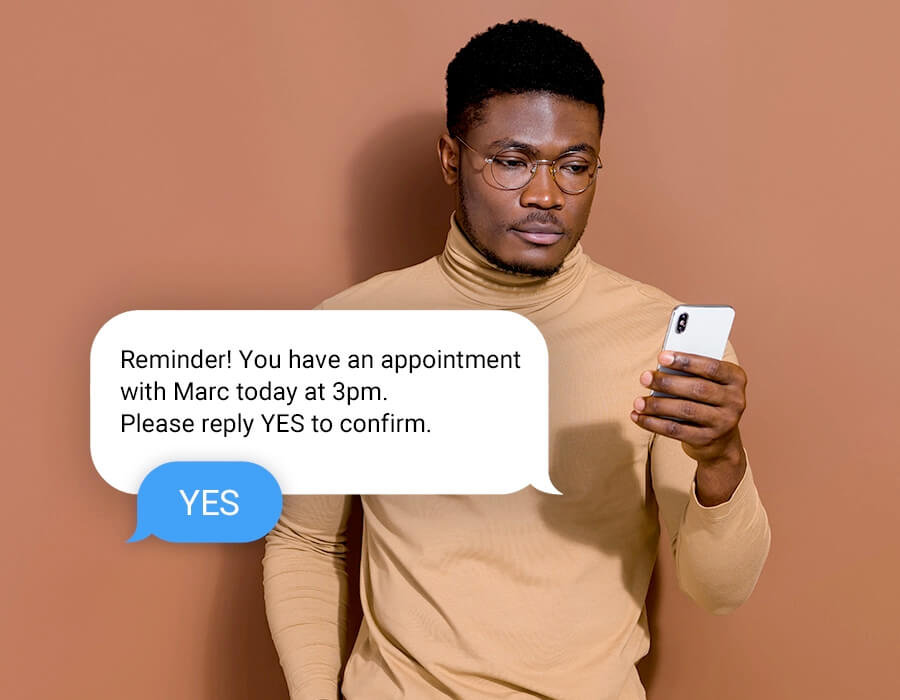
With Meevo’s revenue protection tools, salons can both prevent lost revenue and recover it when cancellations happen—without having to manage the process manually.
Create a Smoother Checkout Experience for Your Clients and Your Staff
The choices a client makes during booking should follow them all the way through to the register. This includes the services they select, the add-ons they request, the packages they hold, and their membership terms. This can only happen if your booking and payment systems are connected.
While a lot of salon platforms include some form of payment processing, many rely on disconnected third-party systems that do not share data with the booking calendar.
Meevo uses an in-house, embedded payment processor called MeevoPay, so all of a client’s booking and payment details stay connected. This makes it easier to complete transactions, access reporting, and reconcile payments, all without leaving the platform.
- Checkout is quick and easy. Because all the client and booking details are already in the system, there’s nothing to re-enter at the register. Some salon POS systems take five or six clicks just to reach the payment screen. With MeevoPay, it’s three clicks and a swipe (or tap). The system handles all standard card payments automatically, including Apple Pay and Google Pay.
- During checkout, the system shows staff product recommendations tied to the client’s services. The prompts are built into the checkout process, so you avoid missing retail opportunities.
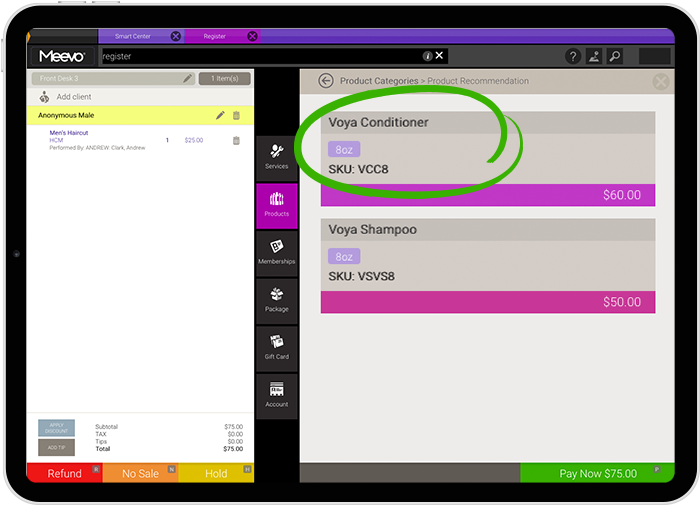
- MeevoTips is Meevo’s built-in tipping system, included with every subscription. Tips go directly to the service provider the same day. That means service providers walk out with their tips in hand rather than waiting for a weekly payout.
During checkout, a client-facing tablet (provided by Meevo) presents suggested tip amounts sized to the service total. The client covers a small processing fee of around 2%.
Salons using the system see an average 22% increase in tip income.
- Rebooking happens right at checkout, in the same system. The client’s profile, service history, and stylist availability are already on screen, so booking the next appointment takes seconds. The easier it is, the more clients actually do it.
When booking and checkout run in the same system, your front desk spends less time managing the screen and more time focusing on the client. This makes the process smoother for all involved.
Track the Booking Metrics that Actually Improve Salon Revenue
A lot of the metrics that drive revenue in a salon are connected to booking data: how often clients come back, how much they spend, and whether they rebook before they leave. Without that data, you can’t track performance and see where you need to make adjustments.
Meevo captures all of it automatically during booking and presents it in an organized way, making the data easy to act on.
- Smart Center dashboards: Meevo’s Smart Center pulls live data across 100+ customizable tiles and can include things like estimated service sales, client counts, rebooking percentages, and more. You can build dashboards entirely from scratch or start with one of Meevo’s pre-built templates.
You can also build as many dashboards as you want and assign each one by role, so everyone sees what’s relevant to their job without having to dig for it. For example, a salon might give managers a dashboard with store-wide booking activity and membership performance, while stylists get their own view with just their numbers.
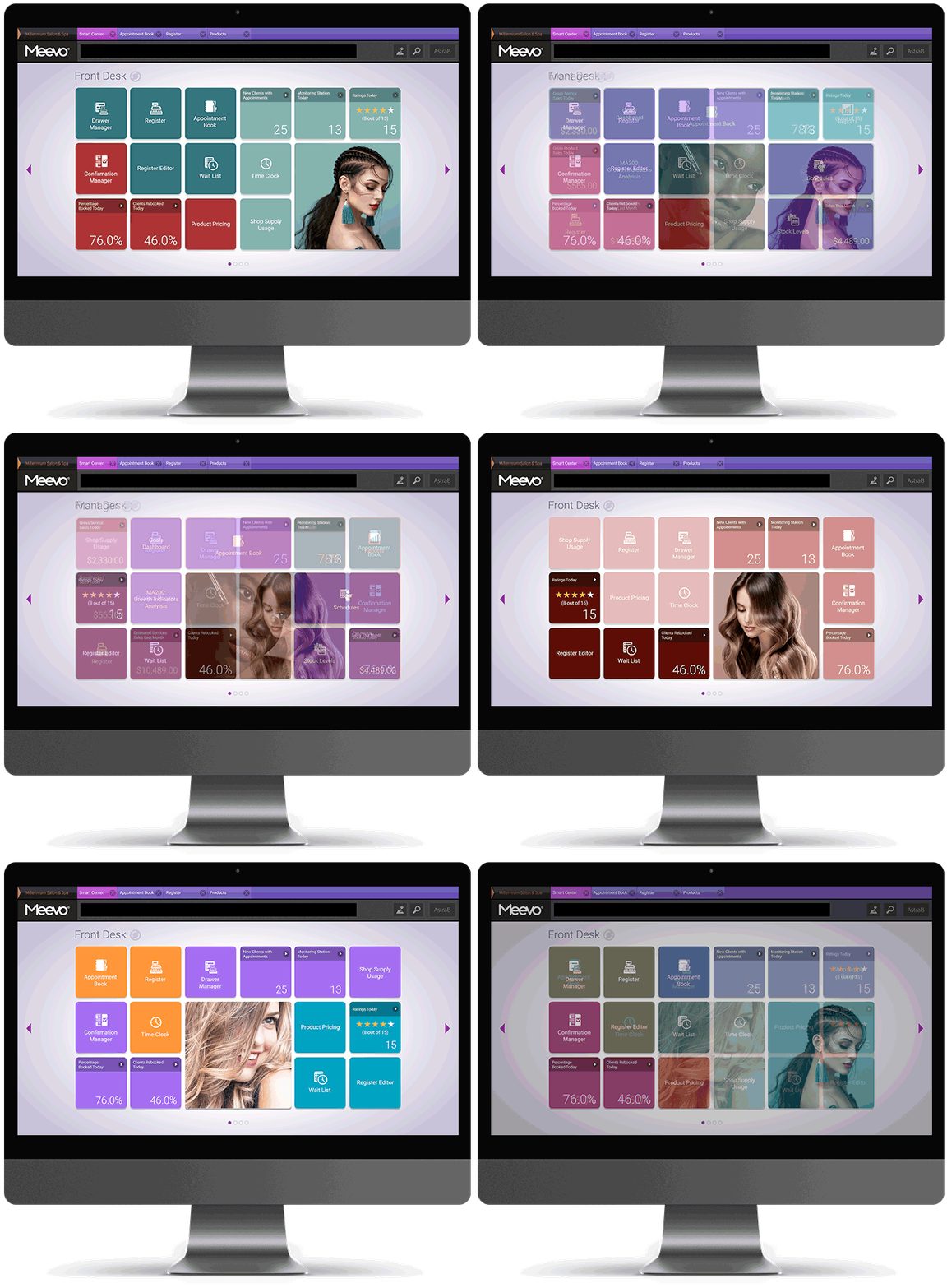
- Single-view KPI report: Instead of jumping between separate reports and piecing the numbers together, Meevo combines all the data into one place. Owners can break it down by stylist, department, or location to see where bookings are strong and where there’s room for improvement.
- Booking channel tracking: Salons also have the option to track how many appointments came directly from Google Search and Maps through Google Analytics and Tag Manager. This gives a clearer picture of which booking channels are actually performing.
- Custom retention windows: A lot of salon software uses one fixed retention window, often 90 days, no matter how often your clients actually come in. Meevo lets you set it at three, four, or six months. That matters because a client who comes in every six weeks for color is on a totally different schedule than one who comes in a couple of times a year for a cut. Get the window right and you’ll know which clients are actually worth going after.
- Loyalty and behavior-based programs: Meevo’s loyalty tools let owners build programs around the behaviors that lead to more bookings. Owners can automate rewards for whichever actions they want (such as rebooking before leaving, referrals, retail purchases, or hitting spending thresholds) to encourage that behavior based on the numbers they’re seeing. Meevo also tracks first-visit value, repeat visit count, and lifetime spend by program, so owners can see which programs are actually changing client behavior and which aren’t worth keeping.
- Missed opportunity tracking: When a wait list window passes without a booking, the entry stays active for two weeks, giving staff time to reach out and get the appointment on the books. If it’s still unresolved after that, Meevo logs it as a missed opportunity. Owners can see the reporting pattern and follow up directly with clients who tried to book but couldn’t get in. This tracking turns lost demand into a follow-up list instead of just lost revenue.
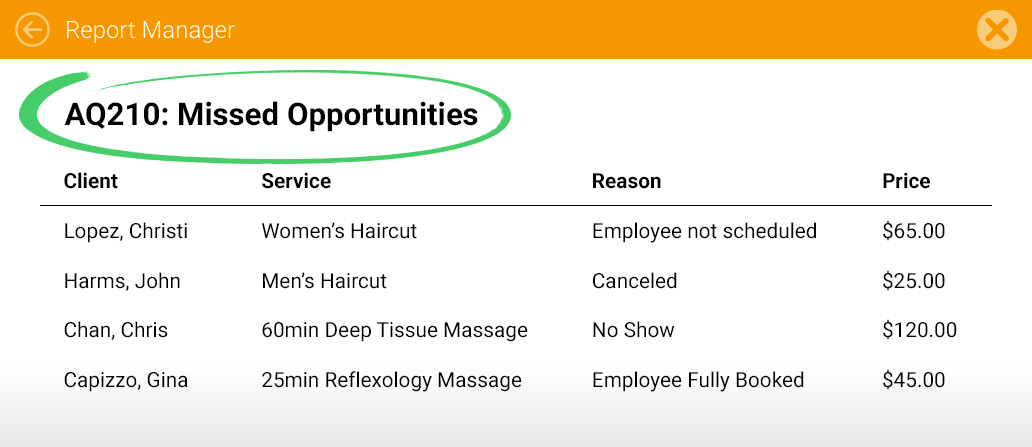
Because all of that data flows directly from the appointment book, the numbers update in real time as bookings come in, change, or fall off the schedule. This way, you can spot problems and act on them right away, rather than finding out at the end of the week or month.
Other Meevo Features Worth Knowing About
Beyond booking, Meevo comes with lots of features to help you run the rest of your business.
- Online presence management: You can update your hours, address, or services once in Meevo, and it syncs to Google, Yelp, Facebook, and dozens of other listings automatically. Reviews from those platforms flow back into Meevo so owners can respond without switching between tools.
- Email and SMS marketing tools: Meevo uses your existing client data to build targeted campaigns based on visit history and membership status. Once sent, you can monitor performance metrics like open rates and conversions without ever leaving the platform.
- Inventory management: Meevo tracks retail stock in real time and connects directly to checkout, automatically deducting products as they sell to ensure your inventory is always accurate. When stock gets low, the system can generate purchase orders without manual input and send them to the distributor for processing.
- Multi-location management: Owners with more than one location can manage services, pricing, and reporting from a central hub and push changes to every site at once. Staff can book appointments at any location, and clients’ profiles follow them wherever they go.
- US-based customer support: A lot of salon software has moved to chatbots or overseas support, which is often frustrating when you’re not getting the answers you need if something comes up. Meevo maintains a full US-based support team reachable by phone and live chat. This is why Meevo holds a 98.5% client support satisfaction rating.
- Implementation and ongoing support: Switching to new software always comes with an adjustment period, no matter how intuitive it is. Meevo understands this and assigns every new client a dedicated implementation specialist, along with live staff training, so the whole team knows the system before they need to use it. Afterward, a client success manager takes over to handle your ongoing needs and help you get the most out of the platform. This level of early support ensures that using Meevo is as easy as possible right from the start.
Request a demo to see how Meevo manages every part of your salon’s booking process.
7 Alternative Salon Booking Platforms
To help you evaluate all your options, we’ve also compared how seven alternative salon booking options stack up when it comes to keeping your entire business running smoothly.
Vagaro
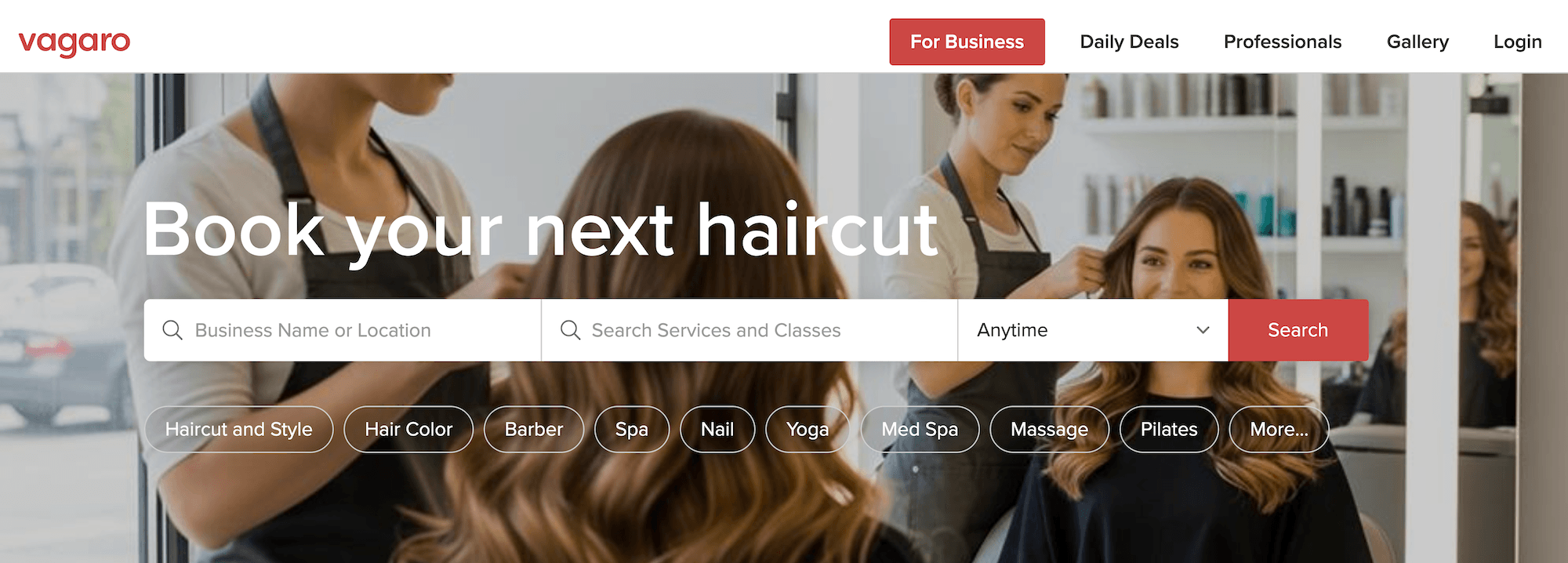
Vagaro is a salon and spa booking platform commonly known for its low starting price and built-in consumer marketplace, where every business gets a public booking profile. This is helpful for solo stylists and smaller salons that want added visibility without investing heavily in marketing or a custom website.
Here’s how booking works:
- 24/7 online booking through the Vagaro Marketplace, an embeddable widget, or a branded site or app. The marketplace listing uses a shared design, while branded options are available as paid add-ons.
- A color-coded calendar with Google Calendar sync, resource management for rooms and equipment, and couples or group bookings.
- No-show protection through required deposits, card-on-file, automatic cancellation fees, and a wait list that can auto-notify the next or highest-paying client.
- Automated email, text, and push reminders. Clients rebook and manage appointments through Vagaro’s consumer app rather than a salon-branded link.
A few things to weigh: Vagaro’s à la carte pricing keeps the entry cost low but rises quickly for a multi-stylist salon once common add-ons are included. Customers report that downtime is an issue, which can cause booking interruptions.
Square
Square Appointments is the booking product within Square’s wider payments and POS ecosystem, best known for its free starting plan and for running bookings and checkout on a single system (with no separate payment processor to manage). This is helpful for solo stylists and small studios that want a no-cost, low-commitment way to start taking online bookings.
Here’s how booking works:
- 24/7 online booking through a free customizable booking site, plus “Book Now” buttons on Google, Instagram, and Facebook.
- A color-coded calendar with Google Calendar sync, processing-time settings for double-booking during services like color, and rooms or stations set as resources.
- No-show protection through cancellation policies, card-on-file requirements, deposits, and automated wait list notifications when appointments become available—though some of these features are limited to higher-tier plans.
- Automated email and text confirmations and reminders, plus an AI assistant that handles rescheduling by text.
A few things to weigh: Square is reliable and easy to use, but it isn’t built specifically for salons. Every service uses one fixed time block no matter who performs it, and setting up varying schedules and multi-provider bookings isn’t a straightforward process.
Reporting has the same gap. It covers general sales and appointment activity but isn’t built around the booking-driven KPIs most tied to salon revenue. Its central tools, such as the wait list and no-show protection, also require a paid plan.
Boulevard
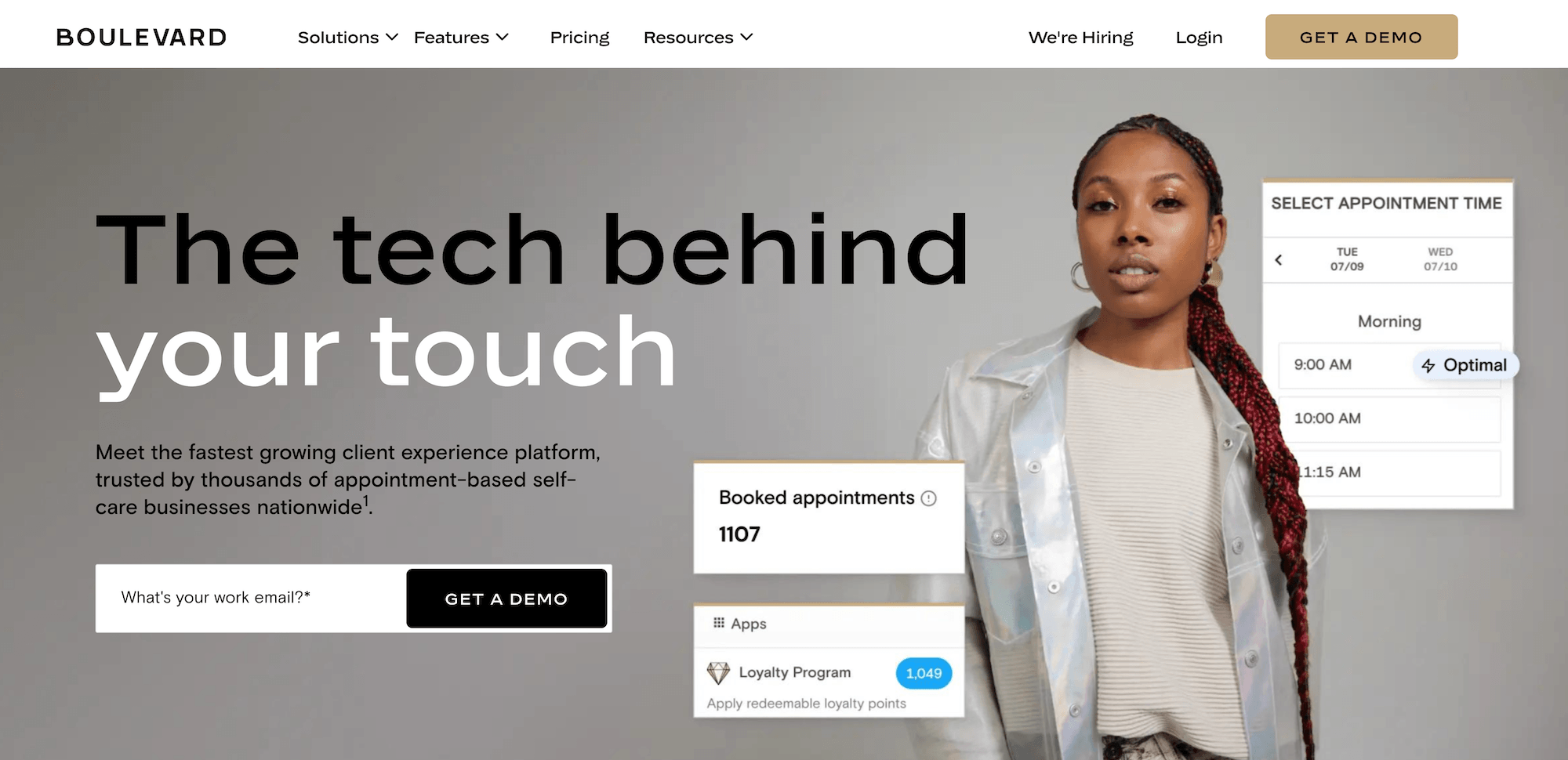
Boulevard is salon booking software with a sleek design and an on-brand client booking experience. It’s built for established, multi-provider businesses that want a more premium, client-focused approach.
Here’s how booking works:
- On-brand online booking is embedded directly into your website, so clients book on your page rather than a third-party marketplace. It’s mobile-first and also accepts bookings from Instagram, Facebook, and Google.
- A color-coded calendar with a dedicated front-desk view, two-way Apple and Google Calendar sync, and Precision Scheduling, which shows the best time slots first to reduce unsellable gaps.
- No-show protection through card-on-file deposits, cancellation and no-show fees of up to 100% of the service, and a wait list that clients can join themselves.
- Automated email and text confirmations and reminders, with customizable timing and online self-rescheduling for clients.
A few things to weigh: User reviews mention frustration with reporting, reliability, and support.
For example, salons find it hard to surface the booking-driven KPIs that track revenue. Boulevard has several recent logged downtime incidents, including occasional checkout and login disruptions that interrupt booking and payment.
Phorest
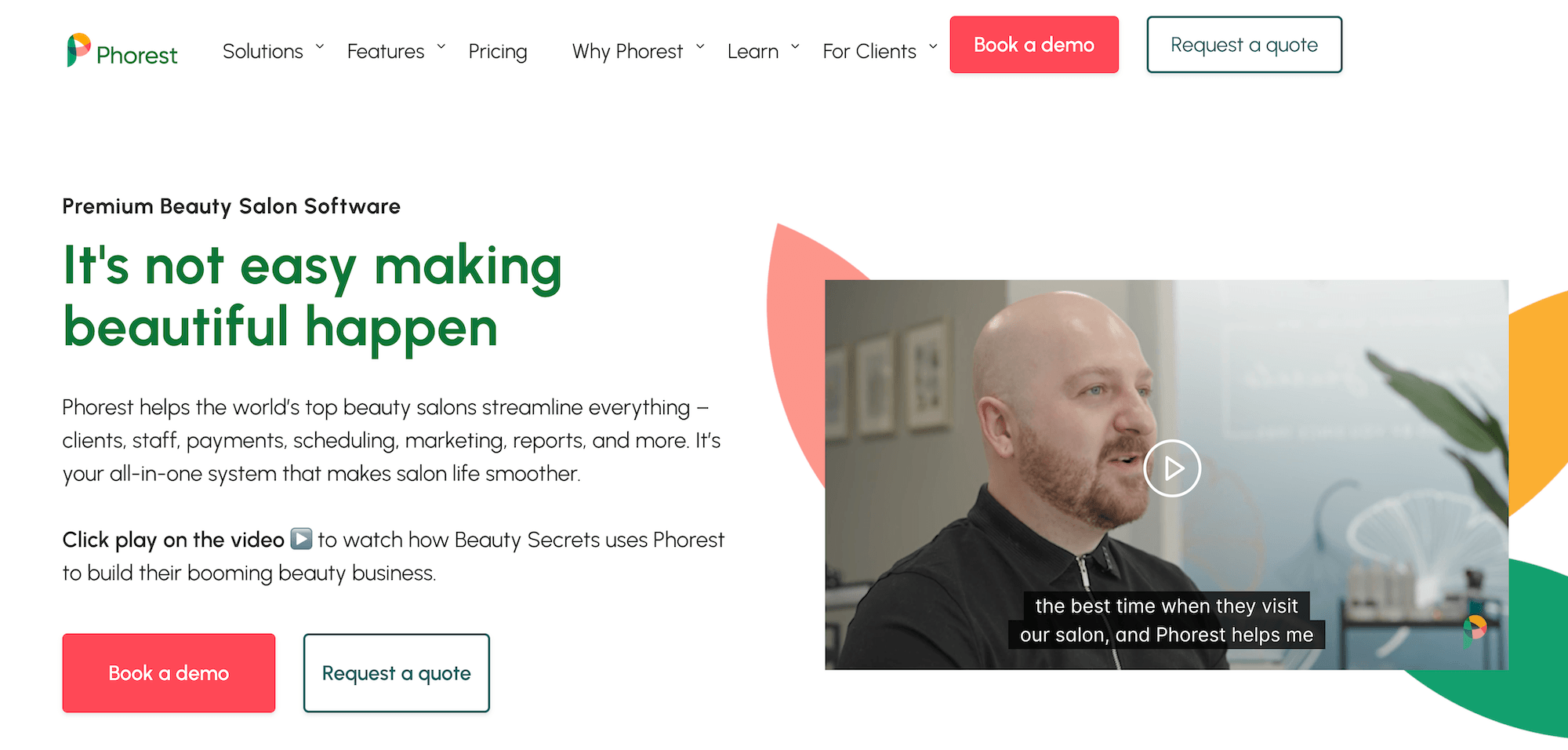
Phorest is a salon management software known for its built-in marketing and client retention tools. It’s aimed at established, growth-focused salons (Phorest recommends it for teams of three or more).
Here’s how booking works:
- Online booking through a website and social media widget, plus a branded app Phorest builds for your salon. Phone, web, app, and social bookings are all consolidated in a single calendar.
- A central calendar that books appointments back-to-back to minimize gaps and syncs rooms and equipment to prevent double-booking.
- No-show protection through variable deposits—higher for new or higher-risk clients, lower for loyal regulars—plus a cancellation-notice policy.
- Automated SMS and email confirmations, reminders, rebooking prompts, and no-show follow-ups.
A few things to weigh: The wait list is largely manual—Phorest doesn’t text waitlisted clients or fill the slot automatically—and that can cost revenue. Phorest also charges a per-booking fee on online appointments (roughly $1 each in the US), which adds up quickly.
Zenoti
Zenoti is a salon booking platform that handles large, multi-location operations. It works well for established chains and franchises with more complex needs in appointment scheduling, reporting, and staff management.
Here’s how booking works:
- Fully branded online booking 24/7 across web, mobile, and chat, plus Google and social media. Guests can add multiple services or book as a group in one session.
- A real-time appointment book showing every provider’s schedule, with an AI that adjusts the calendar, surfaces openings, and auto-fills gaps from the wait list.
- No-show protection through deposits, card capture at booking, and automatically enforced cancellation fees, plus an automatic wait list that fills openings by notifying the next guest.
- Automated email and SMS confirmations and reminders, plus SmartBot, an AI assistant that books by website or text, including after hours.
A few things to weigh: Zenoti is built for larger, more complex operations. Because of this, the configuration depth that makes Zenoti flexible can also make routine tasks harder for front-desk staff to learn.
Reliability is a second consideration. Independent monitoring records show numerous recent service incidents, and reviewers sometimes describe the platform (especially the mobile app) as slow or unstable at times. Because booking and checkout run through one system, those interruptions can affect daily operations directly.
GlossGenius
GlossGenius is a beauty salon booking software with a design-led booking experience and easy setup. This is helpful for solo stylists and small studios that want a polished, professional booking presence without the configuration work of an enterprise platform.
Here’s how booking works:
- 24/7 online booking through a GlossGenius-hosted booking site with no client login required, plus Instagram, Facebook, and Yelp profiles. Reserve with Google is available on the Gold plan and above. The booking site lives on a GlossGenius subdomain rather than a custom domain.
- A color-coded calendar with two-way Google Calendar sync, drag-and-drop scheduling, and processing time for overlapping services. Room and resource management is available on the Gold plan to prevent double-booking of chairs or equipment.
- No-show protection through card-on-file, deposits, and cancellation policies at booking, plus an automated wait list and 100% chargeback protection on Gold and above.
- Automated email and text confirmations and reminders, with predefined templates that allow custom wording but limited design and timing controls.
A few things to weigh: GlossGenius is built around solo practitioners, so its scheduling tools may start to show their limits the moment a salon adds more chairs or providers. There’s no per-stylist learned scheduling, no couples or group bookings, and no multi-location client profile sharing.
Reporting covers a daily dashboard and downloadable reports with an AI Growth Analyst for conversational queries, but salon-specific KPIs aren’t part of it.
Mindbody
Mindbody is a broad business management platform spanning many wellness verticals, including beauty and hair salons. The brand has a consumer marketplace where millions of monthly active users discover and book wellness and salon businesses.
Here’s how booking works:
- 24/7 online booking through an embeddable website widget, the Mindbody consumer app, Google, Instagram, and Facebook. A branded mobile app for your own salon is a paid add-on to certain plans, and the consumer app shows competing businesses to your clients in the same view.
- A color-coded calendar covering appointments, classes, and staff schedules, with room and resource management on the Accelerate plan and above. Changes sync in real time across your website and the Mindbody consumer app.
- No-show protection through deposits, card-on-file, configurable cancellation windows and fees by service category, and two wait list modes (Auto-Add fills the next client into an open slot, while First to Claimtexts waitlisted clients and adds whoever responds first).
- Automated email and text appointment confirmations and reminders. Triggered email and SMS marketing campaigns are available only on the top-tier plan.
A few things to weigh: Mindbody is often described in user reviews as complex and overwhelming for standard salon workflows, with a steep learning curve. Also, Mindbody’s reporting is oriented toward general wellness operations, with no dedicated tracking for salon-specific metrics like rebooking rates.
Meevo: Salon Booking Software that Connects Your Entire Business
Managing a busy salon requires a system that keeps chairs full, prevents lost revenue from cancellations, and simplifies checkout for your clients and staff. Meevo handles these operational details by turning the initial booking into the foundation for your payments, staff scheduling, and performance metrics. This automation removes the daily administrative stress from your front desk while saving hours spent reconciling daily receipts and pulling reports.
With Meevo, you can:
- Let clients book, reschedule, and confirm 24/7 on a branded page with no login required, so more clicks turn into confirmed appointments
- Keep every chair full with learned service times, resource management, and an automated wait list that fills gaps on its own
- Run booking, payments, and checkout in one connected system for faster checkout and more revenue captured per visit
- Track the rebooking and retention KPIs that flow straight from the appointment book, so you can see what’s actually driving revenue and can adjust accordingly
Want to see what booking looks like when it connects to your whole salon? Book a Meevo demo today.