
Most businesses looking for HIPAA-compliant medical spa software think they need a full Electronic Medical Record (EMR) or Electronic Health Record (EHR) just to meet HIPAA requirements, but that’s not true.
There are a few non-EMR med spa software options that meet all the requirements for HIPAA compliance.
If your practice sticks to aesthetic services like Botox and laser work, a full EMR will weigh you down. You’ll pay every month for tools you never use, and your team will have to click past insurance billing fields and clinical screens to reach the calendar and register.
That being said, a full EMR may make sense if your practice is centered on medical-grade services like weight loss or hormone replacement, where ordering labs, billing insurance, and offering telehealth are routine.
In this article, we cover six HIPAA-compliant platforms, starting with Meevo, our own software that helps aesthetic med spas work at the same speed as a regular spa while staying fully compliant. Then, we explore a few more options, including traditional EMRs.
But first, we’ll briefly lay out the essentials to look for in your software to maintain HIPAA compliance.
Schedule a demo to see how Meevo keeps your med spa HIPAA-compliant without the weight of a full EMR.
What to Look for in HIPAA-Compliant Med Spa Software
The first thing to know is that there is no official HIPAA certification that software can earn, meaning any medical spa software can claim HIPAA compliance. It’s ultimately your responsibility to ensure you’re meeting the HIPAA requirements for your business.
That being said, in 30 years of helping thousands of med spas maintain compliance, we’ve found seven essentials to look for in your software:
1. A login for every employee
HIPAA requires a unique ID for every person who touches patient data, which makes shared logins a violation. Individual logins do two things: they trace every action back to an actual person, and they let you control what each person can open. For example, the front desk can book appointments and take payments without access to treatment notes.
2. An audit log you can see
Individual logins only help if you can see each employee’s actions within the software. If something goes wrong, that log is your record of what actually happened, and it’s the first thing anyone investigating a complaint or a breach will ask for.
For example, a client is unhappy with her Botox results. You need to know exactly who treated her and what was documented, so you can go to the right person about it. And if the same provider keeps coming up, that’s something you want to catch early rather than after you have lost clients over it.
3. Camera and consent forms inside the software
A before-and-after photo of a client’s face is protected health information (PHI). The face identifies them, and the date says they had a procedure. A signed consent form is PHI for the same reason.
Both should be captured inside the software. The software itself sends the form ahead of the visit and stores the signed copy in the client’s record.
4. Customizable reminder templates
A lot of medical spa software includes automated appointment reminders that go out by text and email. For example, it could read, “Hi Angela. Quick reminder: your Botox appointment at Glow is March 12 at 2:00 PM. See you then!”
That message contains PHI, since it has her name, a medical procedure, and a date. HIPAA makes you responsible for protecting it, and a text message is not a place you control. One wrong digit sends a stranger a note about Angela’s Botox appointment, which is a reportable breach.
Look for software with templates you can customize. That way, you can take the service name out so the risk goes away.
5. Encryption in transit and at rest
Data should be encrypted while it moves between your devices and the software company’s servers, and while it sits in their database and backups. Plenty of companies encrypt the live database and leave the backup files unprotected, so ask about backups specifically.
It matters because encrypted data that gets stolen is usually not a reportable breach (since no one can read it). Without encryption, a data breach means notifying every affected client and reporting it to HHS.
6. A signed Business Associate Agreement
HIPAA requires a Business Associate Agreement (BAA) before you give a software company any patient data. By signing, they agree to keep that data secure, use it only to run your software, notify you if it leaks, and return or delete it if you leave.
Make sure you can get a signed BAA before you commit.
7. Business tools built for how a med spa runs
You run the business on this software every day, so aside from compliance, it should be easy to use, take work off your staff, make the client experience better, and help you grow.
- Automation should handle repetitive tasks. When a client books, the right intake form should go out automatically, and the chart record for that visit should already be created. Your team is then ready to start the visit when the client arrives instead of having to set it up.
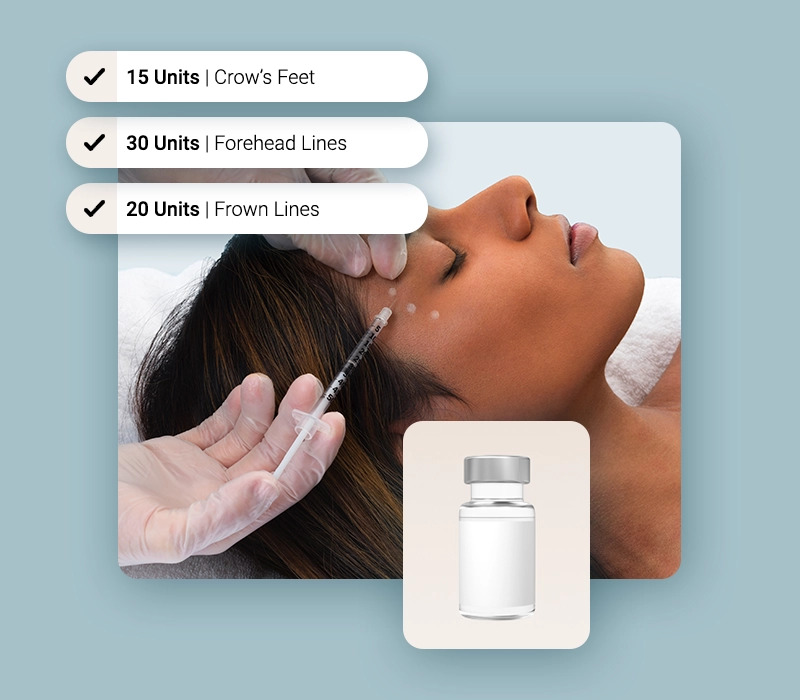
- You should not have to manage inventory by hand. When a provider records 25 units of Botox, that should come out of stock and land on the bill. Reorders should trigger before you run out, and lot numbers and expiration dates should be tracked for you.
- Checkout should be quick and easy. Products used, membership pricing, and package balances should all apply on their own, and payment should happen in a few clicks. Checkout is the last thing a client experiences, so it should leave a good impression.
- Reporting should cover every part of the business and break down to a single provider or treatment. That way you can see what’s driving revenue and change what’s not. And if you have a medical director or investors, they are looking at those numbers too.
- Marketing should bring clients back without someone in your office having to run it by hand. When a client is due for their next Botox touch-up or hasn’t booked in a few months, the right email or text should go out automatically. And since those messages can carry PHI, the marketing engine sending them should meet the same compliance bar as the rest of your software.
Below, we compare how six platforms stack up in these areas.
1. Meevo: HIPAA-Compliant Med Spa Software Without the Weight of a Full EMR
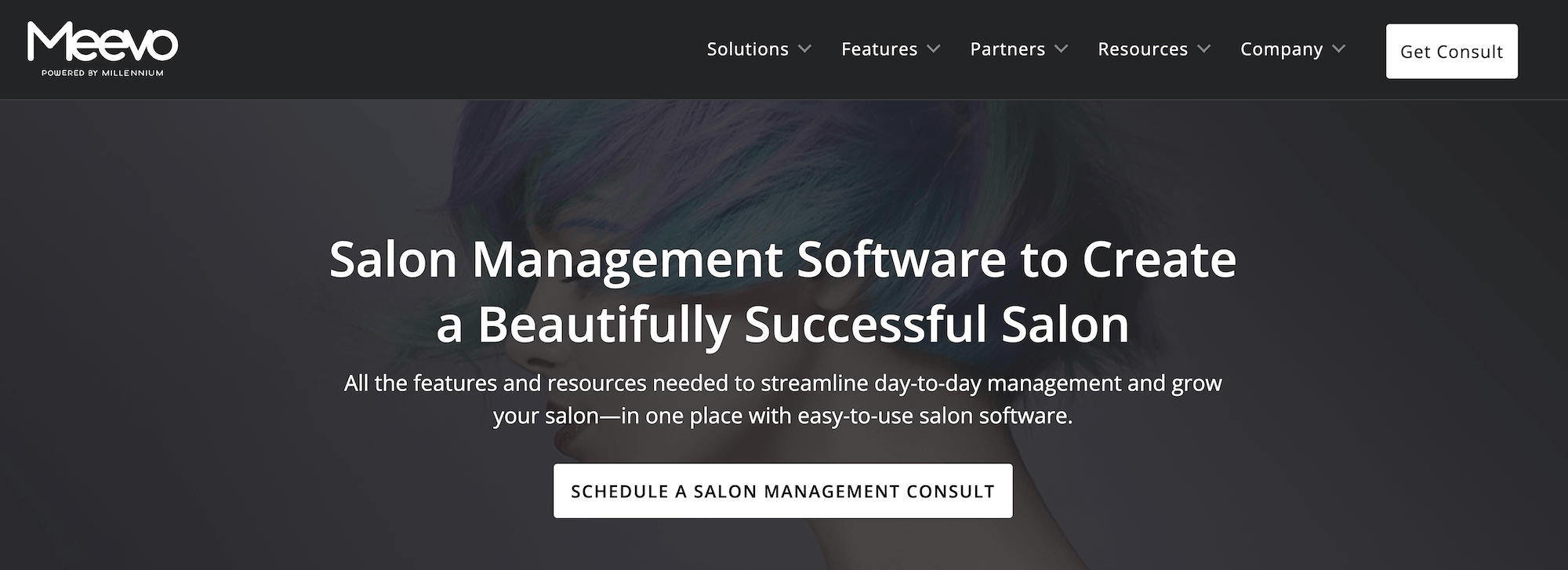
MeevoMD, Meevo’s med spa product, meets all seven of the essentials above. Built for established aesthetic med spas with around five or more service providers, it handles booking, charting, payments, inventory, and detailed reporting in one HIPAA-compliant system. Meevo signs a BAA and encrypts patient data in transit and at rest, so it stays unreadable if it’s ever intercepted or stolen.
Because it skips the heavy clinical tools of a full EMR, the software stays light and quick to move through. Ginny Eramo, Med Spa Managing Director at Interlocks Med Spa, put it this way:
“Med spa businesses should think about Meevo, because a lot of these EMR software platforms that are utilized by med spas are very limiting. They’re HIPAA compliant, but Meevo is too, and you can do so much more with the data in Meevo…You can’t run a business forecast without the right data.”
And Karen Albright, CEO of BodyLase Med Spa, counts Meevo among the reasons her med spa keeps growing:
“We’ve grown every year, 10–20%. We’re really blessed to be in a great industry… and have great software to help us.”
Every Employee Gets Their Own Login, and Every Chart View Is Logged
Each person on your team gets their own account within Meevo, which is required for HIPAA compliance. This means every action taken within the system, such as editing a chart or taking a payment, is tied to a specific person.
From there, you control what each employee can access and from where.
- Meevo comes with role-based access controls. Assign someone as front desk, provider, or medical director, and their permissions are already set. You can adjust from there, including hiding whole areas of the software from people who have no reason to see them. For example, your front desk works the schedule and the register without clinical notes ever appearing.
- Each role gets its own Smart Center. That’s the dashboard that loads when someone signs in, and it’s customizable, so it only holds what that role should see. You can also include live metrics specific to each employee (like rebooking rates or average ticket amount).
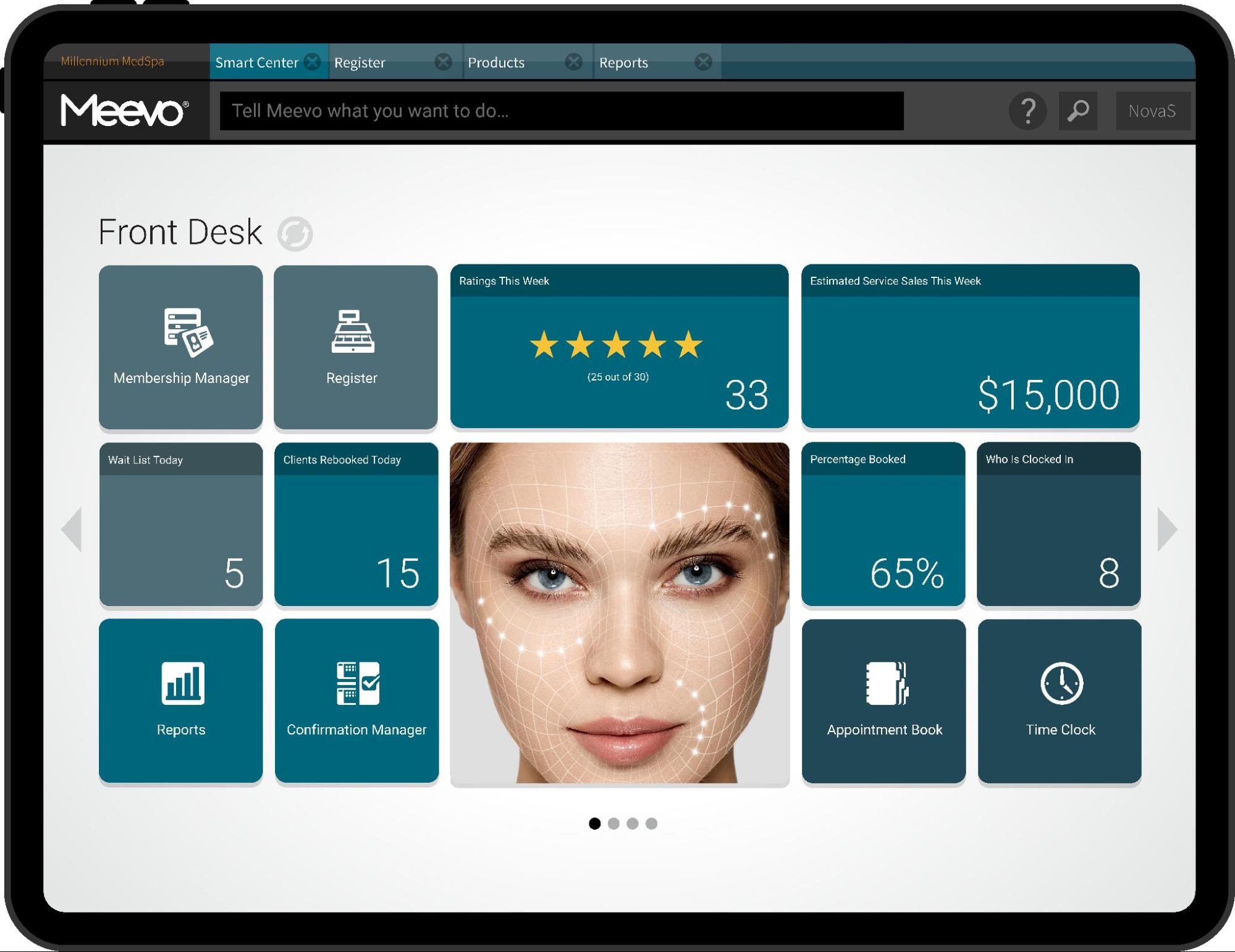
- The screen locks when a client is holding the tablet. Aside from controls for staff, when you hand a client a tablet to fill out an intake form, they can’t access any other screen, ensuring all client data is kept private.
- Your medical director can sign in from anywhere. Charts waiting for approval are collected in one place, and they can log in with their own credentials, review what’s there, and either approve a chart or send it back to the service provider who wrote it. Most medical directors cover more than one practice, so not having to be on site matters.
Plus, Meevo’s Activity Log records every action, ties it to the person who took it, and lets you search by client, employee, transaction, or data change. So when you need to know who edited a chart note or who ran a refund, you can easily access that information.
Photos, Intake Forms, and Consent Forms Never Leave the Platform
A before-and-after photo of a client’s face and their signed consent form are both PHI. Staying HIPAA compliant means the place those records live has to be protected, which is a lot simpler when there’s only one place. In Meevo, intake forms, consent forms, photos, and visit notes all save directly to the client’s profile.
- Meevo creates the chart record when the appointment is booked. It’s waiting on the client’s profile before they arrive. For returning clients, it can come pre-filled with the form notes from their previous visits.
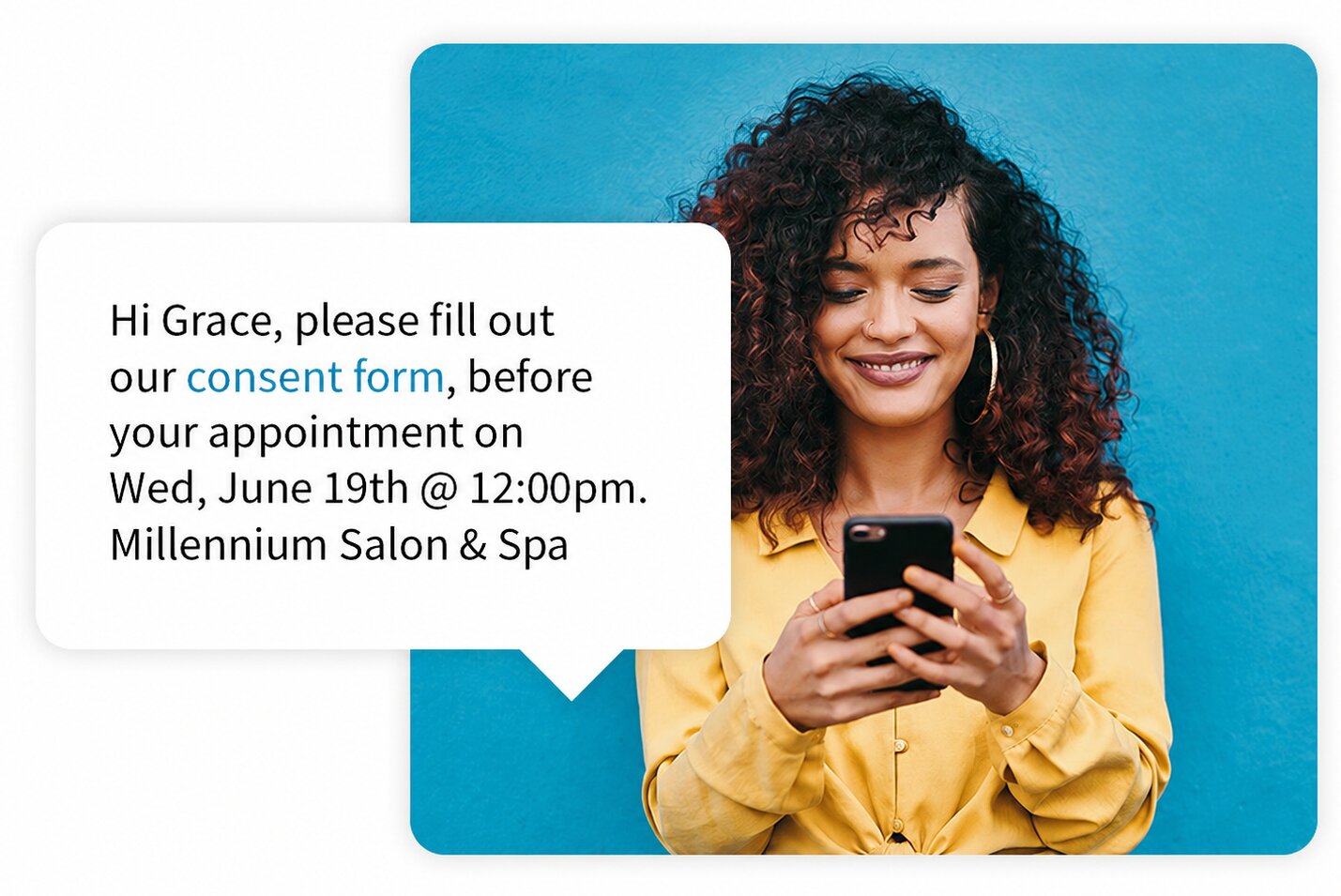
- Forms match the service and go out on their own. You build templates for intake, consent, and SOAP notes by service type, so a filler appointment sends the filler consent and a laser appointment sends the laser one. You pick when they send, whether that’s at booking, with the confirmation, before the visit, or at check-in. If a client arrives without having filled it out, Meevo lets the front desk know so they can hand them a tablet.
- Photos are taken directly within Meevo. Staff open the client’s record on a tablet and shoot right from there. The photo saves straight into that record and never leaves the platform. Service providers can also annotate the image to mark injection sites and treatment areas.
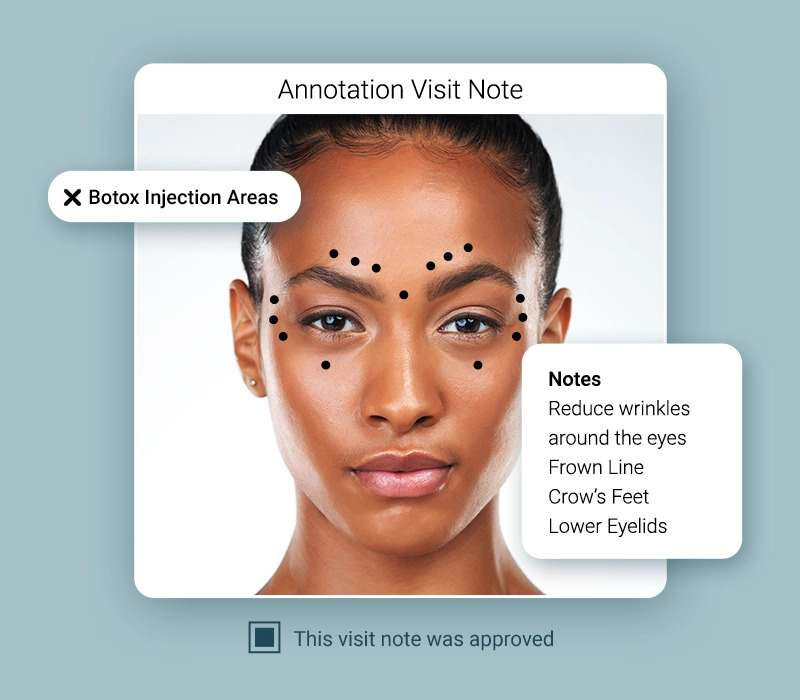
If you want to give clients a visual consultation, Meevo integrates with TouchMD, letting you show clients their photos and treatment options on screen as you talk them through their options.
Automated Booking and Reminder Tools Keep the Calendar Full
Meevo is HIPAA compliant, and it’s also built to keep the business running smoothly. The color-coded, drag-and-drop calendar is easy to use and shows how booked each provider is at a glance.
Plus, the booking tools handle online scheduling, reminders, wait lists, and no-show protection, saving your staff hours of manual work. This frees up their time for the clients in front of them.
- Clients can book appointments 24/7. Online booking happens right on your med spa’s website. It’s branded to your practice, and relevant add-ons are automatically suggested alongside whatever a client selects, which can increase the average ticket by 10% to 20%.
- Appointment confirmations and reminders send on their own. The confirmation goes out by text or email the moment someone books, and reminders follow before the visit. Reminders alone cut no-shows by up to 20%. You build these message templates from the fields you choose, so you can leave the service name out and keep PHI out of a text.
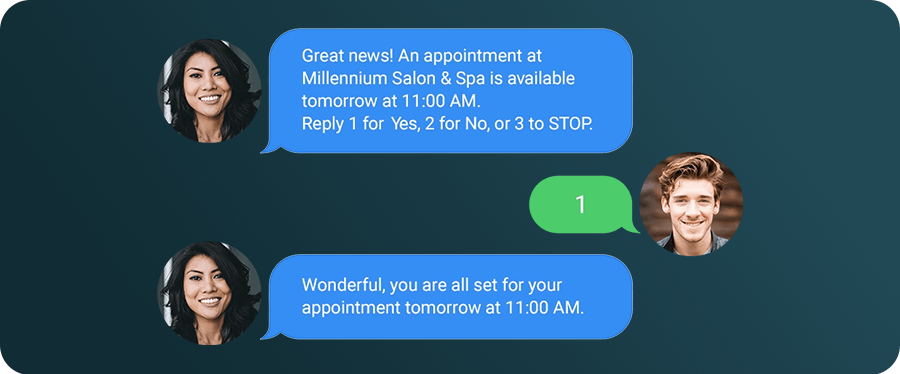
- The wait list fills openings on its own. Meevo checks the appointment book for cancellations and gaps, then texts waitlist clients until someone takes the slot. Regulars can be marked VIP to move them to the front of the line.
- No-show protection is built in. You can require a card at booking or take a deposit up front, which lets you charge missed appointment and cancellation fees automatically.
- Meevo checks that the provider, room, and equipment are available before booking, which matters when two injectors share one laser. Intellibooking learns how long each client actually takes, so if one needs 45 minutes with a provider and another needs 30, Meevo adjusts the block instead of using a fixed service length.
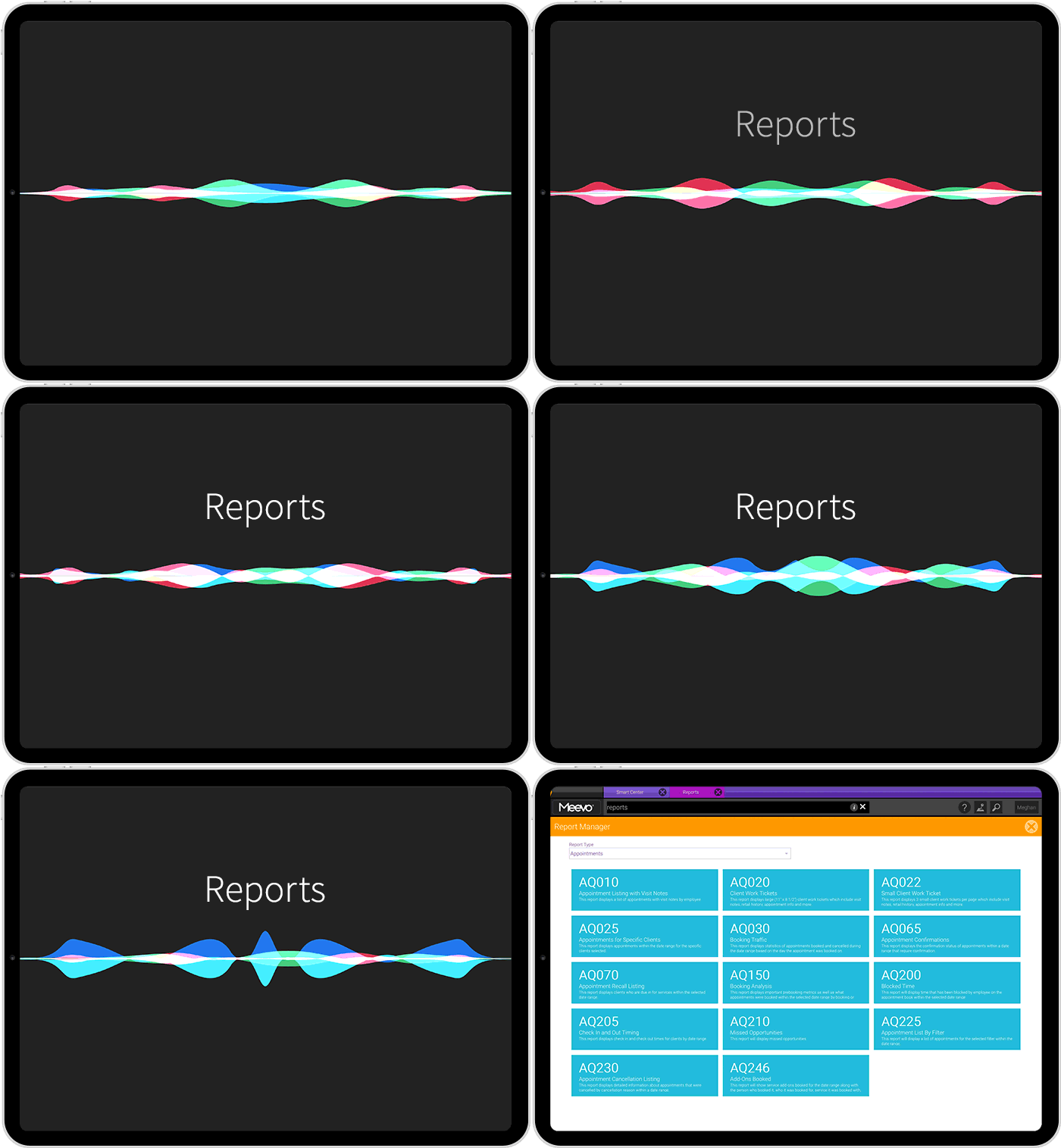
- An AI-powered search bar finds anything in the system by voice or typing. Say or type what you need into Convobar® and Meevo takes you there, whether that’s a client’s chart before her filler appointment, or the next Thursday opening with your laser tech.
Checkout Takes Three Clicks, and Inventory Updates Itself
Whatever happens at checkout is what a client leaves with, so it shapes how they remember the visit. Leaving them with a good impression is easier on a lighter system, where getting to the register doesn’t require navigating through charting and billing screens first.
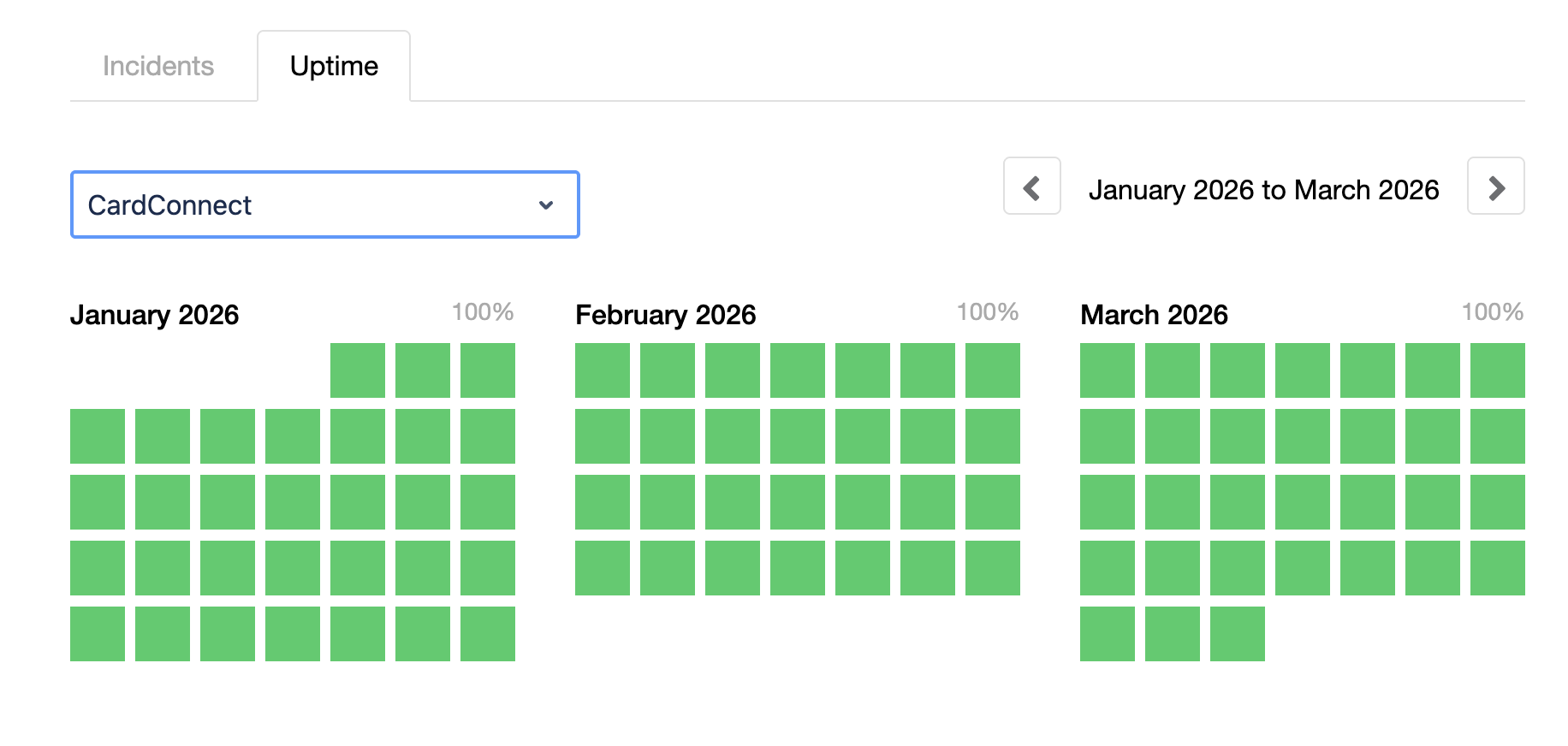
In Meevo, payments run through MeevoPay, our own processor. We guarantee 99.95% uptime (though it’s usually even higher), so the register is essentially always available. On the rare occasion it does go down (or when your internet goes down), you can keep taking payments in offline mode, and MeevoPay reconciles them automatically once the point of sale is back up.
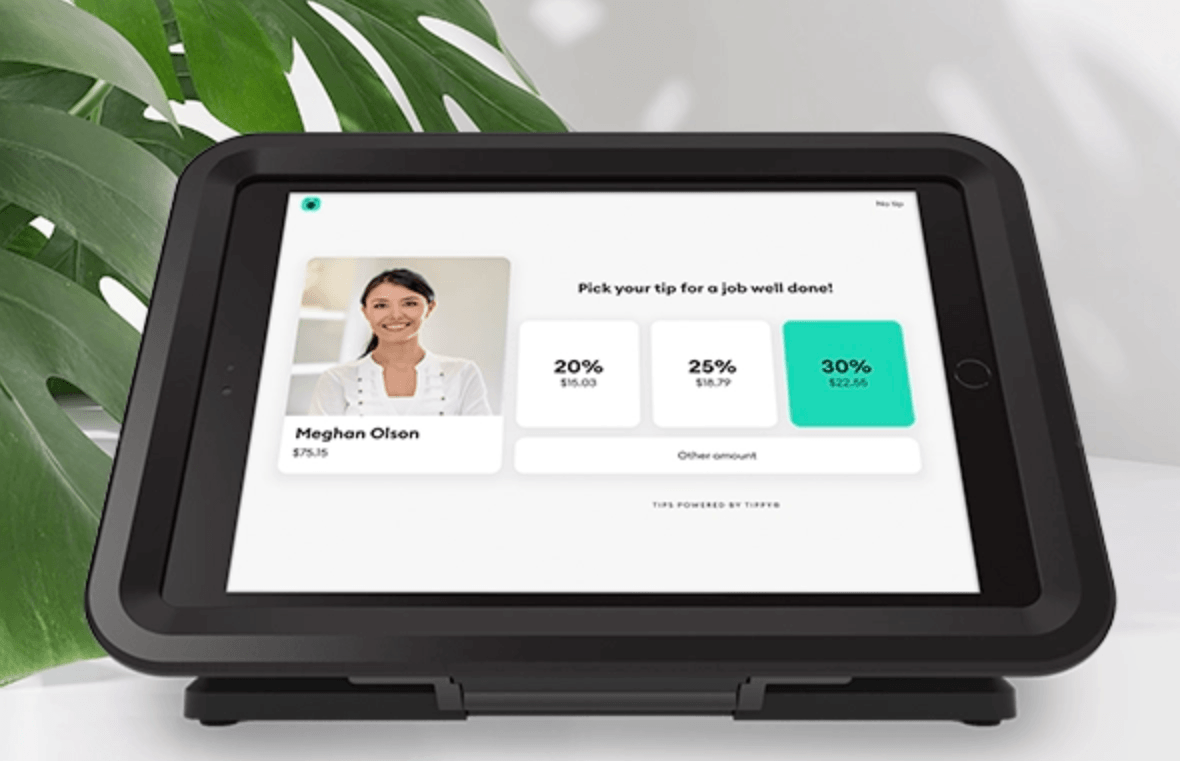
Checkout takes three clicks, then the client taps or swipes to pay. The ticket is already built and on the screen. The service came over from the appointment, the units of product the provider used are on it, and any membership or loyalty program balance is automatically applied.
Our POS handles a few other things at checkout too.
- Inventory updates itself with every sale. Stock counts drop in real time as products get used and sold. When something runs low, Meevo helps build the purchase order for you based on how fast that item actually moves, so you’re not running out of a bestseller or over-ordering something that ends up sitting on the shelf.
- Staff get prompts to suggest products. Meevo shows a reminder at the register when a client is likely running low on something they’ve bought before, so your team can seamlessly offer a refill.
- Clients can use healthcare funds or financing to pay. MeevoPay takes HSA and FSA cards, so a client can put pre-tax health savings toward qualifying treatments. Meevo also integrates with CareCredit, which lets clients finance a bigger package and pay it down over time. Both make it easier to say yes to a $1,000 treatment plan.
What’s more, if a client ever disputes a charge, Meevo handles the tedious chargeback process for you. We win about 53% of chargebacks (against an industry average of 35% to 40%). They’re rare to begin with, since our built-in fraud screening, MeevoPay Shield, keeps the overall chargeback rate under 0.02% of transactions.
150+ Reports Cover Every Part of the Business
Meevo gives you extensive reporting across scheduling, sales, inventory, and provider performance, providing the insight to make smart decisions that help you grow. The numbers update in real time, so what you’re looking at is always current.
- You get more than 150 built-in reports. Between them, they cover just about any question you’d have about the business. They’re also easy to find. Type or say a few words about what you want into Convobar, and it takes you there, even if you don’t know what the report is called.
- Advanced Dashboards turn your numbers into charts and graphs. Instead of pulling reports one at a time and comparing them yourself, you see how things have moved over weeks and months in one place. The visuals make patterns obvious and are easy to present to a medical director or investors.
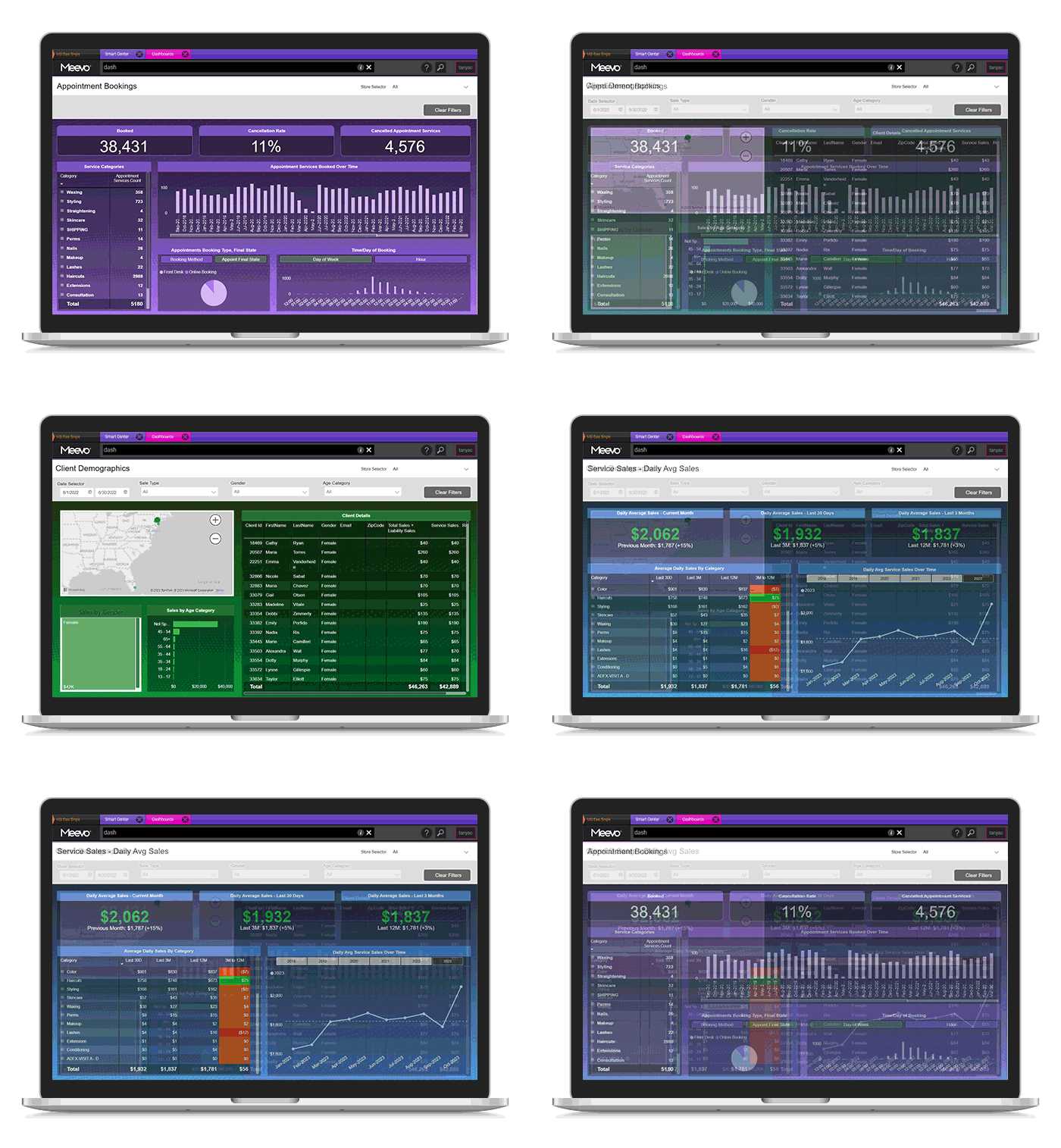
- See a service provider’s performance in one report. Sales, rebooking, productivity, and new clients per month are all shown together, so you don’t have to pull information from multiple reports. You can see who’s bringing in the most new guests and break down their sales by treatment or product to see exactly where their revenue is coming from.
- Client retention reports use your time frame, not a fixed one. Many platforms use the same fixed retention window for every service, which can give you a distorted picture when clients return at different intervals. Meevo lets you choose the window, so you can measure retention based on how your clients actually come back (for example, every four months for Botox).
- Some reports help you spot revenue you might otherwise miss. The Missed Opportunity report tracks openings the wait list couldn’t fill, while Appointment Recall lists clients who are due back but haven’t booked. That gives you a clear list of gaps to follow up on.
- The Meevo BI app puts 20+ KPIs on your phone. You can see anything from total practice sales down to one provider’s numbers without logging into the full platform, and compare across date ranges or locations.
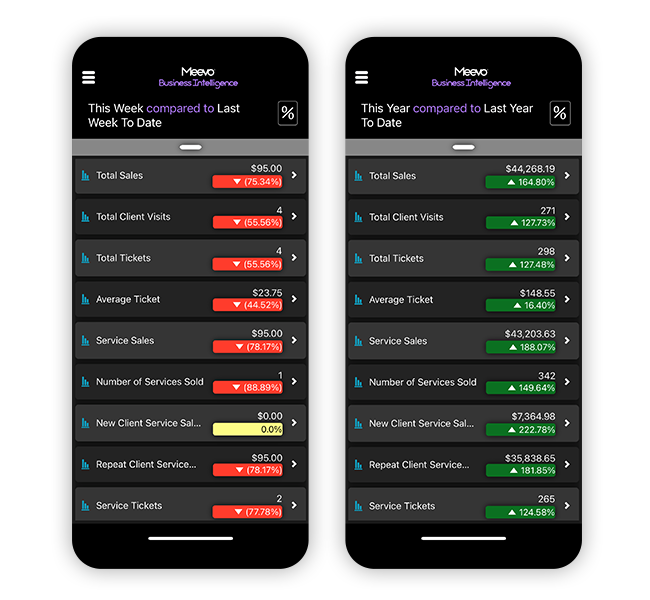
- Reports can run and send on a schedule. Set the ones you check regularly to arrive in your inbox instead of remembering to pull them.
Automated Marketing Tools Keep Clients Coming Back
Meevo handles marketing inside the platform, saving you from using a separate tool you’d have to buy and learn.
- Meevo includes a built-in AI assistant, Emma, that writes your email campaigns for you. You describe what you want to say in a few sentences, and Emma turns it into a full email. Emma has passed an independent security audit (HITRUST) built around HIPAA’s requirements.
- Meevo sends automated campaigns for birthdays and overdue rebookings, so clients hear from you again without anyone on staff having to remember to reach out.
- Your reviews and business listings live on one screen inside Meevo, so you don’t have to log into five different sites to check them. Meevo also requests reviews after a visit, drafts responses with AI, and keeps your information accurate across Google, Yelp, and the other places clients search before they book.
Ready to see how Meevo supports HIPAA compliance and the day-to-day operations of your aesthetic med spa? Book a demo now.
2. Mangomint: A Med Spa Platform for Smaller Teams
Mangomint is a med spa platform that handles charting and consent forms, but without a full EMR. It’s designed around aesthetic clinics’ workflows that don’t require broader clinical capabilities such as e-prescribing, lab ordering, or insurance claims management. It’s also HIPAA compliant and includes a signed BAA upon request.
Notable features:
- Forms and clinical documentation are built in. You can customize digital intake forms and SOAP notes, upload client photos and annotate them, track the number of units used during a treatment, and route completed forms to a practice manager for sign-off.
- Appointment reminders are customizable. Automated text and email confirmations and reminders are included, and you can edit the message content in settings to avoid sending PHI.
- Forms go out automatically based on the service booked. You can set automatic form requests for new clients and for specific services, so the right consent reaches the right person. Clients complete them on their own phone without creating an account, and submissions sync straight to the client profile.
- Inventory usage is tracked automatically, while reordering is partially manual. Mangomint maintains target stock levels and calculates what to reorder, but creating the purchase order, tracking it, and receiving the delivery are all on your staff.
Mangomint charges a fee for every employee with a login. That makes it a good fit if you’re employing just a couple of people, but those fees can add up quickly when you have a larger staff.
3. Boulevard: Med Spa Software with EMR-Style Add-Ons
Boulevard is a med spa platform that handles charting and consent forms without a full EMR. It’s HIPAA compliant, though coverage runs through an add-on you subscribe to, and you complete the BAA yourself in the security settings. E-prescribing is available as a paid add-on.
Notable features:
- Charting covers photos, image markup, and sign-off. Providers add photos to a chart, mark them up to show injection sites, and submit the chart for review.
- Forms save to the client profile. New client intake, consent waivers, and membership agreements are built as custom digital forms, and completed ones attach to the client’s record for later reference.
- Permissions are set by role. You can give a medical director full treatment records while front desk staff see only scheduling and contact details.
- Two-way texting is built into the CRM. Staff can message clients from inside the platform rather than from a personal phone, which keeps those conversations attached to the client record.
Boulevard is one of the more expensive non-EMR options, so it’s a good match for larger and enterprise-level clinics. Some user reviews have raised concerns about Boulevard’s reliability, with reported downtime incidents causing disruptions to checkout and login.
4. Zenoti: EMR Built for Enterprise-Level Practices
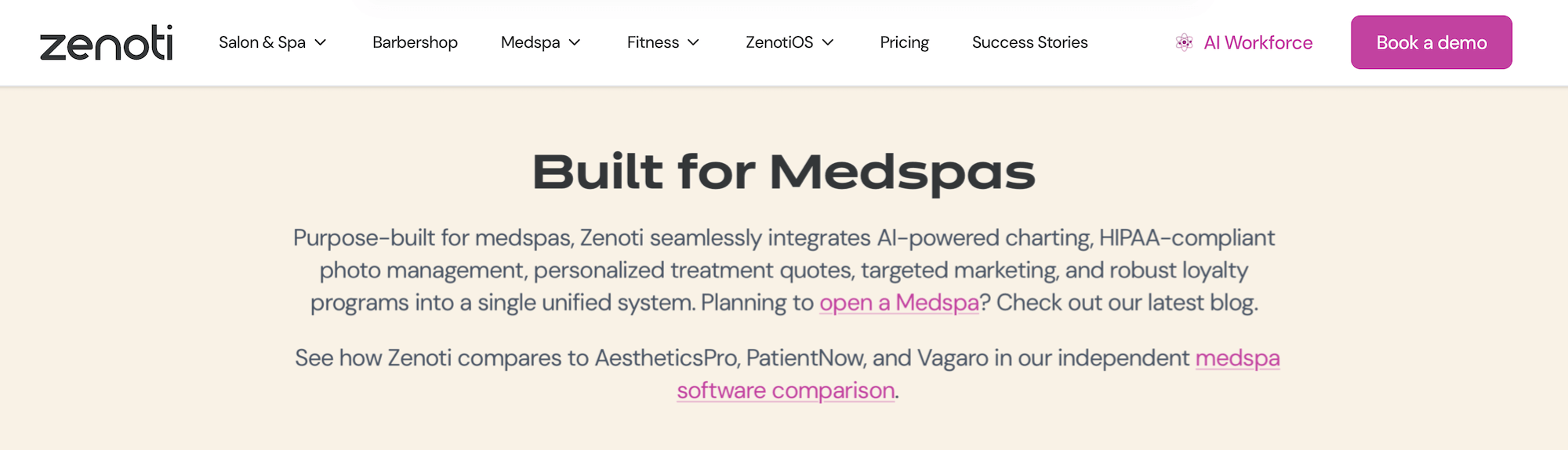
Zenoti is a full EMR aimed at large and multi-location medical-grade med spas. It covers e-prescribing (including controlled substances), client management, clinical charting built around medical procedures, and medical director oversight. Zenoti provides a BAA and is HIPAA compliant.
Notable features:
- Charting uses structured fields rather than free text. Injectable notes capture product, dosage per site, lot number, expiry, and provider as separate fields, which makes them searchable if you ever need to find every client who received a specific lot.
- AI Scribe drafts chart notes from the treatment conversation. It listens to the provider-client discussion and generates a structured, aesthetics-specific draft that the service provider reviews and approves before it becomes part of the record.
- The camera runs inside the platform. Photos are taken from within an appointment or chart, with gridlines and angle guides for consistency.
- Clinical activity is auditable. Zenoti maintains audit trails for patient records and related user activity, helping practices monitor access and documentation changes.
Zenoti’s full EMR works well for medical-grade practices that actually use the clinical depth. For practices only doing injectables and laser work, those heavier tools can make simple tasks like booking and checkout take longer.
5. Decoda Health: A Newer Full EMR Built Around AI
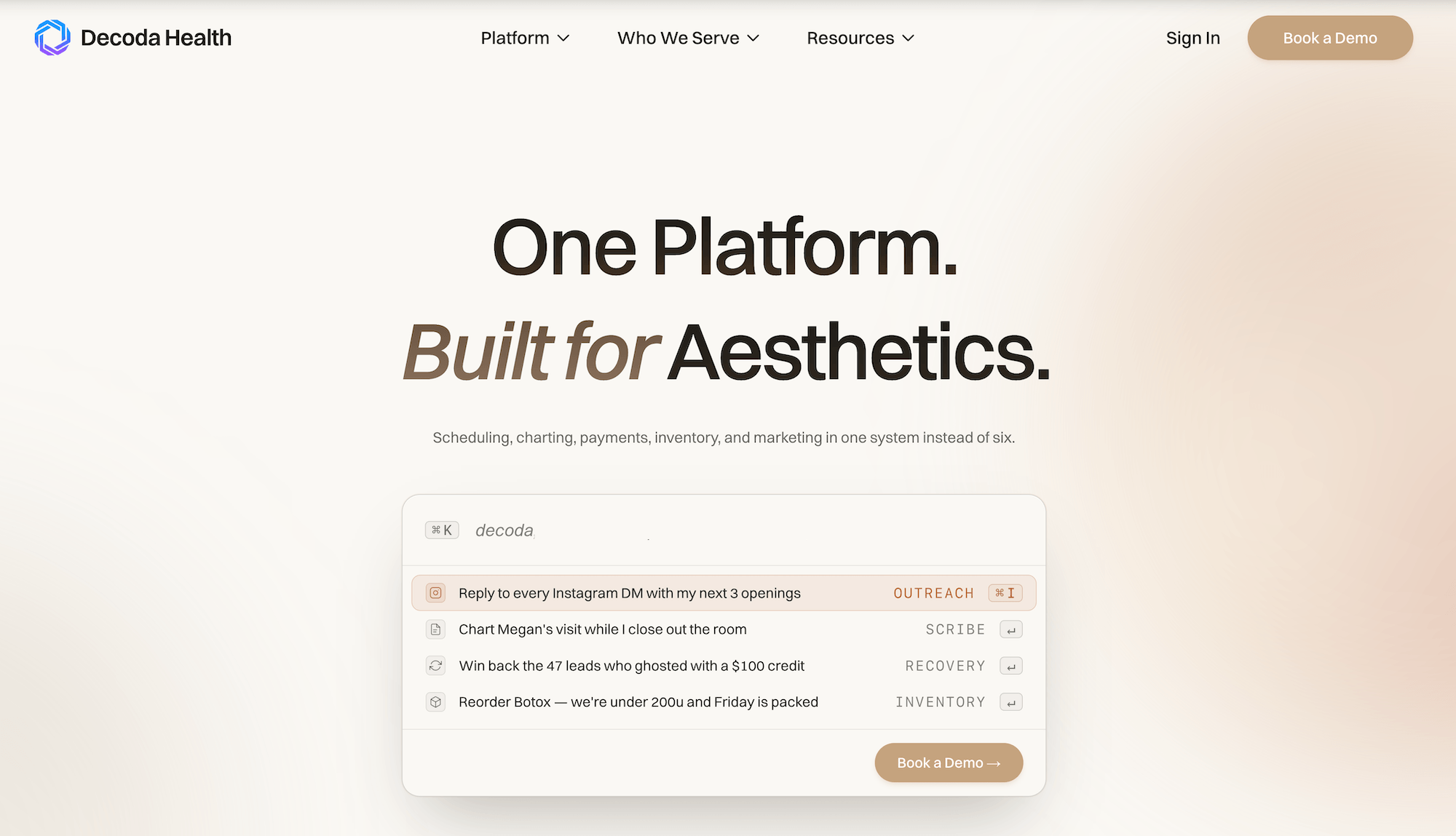
Decoda Health is a HIPAA-compliant EMR for elective care practices, including med spas that offer weight loss, IV therapy, and hormone therapy. It combines broad clinical tools with AI built into many workflows.
Notable features:
- Lab ordering and results are built in. Staff can order panels from the patient chart, support in-clinic, at-home, or walk-in collection, and receive results as structured, trendable data in the patient profile.
- E-prescribing automatically updates the client’s chart. Prescriptions go out through DoseSpot, and Decoda creates dose records on the client’s chart that update as the pharmacy processes the order, so the medication and treatment history stay current without anyone entering it twice.
- AI Scribe helps draft clinical notes. It generates treatment-note drafts from the visit, which service providers can review and finalize rather than documenting entirely from scratch. Ask Decoda also lets authorized users ask plain-language questions about clinic and patient data.
- Good Faith Exam workflows are integrated. Decoda connects with SpaKinect so teams can request eligible GFEs from the patient record or appointment, then have completed exam documentation automatically attach to the chart.
Decoda is a newer platform, so there’s less of a track record than you’d get from an established vendor. It’s well-suited for medical aesthetic practices that want heavier EMR tools with built-in AI.
6. AestheticsPro: A Full EMR with Extensive Charting and Prescription Features
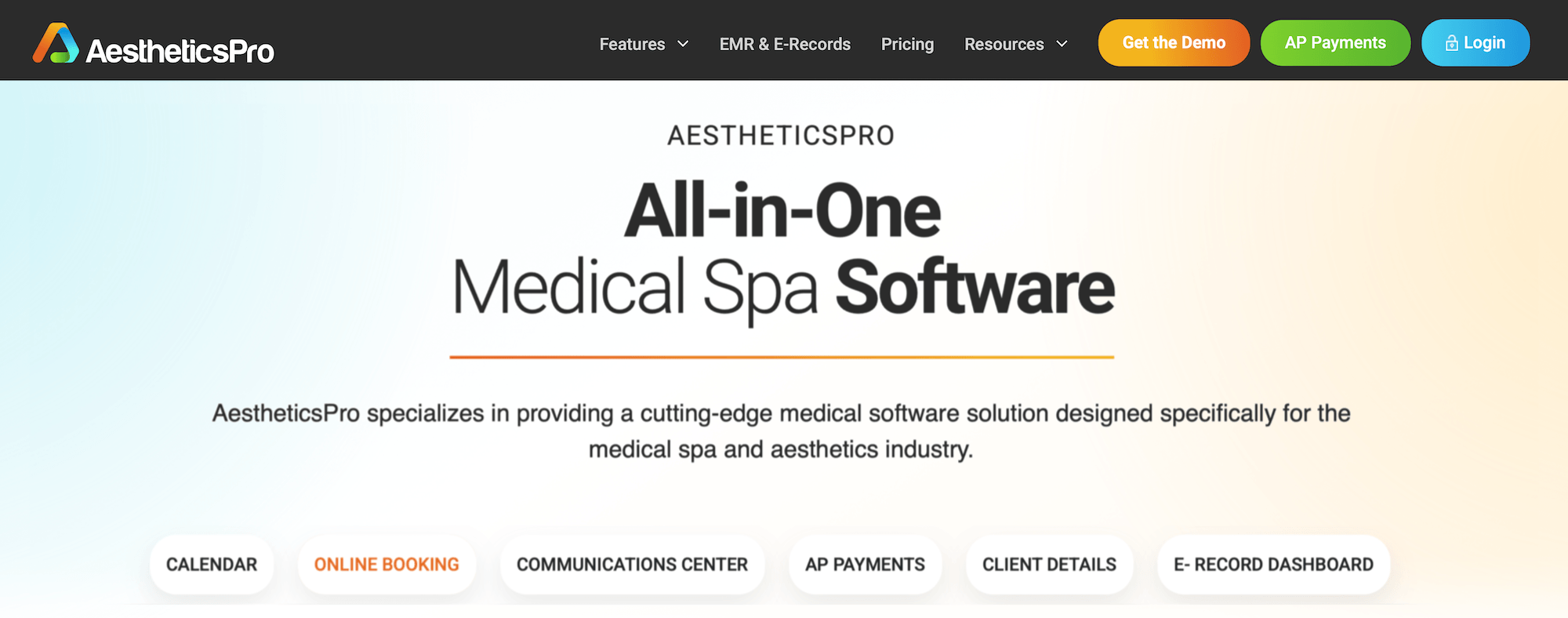
AestheticsPro is HIPAA-compliant medical spa management software, backed by a BAA. The EMR is the foundation, and scheduling, payments, and marketing are arranged around it. It serves both solo providers and multi-location groups.
Notable features:
- AestheticsPro comes with more than 450 ready-made forms, and you can build your own if what you need isn’t there.
- AP Photo handles before-and-after documentation. Alignment guides and a ghosting feature keep angles consistent between visits, and providers can mark up images and place them side by side to show a treatment over time.
- E-prescribing and telemedicine connect to the client record. AestheticsPro integrates with MDToolbox so providers can send prescriptions electronically, access medication history, and receive fill-verification alerts. Virtual consultations and follow-ups include visit details, notes, and related records kept in the EMR.
- Kai, the AI assistant, drafts documentation and forms. It answers staff questions, writes treatment notes and client communications, and builds custom forms without leaving the platform.
AestheticsPro fits medical-grade practices offering services like plastic surgery and weight-loss treatment, where more extensive charting and prescriptions are part of everyday work.
The right pick comes down to whether you’re offering medical-grade services or lighter aesthetics. If it’s aesthetics, schedule a Meevo demo and see what a med spa system feels like without the EMR overhead.