
If you’re looking for medical spa point-of-sale software, you probably want quicker checkout for clients, less manual work for the front desk, and built-in tools that boost revenue.
Many med spas run a card terminal from their merchant services provider alongside a separate booking and charting system. All the register does is take the money. That leaves checkout disconnected from the work that led to it, including booking, membership, and charting information.
A better option is an all-in-one system, where the register is one piece of the software that handles the rest of your med spa management. Here’s what to look for:
- The appointment starts a client’s ticket, so the service and any add-ons are already on the screen at checkout.
- Charting records exactly what a provider used, and those units carry into the ticket. That way, the client is billed accurately, and any package balance draws down by the right amount.
- Automated features help increase revenue, like upsell prompts at checkout that reflect what a client already buys.
- Inventory updates at the point of sale, so ringing up a product or logging the units used in a treatment changes the stock count on its own.
- The system is reliable (not down when clients are about to pay). A frozen register right after a $500-plus treatment does more than inconvenience the client standing there. It makes the practice look unprofessional at the exact moment you’re trying to reinforce the value of what you just sold.
- Reporting is detailed enough to make decisions based on real numbers instead of guessing. It breaks revenue down by provider, treatment, and location, so an owner can see exactly where the business is growing or falling behind.
The depth of clinical tools you need behind those features depends on what your med spa offers. Medical-grade practices running weight loss, hormone therapy, or IV therapy usually need a full EMR, which adds complete health histories, e-prescribing, lab orders and results, and virtual visits to the client record.
If you primarily stick to aesthetic services like Botox, fillers, laser, and skin care, an EMR is more than you need. Prescription and lab ordering screens stay in the workflow whether you use them or not, and staff have to click past them to reach checkout every visit. A lighter platform that still handles charting and consent forms usually costs less and gets from appointment to payment in fewer steps.
This guide compares five medical spa point-of-sale platforms across both types of practice. We start with Meevo, our own software built for aesthetic med spas.
Book a free demo to see how Meevo’s medical spa management software takes booking and treatment details straight through to a fast, reliable checkout.
1. Meevo: Medical Spa Point-of-Sale Software Built for Aesthetic Practices
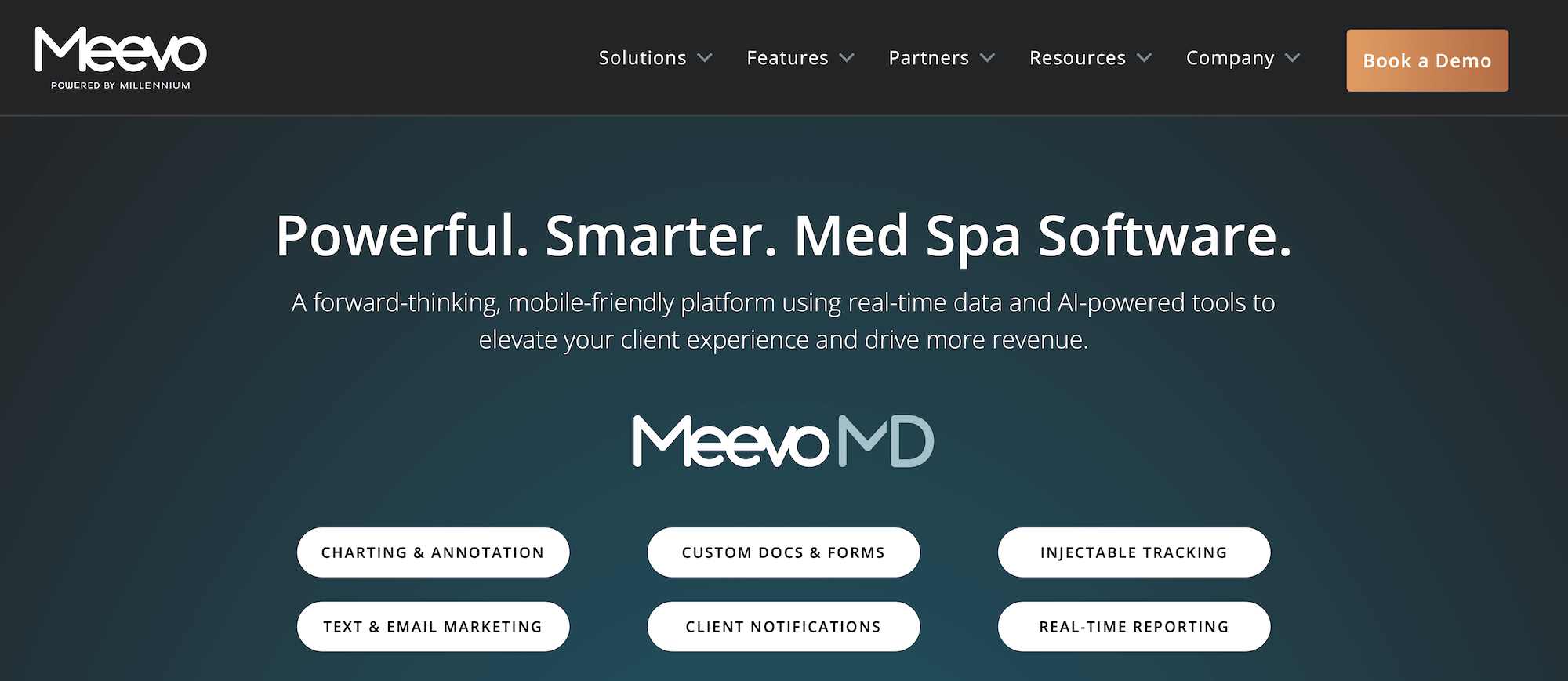
Meevo is all-in-one medical spa software made for aesthetic practices, combining the POS with booking, client management, and charting on one platform. The appointment and the provider’s notes build the ticket during the visit, so it’s finished by the time the client reaches the front desk.
The software is built for mid-sized and larger practices, generally five or more service providers. Aesthetic clinics using Meevo have seen 60%+ growth in client base and client retention.
“It would be extremely difficult if we did not have Meevo. We would have to document everything in multiple books—from check-in to checkout, client notes, charting, what I did with the patient—being able to have everything in Meevo, single-access, makes everything so much easier.”
– Rhiannon Rupkey, Aesthetician at BodyLase Med Spa
Below, we start with how MeevoPay speeds up checkout so clients leave on a positive note. Then we look at how the POS connects with the platform, including its clinical tools, booking features, inventory management, and reporting.
MeevoPay Keeps Checkout Fast and Reliable While Protecting Revenue and Cash Flow
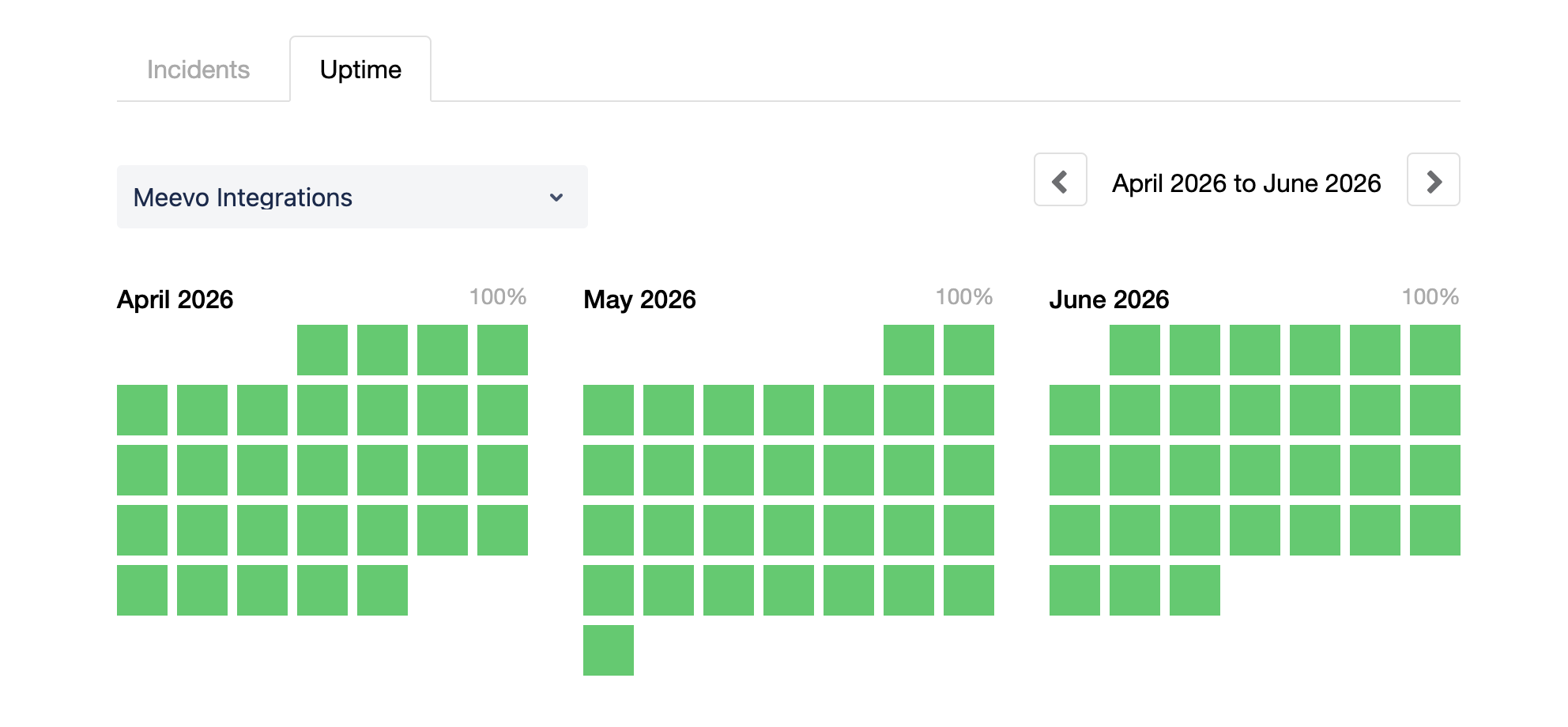
MeevoPay is Meevo’s own payment processor, built into the software instead of coming from an outside vendor. MeevoPay can guarantee 99.95% uptime, though actual uptime runs even higher.This means the register is working whenever a client is ready to pay, so they don’t have to wait.
Beyond uptime, the system is quick and convenient for clients and easy for staff to run.
- Checkout takes just three clicks and a tap or swipe. The ticket is ready when the client reaches the desk, with the service and any units charted by the provider automatically pulled in from the appointment.
- The register reminds staff when a client is due to rebuy a product. Meevo tracks what someone bought and how long it should last, then shows it at checkout so staff can offer it without having to remember on their own.
- Rebooking is part of the checkout flow. Service provider availability is already on screen, so staff can set up the next visit in seconds before the client leaves.
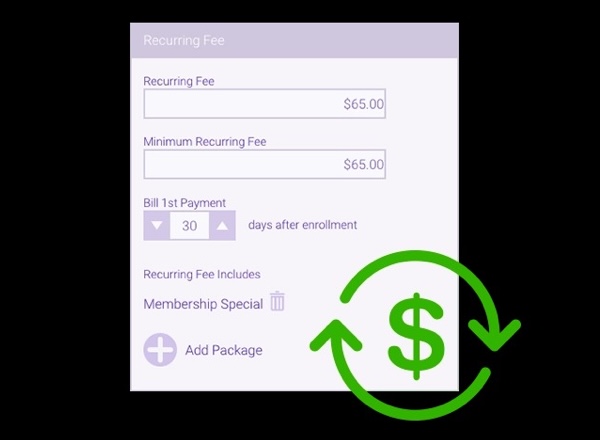
- Memberships, packages, and loyalty points are easy to apply at checkout. The register applies member discounts automatically, prompts staff to redeem packages, and shows each client’s available loyalty points so they can be applied to the ticket.
- Meevo handles chargeback disputes for you. MeevoPay wins about 53% of disputes against an industry average of 35% to 40%, and keeps the overall chargeback rate under 0.02% of transactions.
- Clients can pay with health funds or financing. MeevoPay accepts health savings accounts (HSA) and flexible spending accounts (FSA). Clients can also use CareCredit, a credit line clients use for medical and wellness purchases. This makes it easier for clients to say yes to a higher-ticket service or package.
- MeevoTips, Meevo’s built-in tipping tool, raises tip income by 22%. Staff get the money the same day instead of waiting for payroll, and the practice doesn’t pay processing fees on tip amounts.
Clinical Tools Cover Charting, Consent, and Compliance Without a Full EMR
Meevo handles the clinical side of an aesthetic practice inside the same system that runs the register—without slowing it down. It’s HIPAA-compliant, and access is set by role, so each person sees the parts of the system their job calls for.
- Each client has one profile holding their whole clinical record. Treatment notes, signed consent and intake forms, SOAP notes, and before-and-after photos all sit in the same place, with photos taken from inside Meevo on a tablet. Each visit’s chart is created as soon as the appointment is scheduled and pre-filled from the last visit.
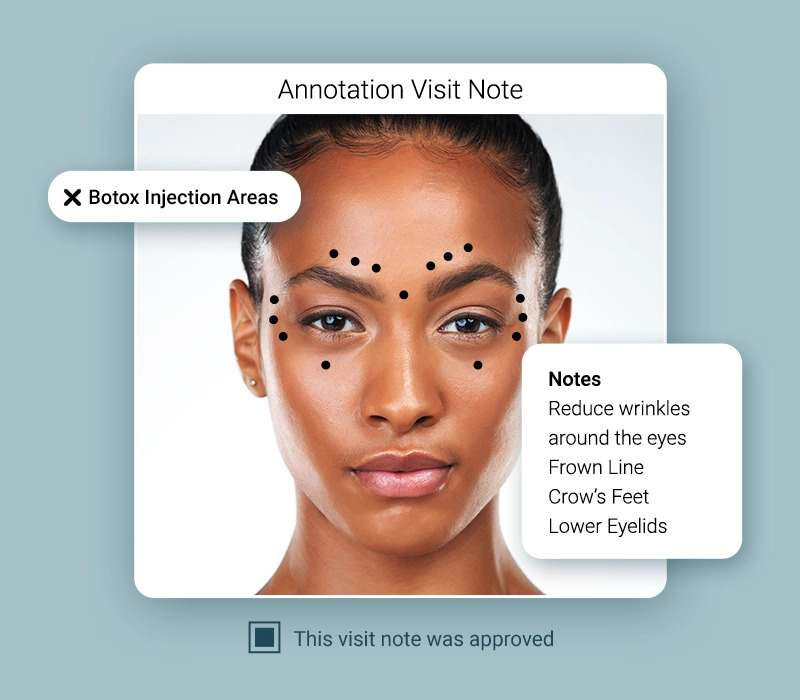
- Intake and consent forms are tied to the appointment type, so the right form goes to the right client. They can go out at booking, confirmation, or a client can fill one in on a tablet at the clinic. Meevo comes with templates you can adjust to collect exactly what you need.
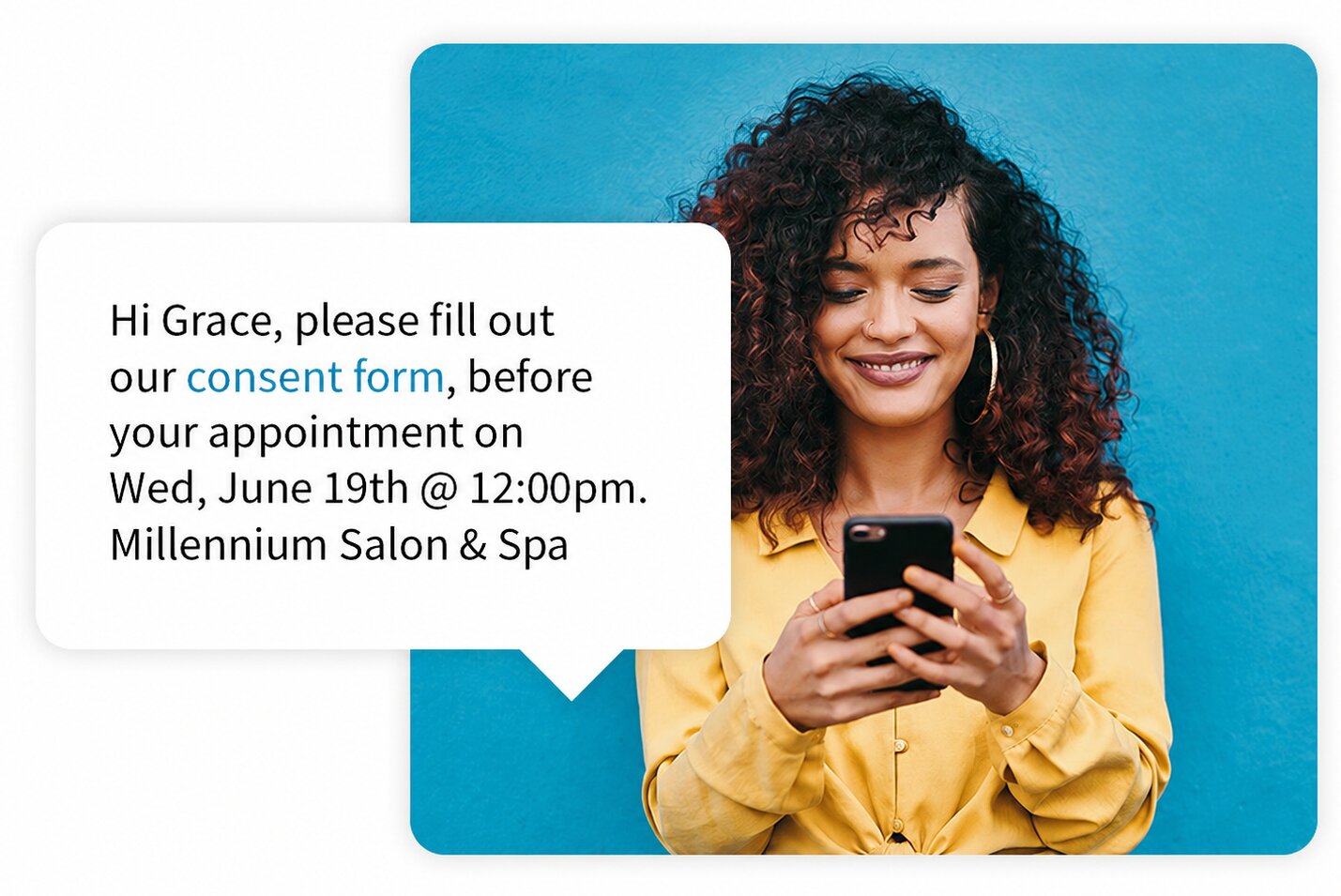
- Charting records the product and the exact units a provider used. That record is what builds the ticket, so the client is billed for what they actually got.
- AI tools cover the charting before, during, and after a visit. AI Patient Overview summarizes a client’s full chart history ahead of the appointment. Voice to Chart lets a provider dictate the visit and fills in the clinical fields, marking anything it can’t complete confidently for review. AI Chart Summary then turns the finished visit into a written summary in one click.
- A medical director can review and approve charts remotely. Charts submitted for approval land on one screen, and the medical director can work through them individually or in bulk.
For clinics that mostly do aesthetic services but occasionally need something more medical, Meevo integrates with TouchMD. TouchMD brings a client’s photos and treatment options onto the screen during a consultation, so you can show them what you’re describing.
Meevo’s Booking Features Fill the Calendar and Take Work Off the Front Desk
In Meevo, booking and checkout are part of the same workflow. The ticket comes from what a client booked, what they added, and what they’ve already paid, so these tools matter to checkout as much as they matter to the calendar.
- Clients can book online 24/7, straight from your own website, branded with your clinic’s logo and colors. They can also use booking buttons from your Google Search and Maps listings.
- Meevo suggests add-ons while a client is booking. A related service is offered alongside the one they’re already choosing, and practices using the prompts see average tickets rise 10% to 20%.
- Deposits and cancellation policies are set at booking and enforced automatically. You can require a card on file or a deposit before an appointment is confirmed, then charge a late-cancellation or missed-appointment fee without anyone having to follow up. Practices using deposits on online booking have virtually eliminated no-shows.
- An AI receptionist answers calls and books appointments. Your practice decides which calls it takes, from all of them to after-hours only. It books, reschedules, and cancels, handles several services in one call, and offers a transfer to a person when it can’t help.
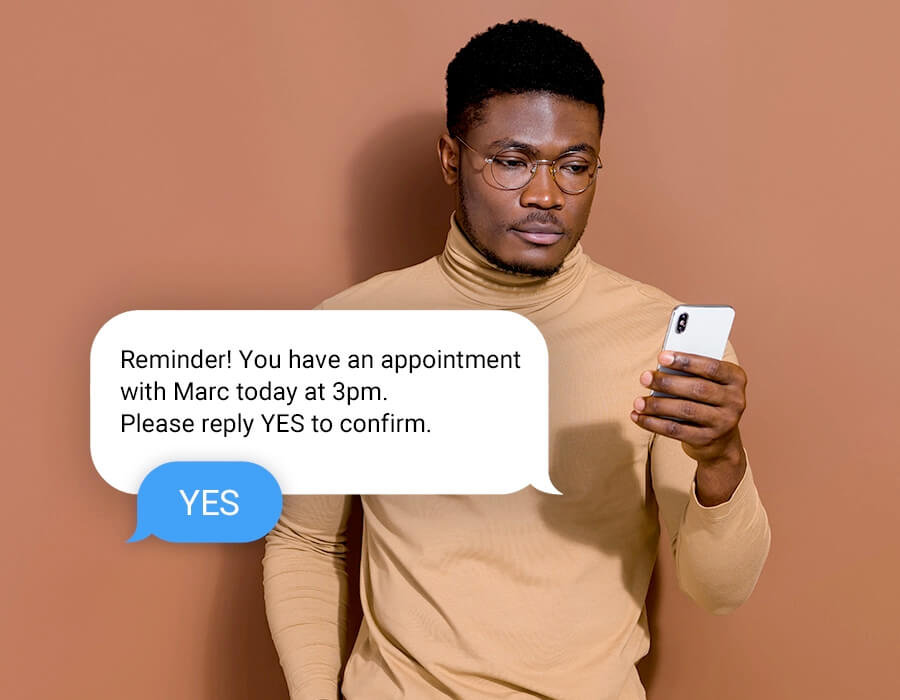
- Automated reminders cut down missed appointments by up to 20%. As soon as a client books, Meevo sends a confirmation and follows it with reminders by text and email. The client can confirm or move the appointment using a link right from that message. Templates can be set to leave out the service name, so no protected health information (PHI) appears.
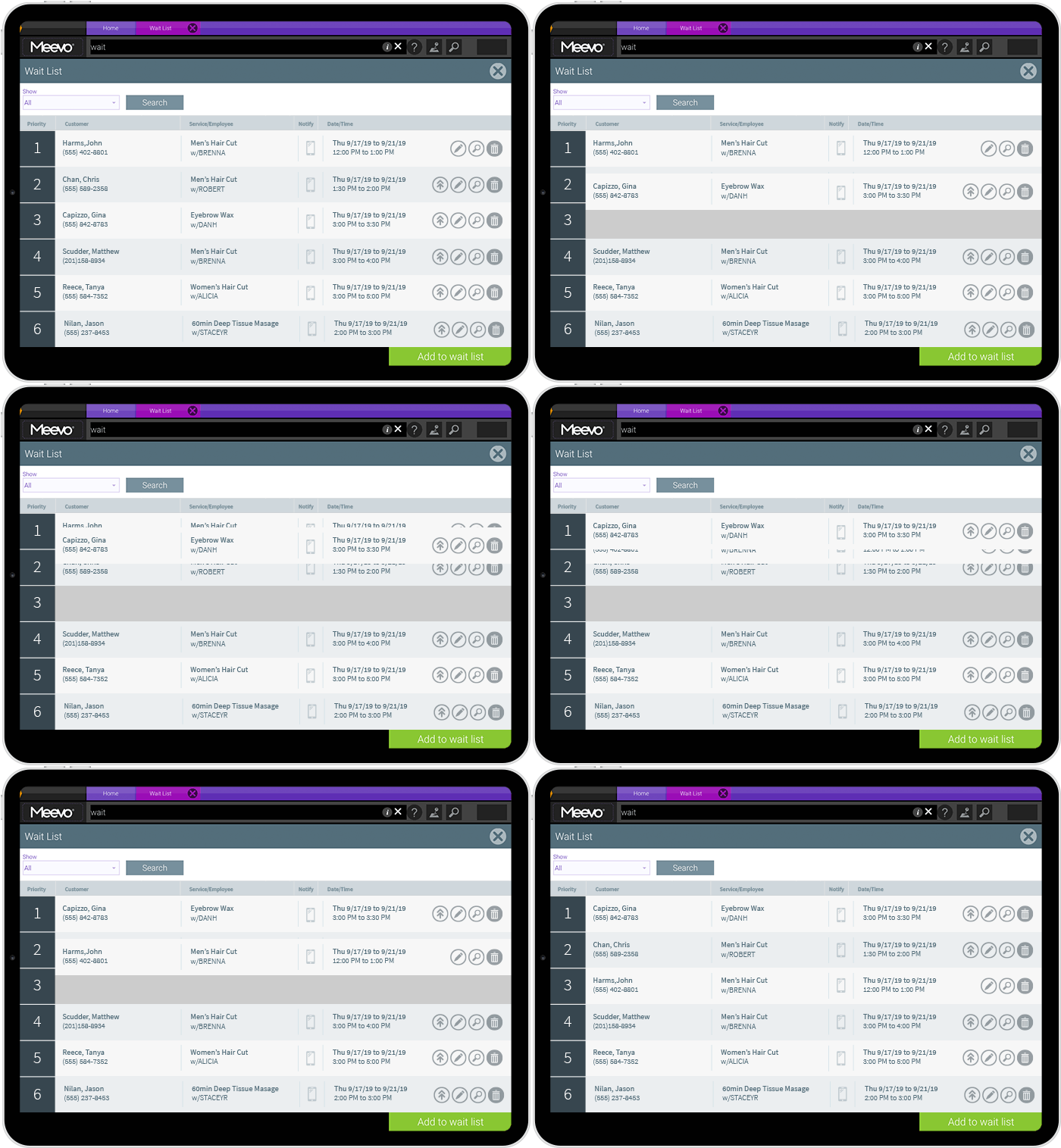
- The wait list fills openings automatically. When a slot frees up, Meevo texts clients on the list one at a time and gives each person a window to claim it before moving to the next name. You can also put VIP clients ahead of the queue.
- Resource Management books rooms and equipment, not only providers. You define each room and device once and tell Meevo which ones each service needs, so a time shows as available only when the provider, the room, and the equipment are all free. Meevo can also rotate resources across the schedule so one room doesn’t take all the wear.
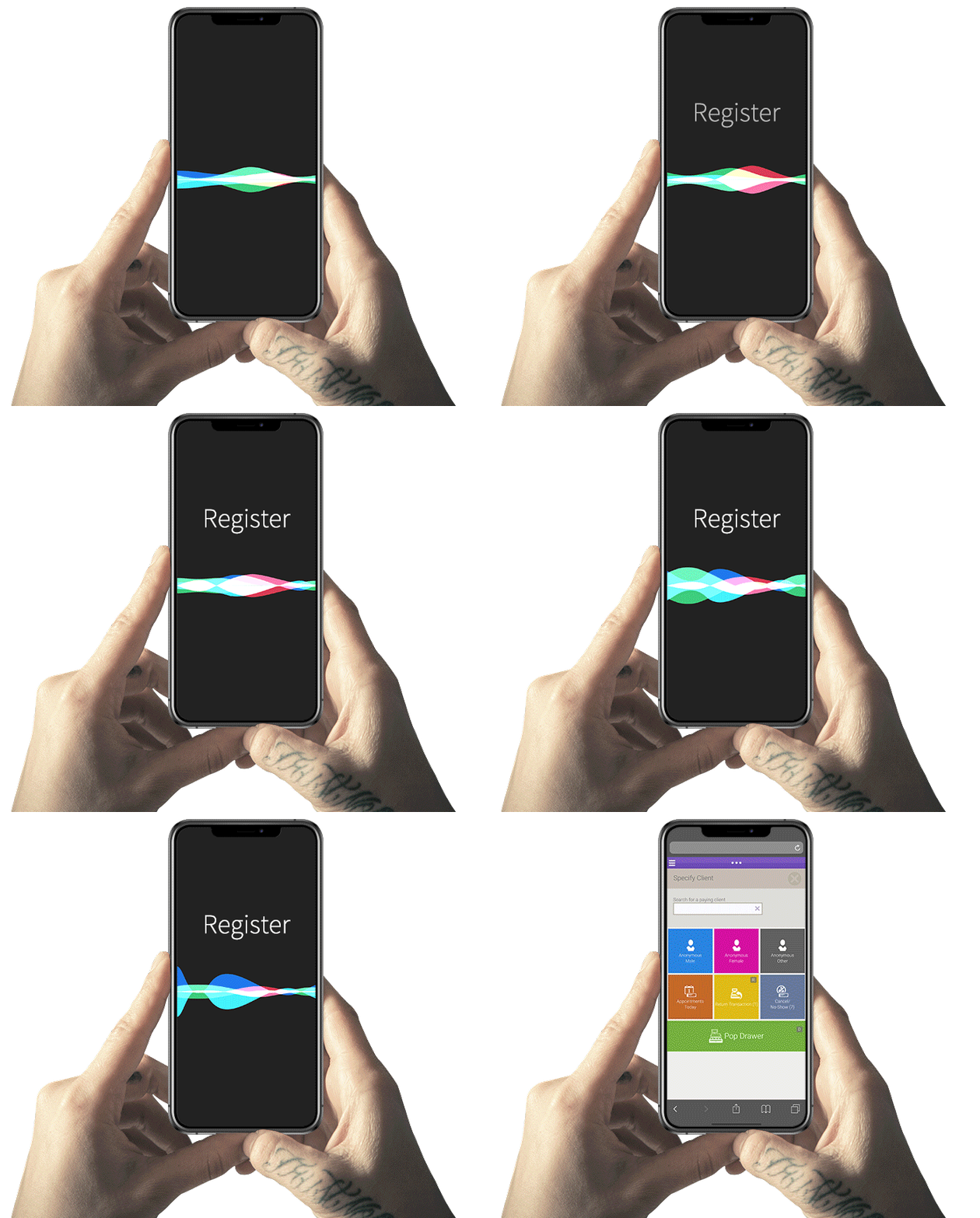
- Convobar® is Meevo’s patented AI-powered search bar, where staff simply type or say what they’re looking for, like finding a service provider’s next opening or pulling up the register. Meevo then goes straight there instead of making them click through menus. Convobar makes booking an appointment up to 10 times faster.
- The appointment book is color-coded and drag-and-drop, which makes it easy to use. Icons on each appointment show whether a client is new, returning, or a VIP, along with details like membership status, so staff can quickly get a sense of who they are without opening a profile.
Inventory Updates Automatically, with Every Lot and Expiration Date Tracked
Med spa inventory covers two kinds of products at once: retail a client buys, and product a provider uses during a service. Both come off the shelf, but only one goes across the counter as a sale—counts stay accurate only if the system records what gets used in the treatment room along with what gets rung up. Injectables add another layer, since each vial arrives as a lot with its own expiration date and has to be tracked individually.
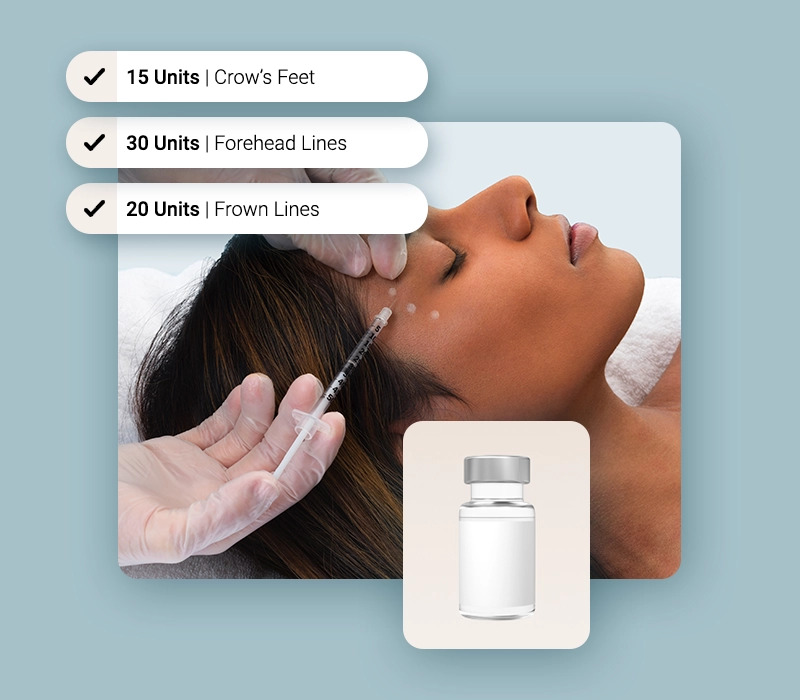
Meevo tracks all of it in the same system where sales are rung up and treatments are charted.
- Every sale updates stock counts in real time, and purchase orders build themselves from what needs restocking. Meevo tracks how much of an item is on hand along with how fast it sells or gets used, then generates the order for you to review and approve.
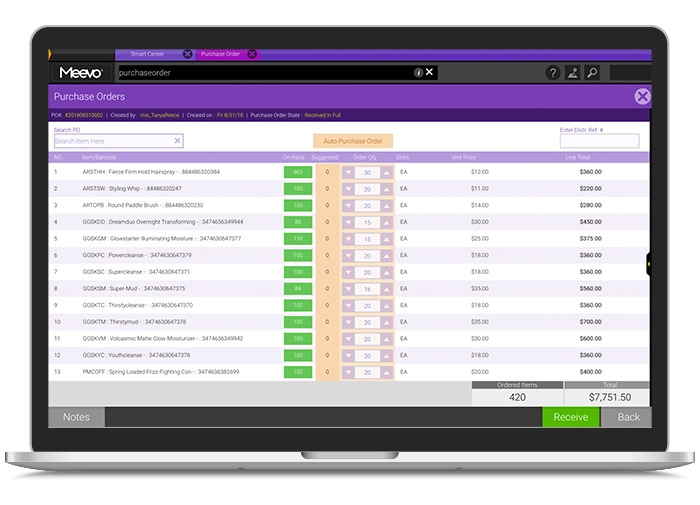
- Inventory Lot & Expiration Tracking follows each lot from receiving through use, so any lot can be traced to where it went and which clients received it. Built-in alerts tell you when a lot is nearing its expiration date, and when an expired lot is still in stock.
- Multi-location practices manage inventory from Central Office, Meevo’s hub for running more than one site. Enter a product once, and it’s set up across all locations. Each location maintains its own stock counts, so owners can see what’s on hand at each site without logging into them individually.
150+ Reports Show Exactly Which Providers and Treatments Are Driving Revenue
Every checkout in Meevo records which provider performed the treatment, what the treatment was, and what product was sold. Meevo includes more than 150 reports built on that record. They answer questions a general POS report can’t, like which provider brings in the most revenue per hour or which treatments clients actually come back for.
That depth matters more as a practice grows, because once you reach a certain size, you can’t tell what’s working just by being there every day. It also matters to a medical director or an investor who wants proof of where the money is coming from.
“Meevo differs from other med spa software that I’ve used in the past because of their reporting system. The analytics that we can pull for different providers and different services is top-tier compared to anything else we’ve ever used.”
– Maria Coletti, Nurse Practitioner & Clinical Director at Interlocks Med Spa
- One report gives a provider’s whole picture, including sales, rebooking rate, productivity, and new clients per month. You don’t have to pull each of those separately and piece them together yourself. You can also set goals against those same numbers, like a 75% rebook rate or a $400 average ticket.
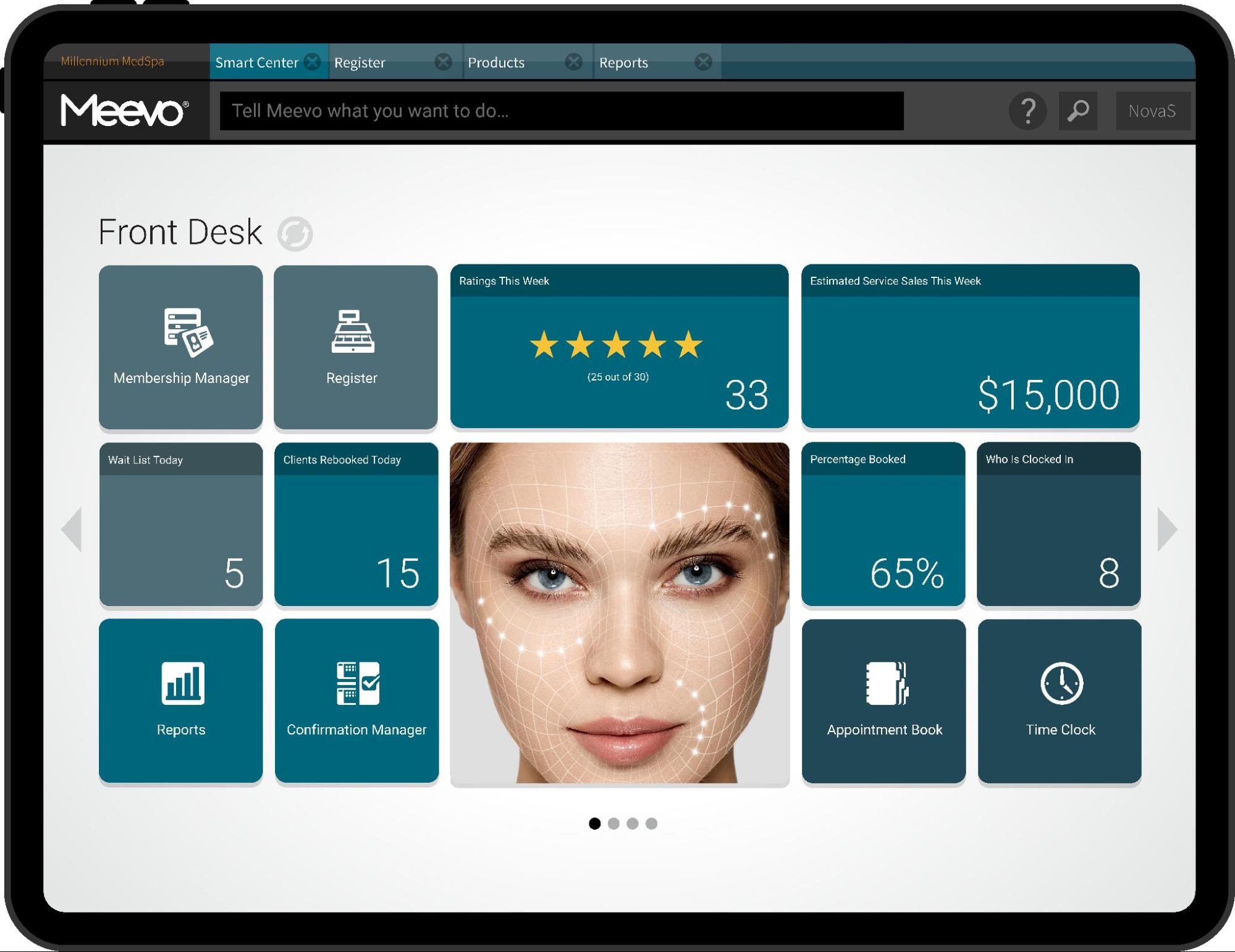
- Smart Center is the dashboard an employee sees when they log in, built from tiles you pick, like live sales or progress toward a goal.It’s set by role, so an owner opens to practice-wide numbers while a service provider opens to their own numbers and goals. Multi-location owners can put tiles for every site on one screen.
- Advanced Dashboards put the numbers into easy-to-understand charts and graphs. This way, you can see at a glance where a treatment category or a provider is trending over several months, and put marketing dollars and provider hours behind what’s growing.
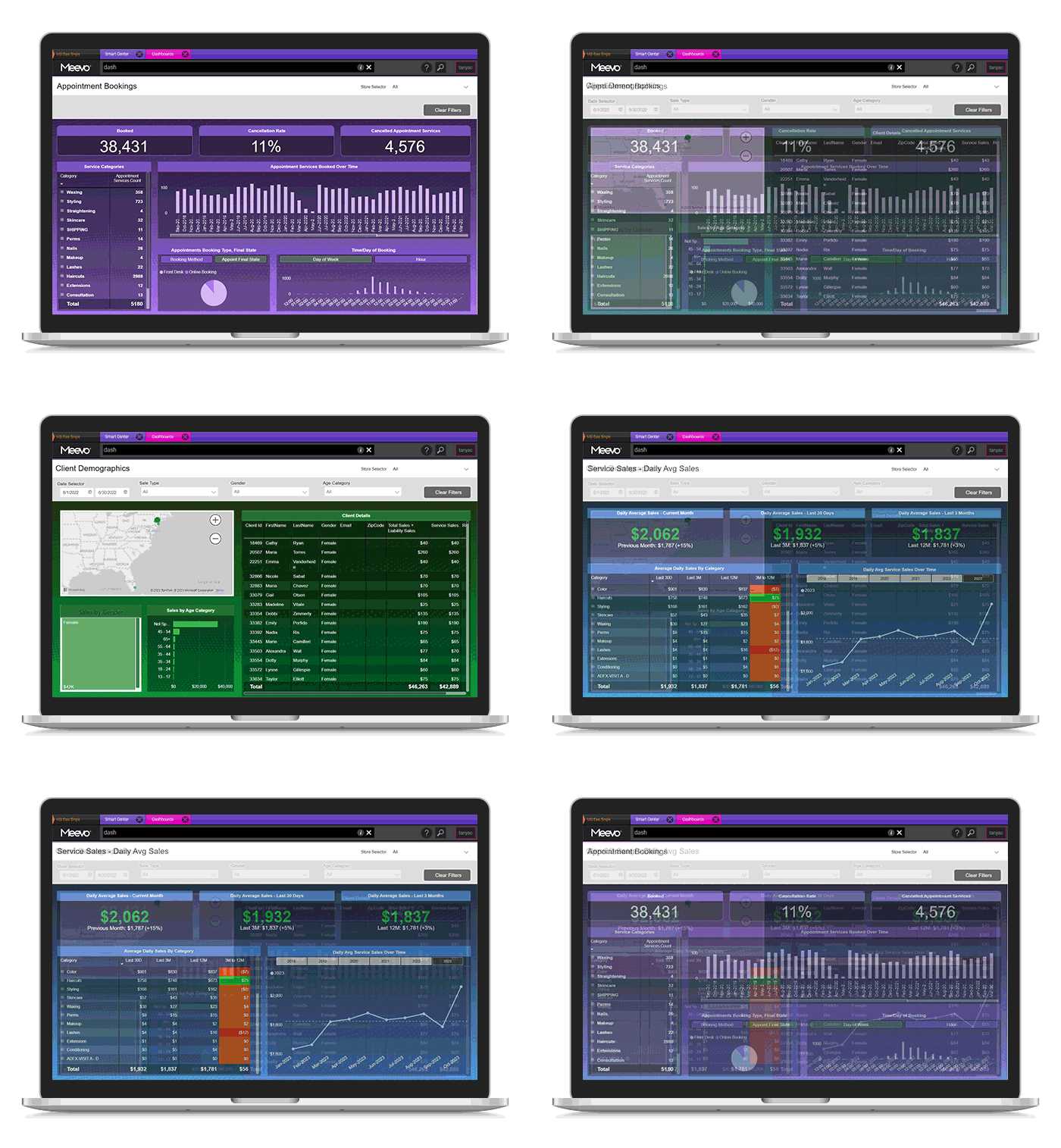
- Locations can be compared side by side in one report, so you can see things like which site has the higher average ticket and which treatments sell in one market but not another. This is much quicker than exporting each location and lining the numbers up yourself.
- The retention window is adjustable instead of fixed at 90 days. You can set it to match the treatment, so a client on a four-month Botox cycle counts as retained instead of lapsed, and the numbers reflect how often those clients actually come in.
- The Liability Summary report totals unredeemed prepaid revenue across every client. It tells an owner how much of the money already collected is still owed back in future services.
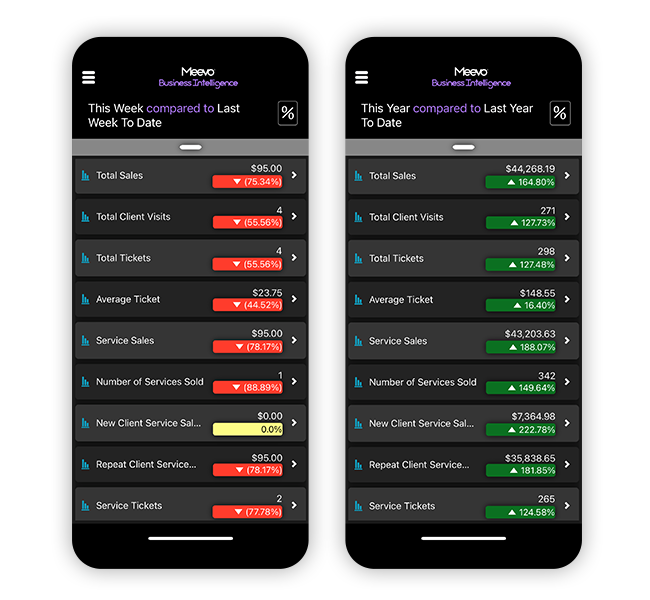
- The Meevo Business Intelligence (BI) app puts 20+ KPIs on your phone. An owner can check sales for the whole practice or a single provider quickly without opening the full platform.
- Reports can be scheduled to run on their own, like payroll or month-end financials, so they’re ready when you need them.
Meevo’s Marketing Tools, Staff Management, and US-Based Customer Support Help Med Spas Run Smoothly
Beyond the register and the clinical side, Meevo covers the rest of what it takes to run the practice. All of it draws on the same client and sales records. That way, you’re not exporting a client list to send a marketing email or re-entering hours to run payroll.
- Targeted email campaigns, text messaging, and lead capture forms all run off client records. Meevo builds the segments from those records, so a birthday message, a members-only offer, or a note to someone who hasn’t been in for a while goes to exactly the right group. Automated journeys can also send a set number of days after a client’s last visit, with a rebooking link included.
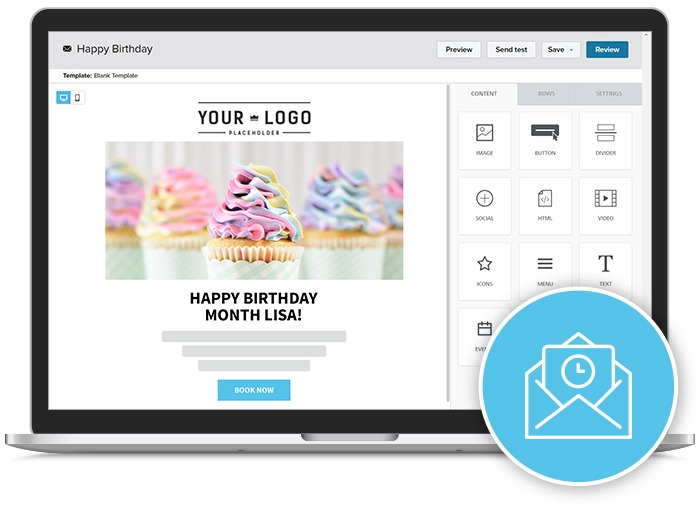
- Meevo’s email marketing is powered by Emma, with an AI assistant that drafts campaigns from a few sentences describing what you want to say. Emma holds HITRUST i1 certification, an independent audit of its security controls that goes above and beyond HIPAA requirements.
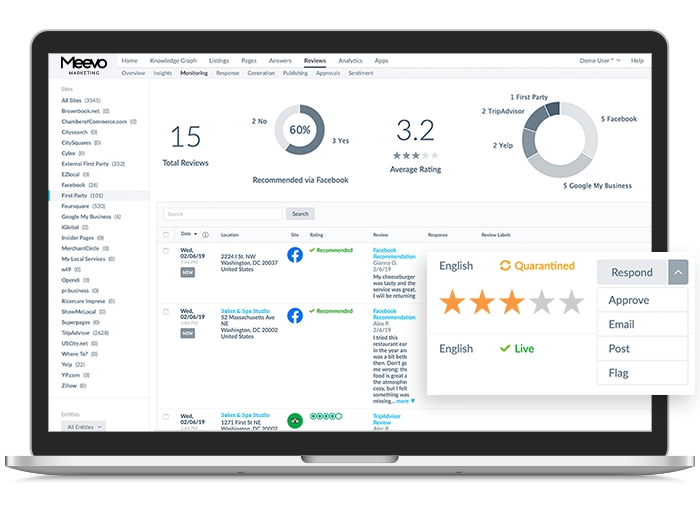
- Online Presence Management pulls reviews from Google, Yelp, and other sites into one dashboard, where you can respond to all of them without logging into each site separately.
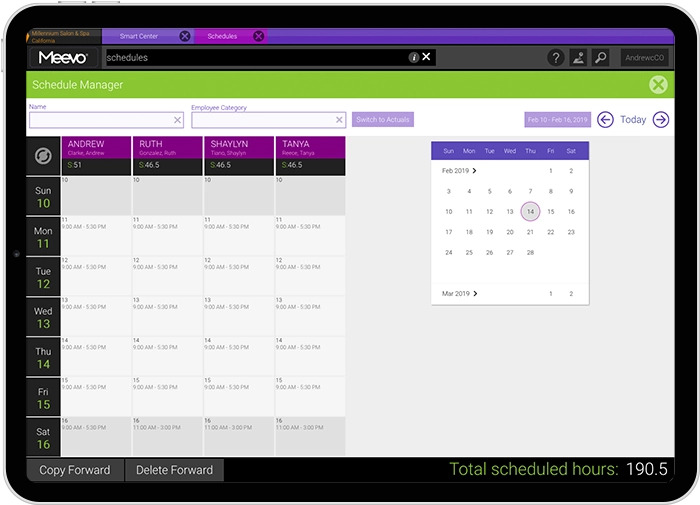
- Staff schedules, time-off requests, and hours worked live in the same place as the appointment book. The built-in Time Clock records hours as staff clock in and out, and each person’s pay structure is set up in Meevo, whether that’s hourly, salary, or commission, including tiered and sliding commission.
- Hours and pay rules feed payroll through Meevo’s ADP integrations, ADP Workforce Now® and RUN Powered by ADP®. Practices with staff working across more than one site can easily set payroll by location.
- Onboarding starts with a dedicated implementation specialist and live staff training, and a Client Success Manager takes over afterward to help the practice get more out of the platform over time.
- Support is in-house and US-based, reachable by phone and live chat. Meevo’s support holds a 98.5% client support satisfaction rating.
Ready to see how Meevo keeps checkout fast and reliable while tying every payment back to the rest of your practice? Schedule a demo now.
2. Square: Med Spa Booking and POS That You Pair with Your Own EMR
Square, the payment company behind the card readers businesses of all kinds use at the counter, also offers booking and scheduling software. The platform covers the calendar, online booking, and checkout. It has no charting or other clinical documentation tools, so practices have to connect their own EMR (or EHR) for that functionality.
Square is free to start (you only pay card processing on each sale), which makes it a common first system for newer practices. Cancellation policies, no-show fees, and packages come with the paid tiers, and marketing, loyalty programs, staff, and payroll are each their own Square product sold separately.
Notable features:
- Booking, checkout, and client records run on one login. Clients book through a Square booking site and can stack more than one service into a single appointment. Assigning rooms, chairs, or stations to a service requires Square’s top tier. Each client profile holds notes, birthdays, visit history, signed waivers, and uploaded files.
- Checkout runs on Square’s own payment processing. Staff can take cards, digital wallets, Cash App Pay, gift cards, and Afterpay on Square hardware or through Tap to Pay on a phone.
- Cancellation policies and no-show fees are enforced automatically. Square keeps a card on file and charges it for a late cancellation or a missed appointment.
3. Mangomint: Med Spa POS Software Built for Smaller Teams
Mangomint is a med spa management software that combines booking and checkout with charting and consent forms rather than a full EMR system. Instead of one flat monthly price, it charges a base fee per location plus a monthly amount for every employee profile, including front desk staff.
Business operations tools, including marketing, phone and texting, and payroll, are priced separately. This structure can keep Mangomint affordable for a small practice, but the monthly cost rises as the team grows and more add-ons are needed.
Notable features:
- Checkout is built into Mangomint, with payments processed by Stripe. Clients can pay by card, Apple Pay, or Google Pay at the front desk, or staff can text them a self-checkout link to pay and leave a tip from their own phone.
- Deposits and full prepayments help protect appointment revenue. Policies can be set by service, and saved cards can also be used for automatic membership payments.
- Built-in forms cover intake and aesthetic charting. Practices can create SOAP notes, collect signatures, store before-and-after photos, and mark images to document injection sites or treatment areas. Forms save to the client profile.
4. AestheticsPro: Medical Spa POS with a Full EMR
AestheticsPro is a medical spa platform with a complete EMR built in, designed for HIPAA compliance. Alongside booking and checkout, it covers the documentation side of a medical practice: treatment-specific charting, full health histories, e-prescribing, and telemedicine.
These more extensive clinical tools are necessary for practices that offer services requiring fuller medical documentation, such as medical weight-loss programs, hormone therapy, IV therapy, or treatments involving prescription medication and ongoing clinical monitoring.
Notable features:
- The EMR includes more than 500 customizable forms. Practices can collect medical histories and consent forms, document treatments, store before-and-after photos, and obtain electronic signatures. Forms can also be sent automatically after a client books.
- Checkout is connected to the EMR through integrated payment processing. AestheticsPro offers AP Payments and also lists Worldpay and Gravity as integrated options. Services move from the appointment to the invoice, and the POS system supports saved cards, payment links, digital wallets, packages, and recurring membership billing.
- Telemedicine and e-prescribing support care beyond in-person treatments. Providers can hold HIPAA-compliant virtual consultations and follow-ups connected to the client record, review medication histories, transmit prescriptions to pharmacies, complete electronic prior authorizations, and receive prescription fill alerts.
5. Pabau: Full EMR and POS with Deeper Clinical Tools for Medical-Grade Services
Pabau is healthcare practice management software that connects a full EMR with appointment scheduling, POS, and inventory. Staff can open checkout from an appointment or patient profile, keeping the invoice tied to treatment notes, prescriptions, lab results, and stock use.
Pabau is HIPAA-compliant and is used by med spas and broader medical practices, including primary care, dermatology, weight-loss, and hormone-replacement clinics. That clinical scope adds fields and steps that can slow booking and checkout, but they are necessary when prescriptions, lab work, and other medical records must remain connected to the patient profile.
Notable features:
- Pabau Pay is built into the platform and powered by Stripe. Staff can accept payments through a terminal, Tap to Pay, saved cards, payment links, or QR codes. The POS also handles split payments, packages, memberships, gift vouchers, and payment plans.
- Products used during treatments come out of inventory automatically. When a provider records the number of injectable units used in the clinical notes, Pabau deducts them from stock. Consumables such as gloves and syringes can also be linked to a service and deducted when it is completed.
- The EMR supports prescriptions, lab work, and telehealth. Providers can create prescriptions, order lab work, receive results, and hold virtual appointments connected to the patient record. An AI scribe can also turn a recorded consultation into structured clinical notes.
The right medical spa POS software depends on how much clinical infrastructure your practice needs. If you primarily provide aesthetic treatments, schedule a Meevo demo to see how booking, charting, and checkout work together without the extra steps of a full EMR.