
If you’re comparing spa appointment scheduling software, the right platform depends on the size of your spa.
- Solo provider or a small team: Most of these platforms are priced à la carte. The base plan comes with one calendar and the basics: online booking, appointment reminders, a point-of-sale (POS) to take payments, and simple reporting. You add more tools as you need them. À la carte pricing works well at this size, because you pay per service provider and for what you actually use.
- Mid-sized or larger team: These platforms include what you need from the start instead of selling it as add-ons, and the features go deeper than the basic versions built for smaller spas. Once you have around five or more service providers, more than one treatment room, and equipment that rotates between rooms, the software has more work to do. It needs to coordinate multiple schedules against a limited number of rooms and equipment, automatically refill the schedule when guests cancel, and show you what’s performing well and where there’s room to improve.
Below, we compare four spa appointment scheduling platforms, looking at the features that matter at each size. We start with Meevo, our own software. It’s built specifically for mid-sized and larger spas and has been named Best Spa Software by American Spa 17 times.
Want to see what running a busy spa looks like with less manual work? Book a demo to see Meevo’s scheduling, checkout, reporting, staff management, and inventory tools in action.
Meevo: Spa Booking Software for Multi-Room, Multi-Provider Spas
Meevo is built for spas with five or more service providers, in one location or several. At that size, the software should be taking steps out of your staff’s day, improving the client experience, and bringing in more revenue per visit.
For example, Woodhouse Spa is a multi-location day spa that runs using Meevo. Paula Pelkey, Director at Woodhouse Spa Denver, describes how simple it is to use the platform:
“I love that when I’m creating an appointment, I can easily access the client profile, get into their history, see what they have for gift cards. I can see if they have payment functionality, or if they have a membership, so everything is just one click away.”
Day to day, working in Meevo looks like this:
- Meevo will only book an appointment if the provider, room, and any necessary equipment are available.
- Clients book in a few clicks, and your front desk works from a calendar that’s just as quick to navigate.
- Automated wait lists, deposits, and appointment reminders keep cancellations and no-shows from turning into lost revenue.
- The whole visit rings out on one ticket, with membership benefits you can swap or split and gift card balances applied without manual workarounds.
- Detailed reporting automatically tracks retention, visit frequency, room and provider utilization, and staff performance, so you can see what’s actually driving the business.
- Inventory and staff management are built in, with payroll that covers multiple locations and commission tiers, and inventory tools that track stock and reorders across locations.
Plus, support is US-based and has a 98.5% satisfaction rating, so you can get help from a real person when you need it.
Scheduling Accounts for Rooms, Equipment, and How Long Each Client Actually Takes
A spa that has several service providers and treatment rooms requires scheduling software that can coordinate more than staff availability. The calendar also has to reflect the spa’s physical capacity and how much time each appointment actually needs. Otherwise, it may show openings you can’t accommodate or block off more time than necessary per appointment.
When scheduling software can’t manage these details, employees have to work them out manually. That takes time and can lead to booking errors that create an unprofessional experience for clients.
Meevo handles this work automatically.
- Resource management is automatic, only allowing bookings your spa has the space and equipment to handle. You set up each resource once with its capabilities and capacity, and Meevo checks its availability before confirming an appointment. If three estheticians are available at 2 p.m. but you only have two facial rooms, the system won’t allow a third facial to be booked.
- Meevo can handle rooms that are used in different ways. If your spa has two treatment rooms connected by doors, you can tell Meevo they can also be used together as a couples room. For individual appointments, each room can be booked separately. For a couples service, Meevo reserves both rooms for that appointment.
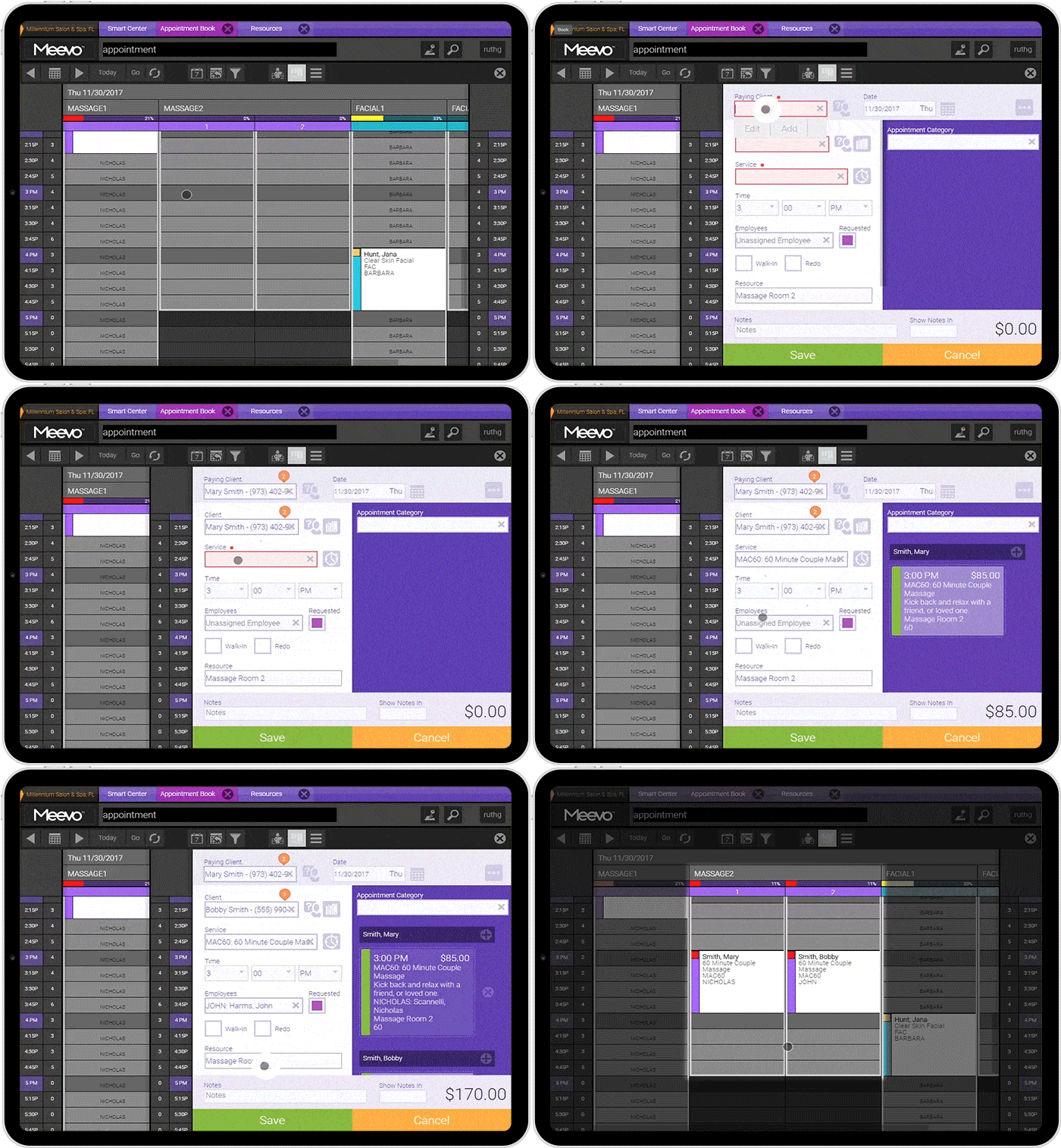
- Auto-rotation keeps one treatment room from getting all the use. For example, Meevo rotates bookings among massage rooms instead of always assigning the same one. This spreads wear across all equipment and rooms without a manager having to track the rotation.
- Intelli-Booking learns how much time each client typically needs with each service provider and recommends appointment lengths based on past visits. This prevents unnecessary gaps or appointments that don’t have enough time. You can set it up by client or employee.
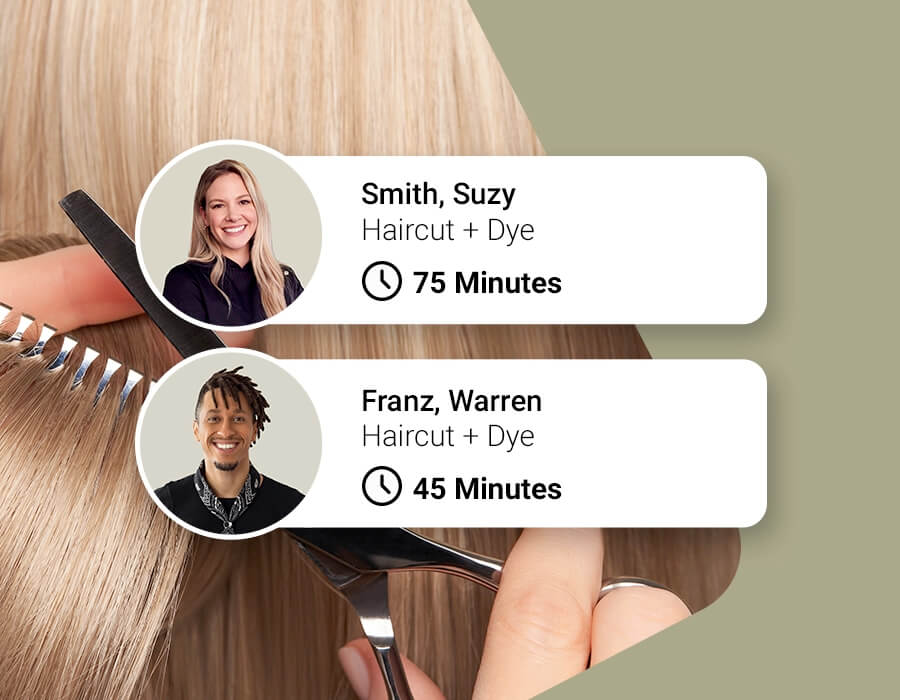
- Precision Booking schedules short services in five- or ten-minute increments, so a ten-minute lip wax doesn’t have to take up a 15-minute slot.
Together, these tools help a mid-sized or larger spa book as many appointments as it can handle without creating room or equipment conflicts. Staff don’t have to check every detail manually, and clients are less likely to face delays or last-minute changes that can make your business look unprofessional.
Booking is Fast for Clients, and the Calendar is Easy for Your Front Desk
Every extra step in the booking process adds work for the front desk and makes scheduling less convenient for clients. Meevo keeps the process simple on both sides.
- Online booking happens on your own branded website 24/7, without requiring an account. You can also add a booking widget to your Google Search and Maps listings that takes clients directly to your booking page.
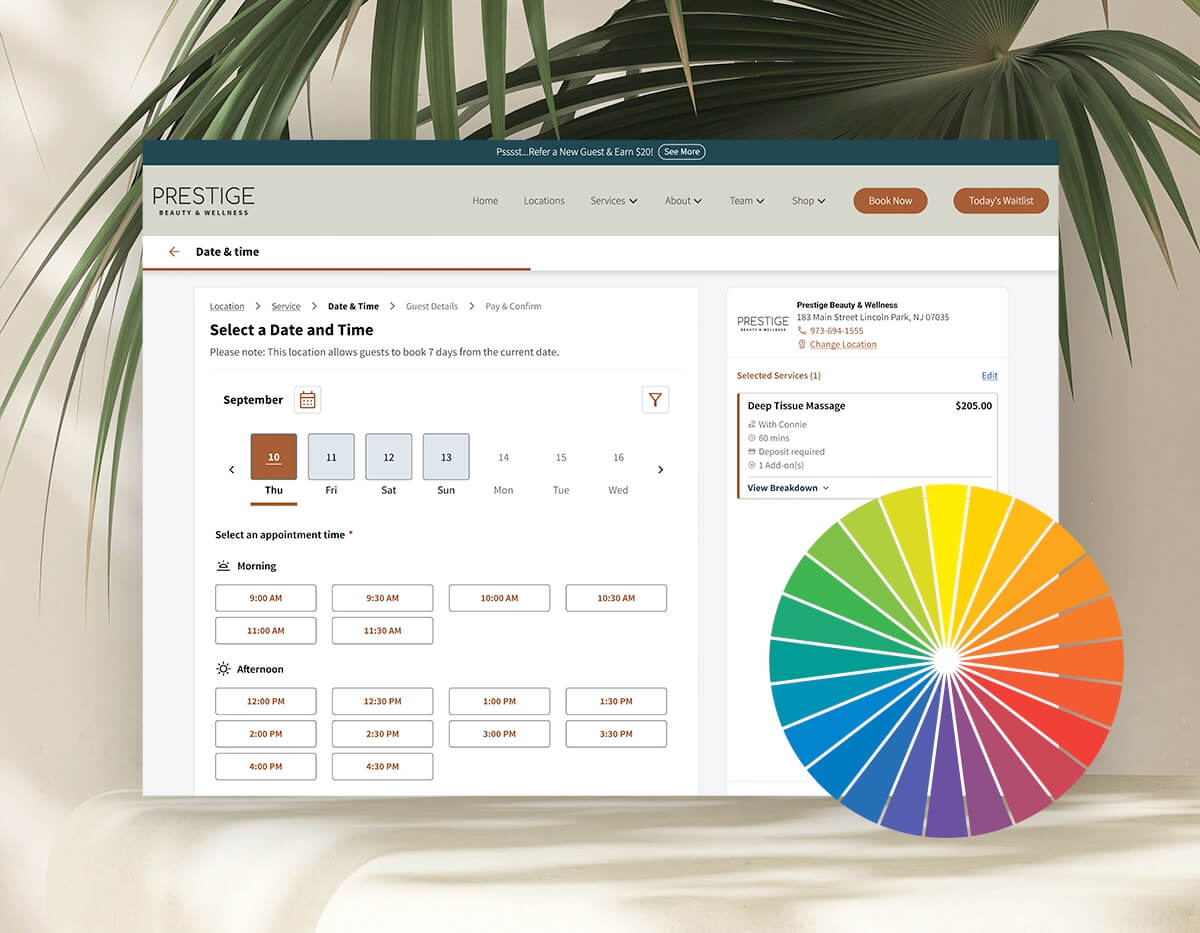
- Clients can schedule services for a group of up to five in one online booking. Meevo checks the rooms and providers needed for each service and finds a time when everyone can come in together.
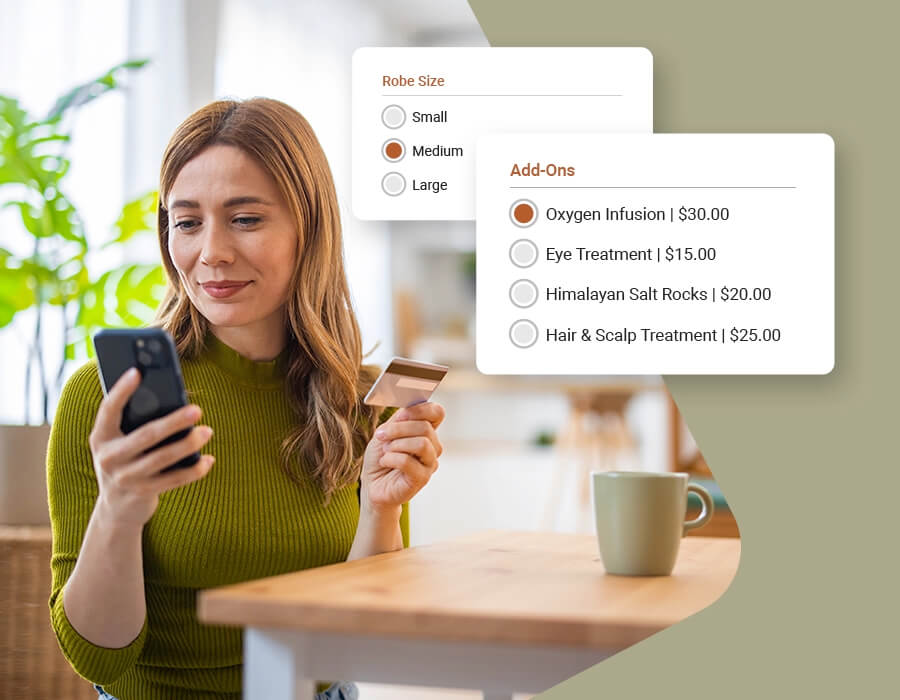
- Meevo creates a client profile automatically the first time a client books. Their contact information connects future appointments to the same profile, even at another location. The profile keeps the client’s service history and notes, with custom fields for spa-specific details such as robe size.
- Add-on prompts can increase average ticket totals by 10%–20%. Before a client confirms an online booking, Meevo automatically suggests a relevant add-on, such as LED light therapy with a facial.
- Meevo automatically sends clients the right intake form for the service they booked. You can customize the questions and choose when the form goes out. Clients can complete it from their phone before the visit or on a tablet at check-in. Those details are saved directly to their profile.
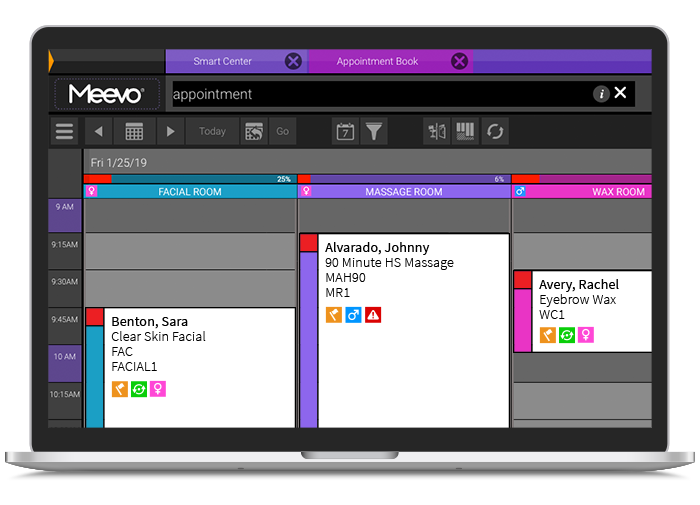
- The color-coded, drag-and-drop appointment book can be viewed by service provider or treatment room. The front desk can easily see what’s booked in each column and drag appointments to a new time when needed. Appointment blocks include icons staff can hover over to see client details, such as whether it’s their first visit or they have VIP status.
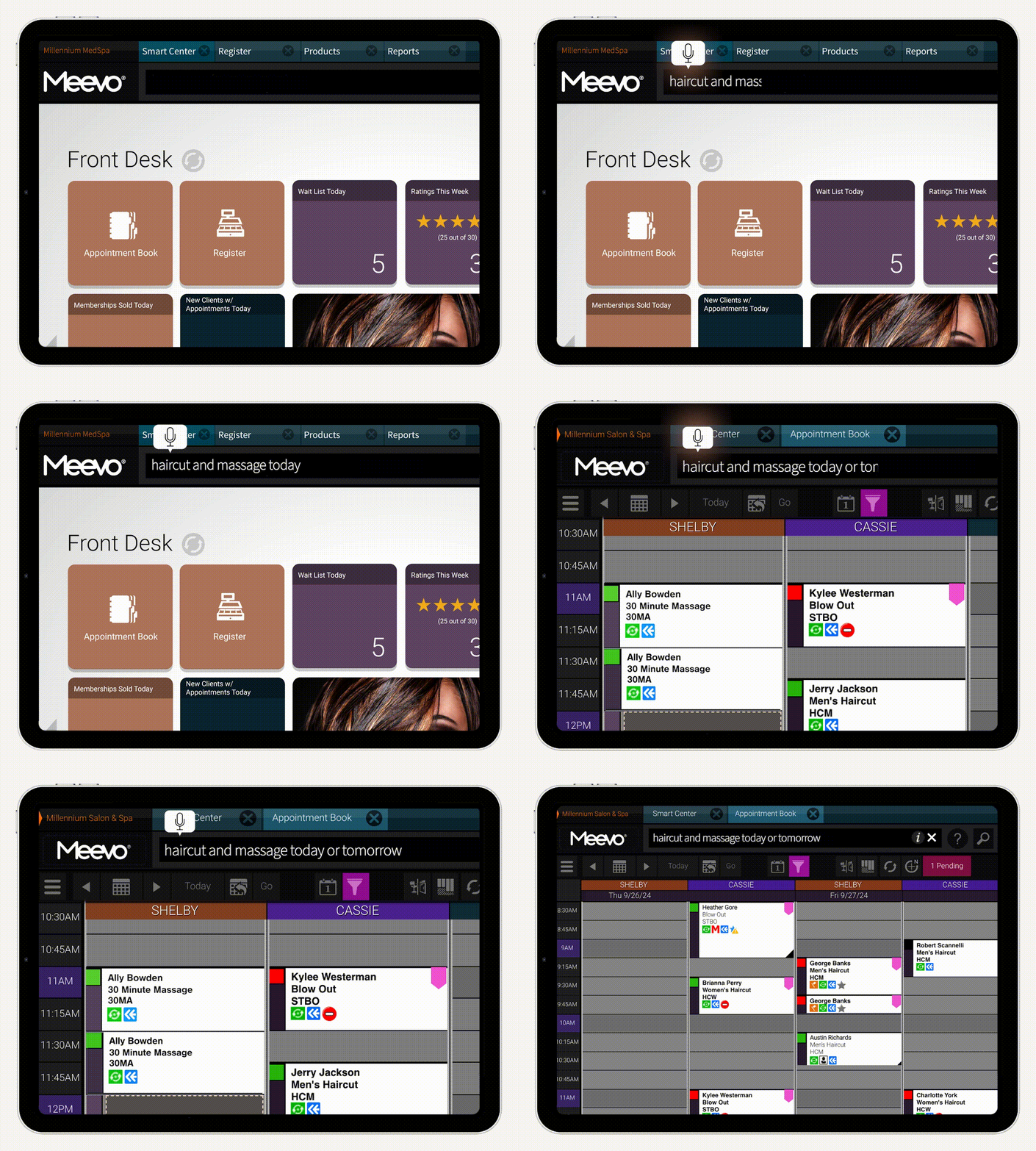
- Convobar®, Meevo’s built-in AI search bar, lets you jump directly to what you need using a typed or spoken request. For example, the front desk can type or say “body treatments Saturday afternoon” and go straight to matching openings instead of searching the calendar. Convobar can make booking up to 10 times faster.
- The MeGo app gives returning clients another convenient way to book, and it runs under your spa’s name (instead of placing your business in a shared marketplace, like some other platforms). Guests can use it to book at any of your locations and buy retail products between visits. When they arrive for an appointment, they can check in from their phone so they don’t have to wait at the front desk.
These features make appointment management easier to handle a high volume while still giving clients the attention they need.
The Wait List, Reminders, and Deposits Keep Cancellations and No-Shows from Costing Revenue
Scheduling an appointment doesn’t guarantee the spa will earn the revenue from it. A client may not show up, or a late cancellation may leave too little time to fill the opening. Meevo automates the work that helps prevent those losses.
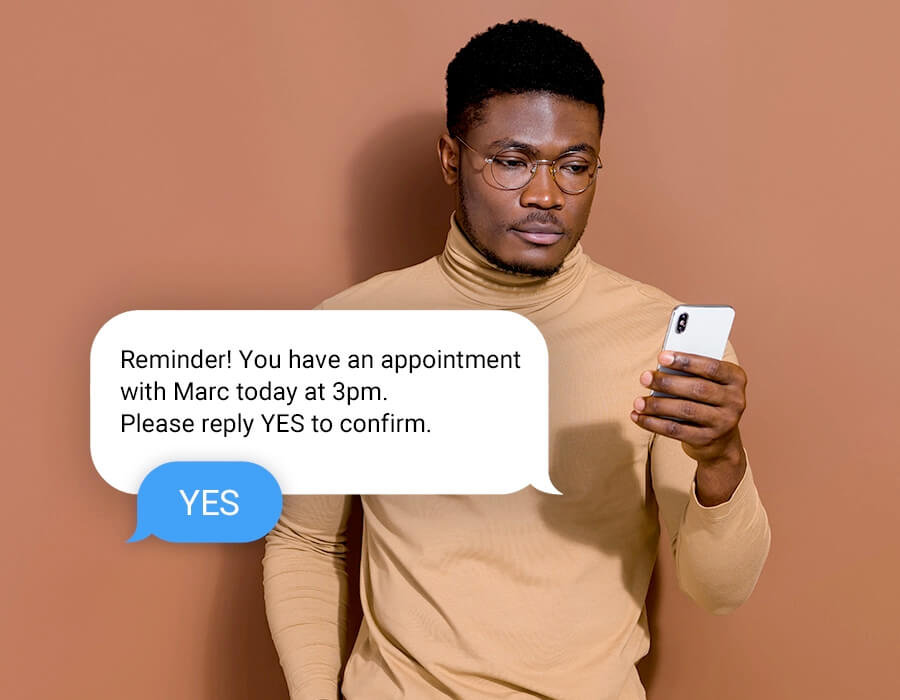
- Customizable reminders give clients a direct way to confirm or move an appointment. Meevo sends confirmations and reminders by text or email. Clients can confirm by replying or easily reschedule through a link. The appointment book shows who hasn’t confirmed, so employees know which clients need follow-up.
- Cancellation policies are enforced during booking. Clients accept your terms before the appointment is confirmed. You can require a deposit or keep a card on file so the appropriate fee can be charged if the client doesn’t show. These tools can reduce no-shows by up to 20%, and businesses that require deposits have virtually eliminated them.
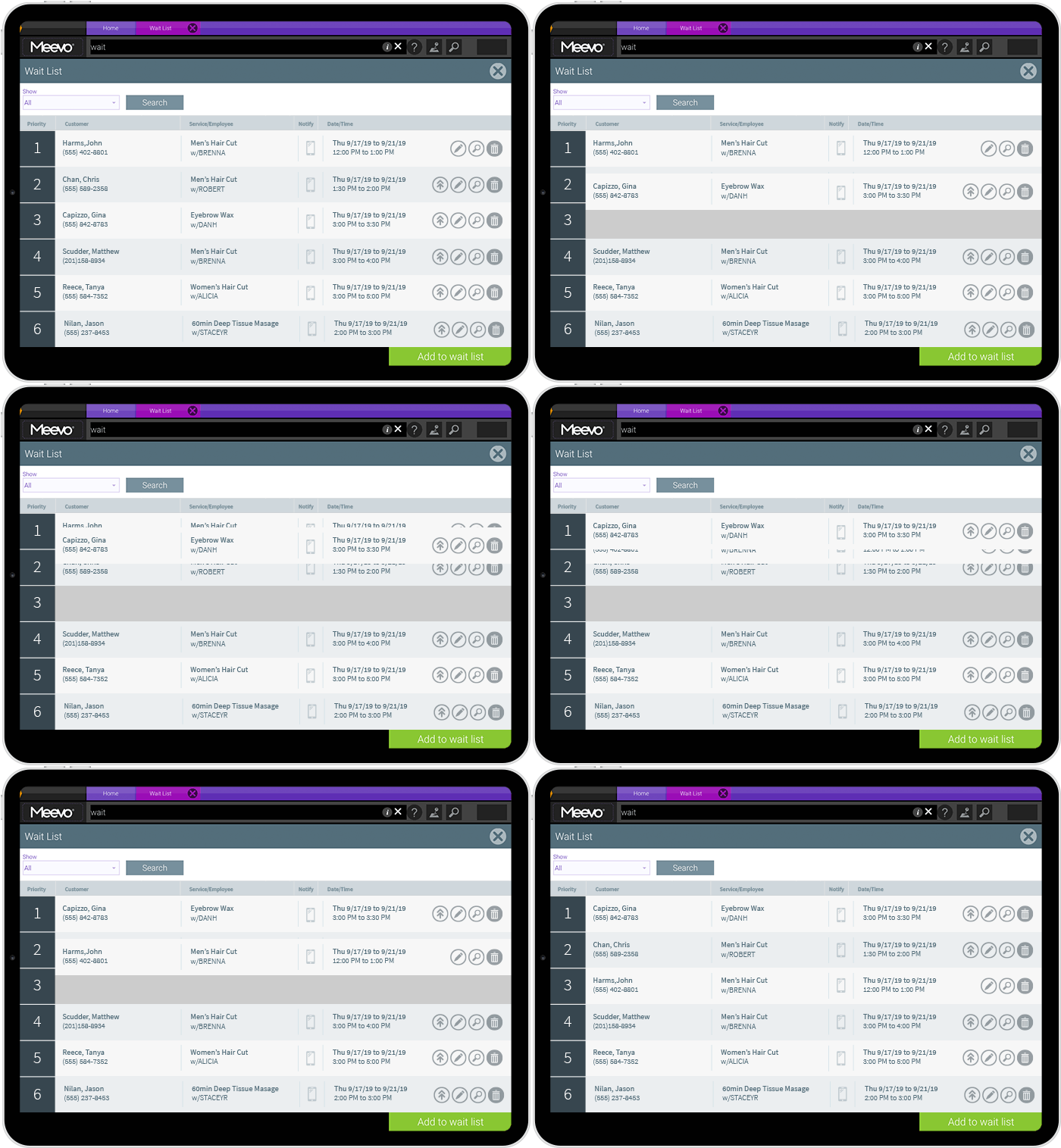
- The automated wait list can fill cancellations without the front desk having to step in. Clients can choose a range of dates and times that work for them. Meevo texts matching clients one at a time until someone replies to book (unless they requested a call). Also, you can move VIP clients to the front of the list so they’re notified first.
Memberships, Packages, and Gift Cards Are Easy to Manage at Checkout
Many spa management platforms track membership and package balances but aren’t built to handle changes at checkout. If a client wants to swap an included service or use only part of a package credit, staff may have to improvise or deny the request.
Also, if the checkout process has too many steps or the software experiences frequent downtime, even a straightforward payment can leave the client waiting.
With Meevo, the checkout flow is fast and reliable, and staff can make changes without extra steps or manual overrides.
- A client’s membership status, loyalty points, and gift card balance are all visible on their profile at checkout, so staff don’t have to ask or scroll back through their history to find out. Their profile follows them across locations, so the same information is available wherever they visit.
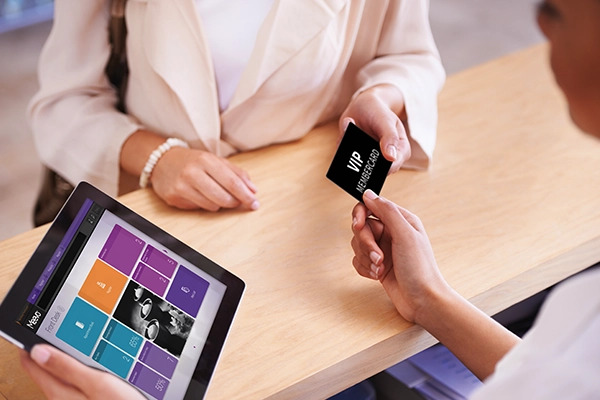
- Membership and service package credits can be split or swapped easily at the register. For example, a two-hour treatment credit can cover two 60-minute services instead, or the client can use its value toward a different service. Meevo tracks the balance and charges any difference for a higher-priced option.
- Meevo bills membership dues automatically to the card on file each cycle. If a card expires, Meevo can retrieve the new expiration date automatically (from participating issuers), so staff don’t have to contact the client for updated payment information.
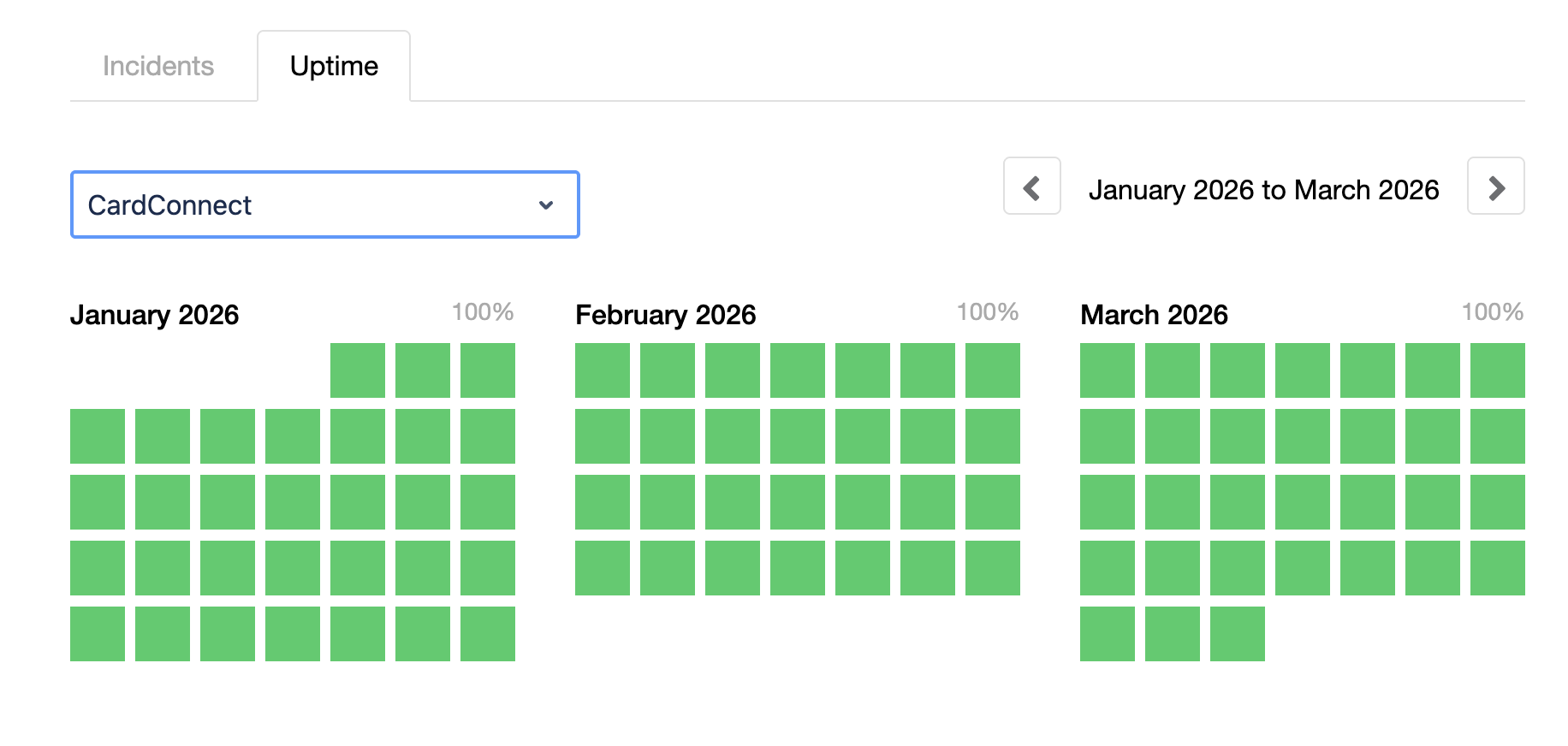
- Meevo’s POS system and payment processor, MeevoPay, guarantees at least 99.95% uptime, with actual uptime typically closer to 100%. Because it’s built into the same system as the register, Meevo has more control over keeping the payment system online and working.
- Checkout takes just three clicks and a swipe or tap to pay, and the system accepts all major credit cards as well as Apple Pay and Google Pay. Clients can even pay from the treatment room using a tablet or a Self-Pay link sent to their phone.
- The checkout flow helps bring in more revenue from retail sales and future appointments. The register reminds staff when a client may be ready to reorder a previous purchase. And rebooking is built right into checkout, so staff can get the client’s next appointment on the books before they walk out the door.
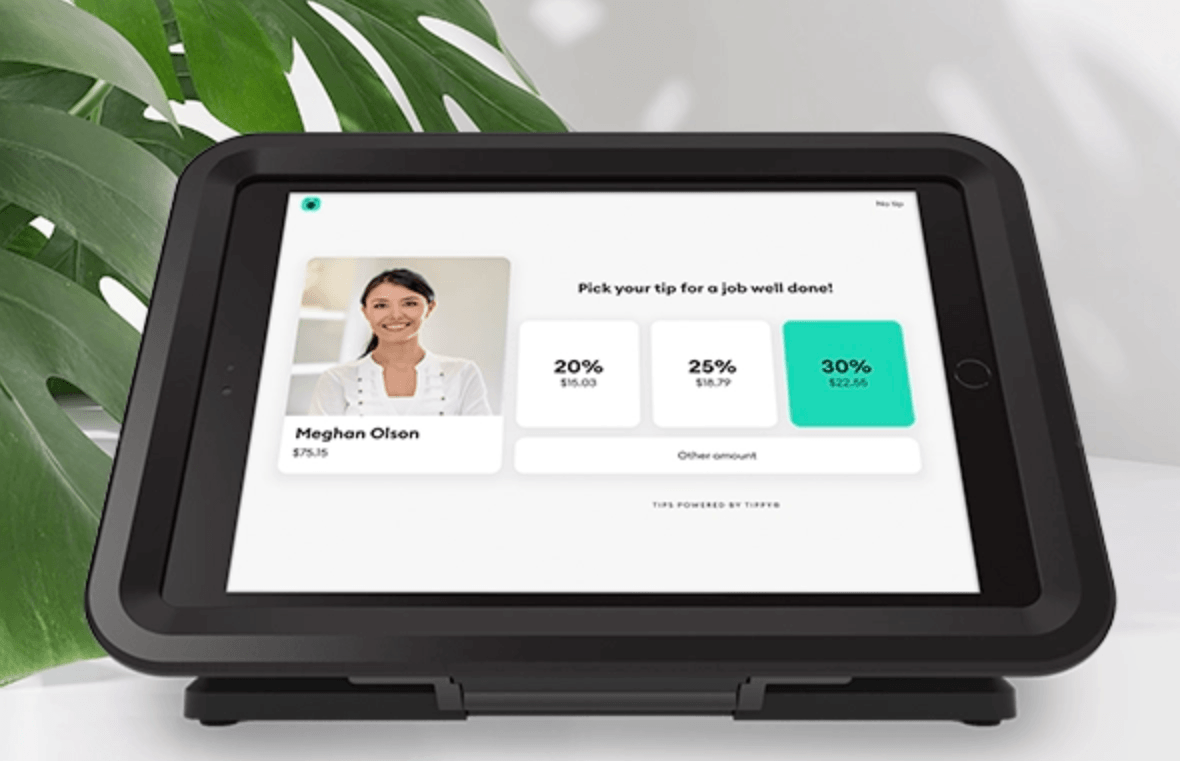
- MeevoTips helps service providers earn more in tips and access them sooner. Suggested tip amounts at checkout increase average tips by more than 22%, and earnings are available the same day through a digital wallet.
In-Depth Reporting Shows Exactly Where You Can Increase Revenue
Reporting is most useful when it gives you the numbers you need to decide how to grow the business, without making you spend hours pulling reports and comparing them. Meevo does that work for you by turning data already collected during booking and checkout into more than 150 built-in reports.
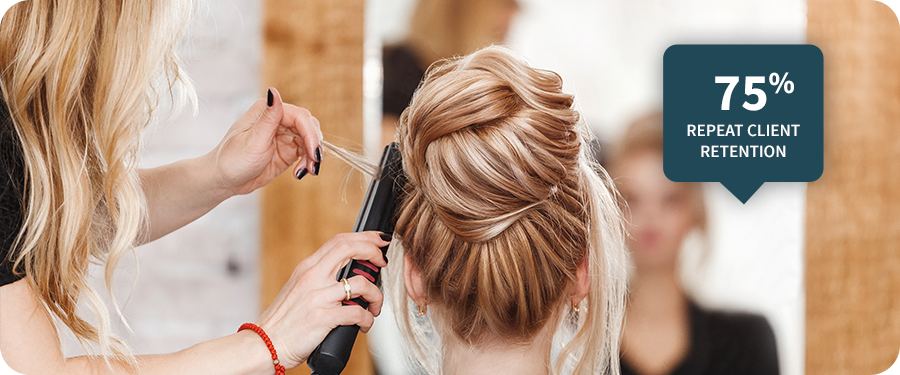
- The KPI report shows each service provider’s most important numbers together. It includes new and repeat client retention, visit frequency, request and rebooking rates, and average ticket. You can compare departments and locations or look more closely at one provider without running a separate report for every metric.
- Retention is measured over a period that fits the spa’s clientele. You can choose a three-, four-, or six-month window instead of being limited to one fixed measurement period (often 90 days). That flexibility matters because spas commonly have clients who book only two or three treatments a year.
- The Missed Opportunities report shows how much revenue the spa missed when wait-list requests never became appointments. Staff can use that information to put together a follow-up list and reach out to win those clients back.
- Advanced Dashboards bring related numbers together in ready-made charts and graphs that show trends over time. They cover appointment traffic, resource use, membership activity, and sales, making it easier to see where revenue is growing or slipping at a glance.
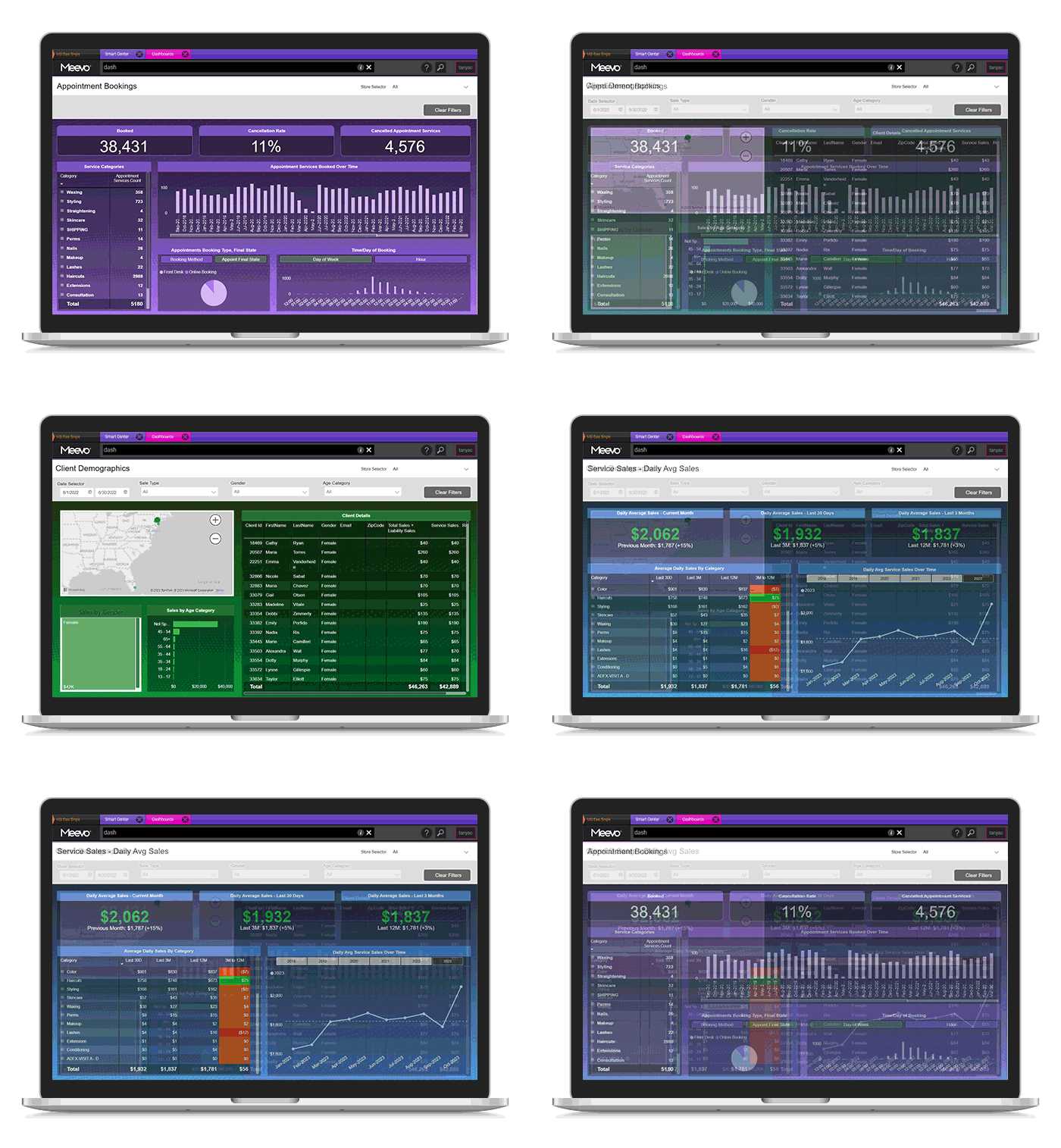
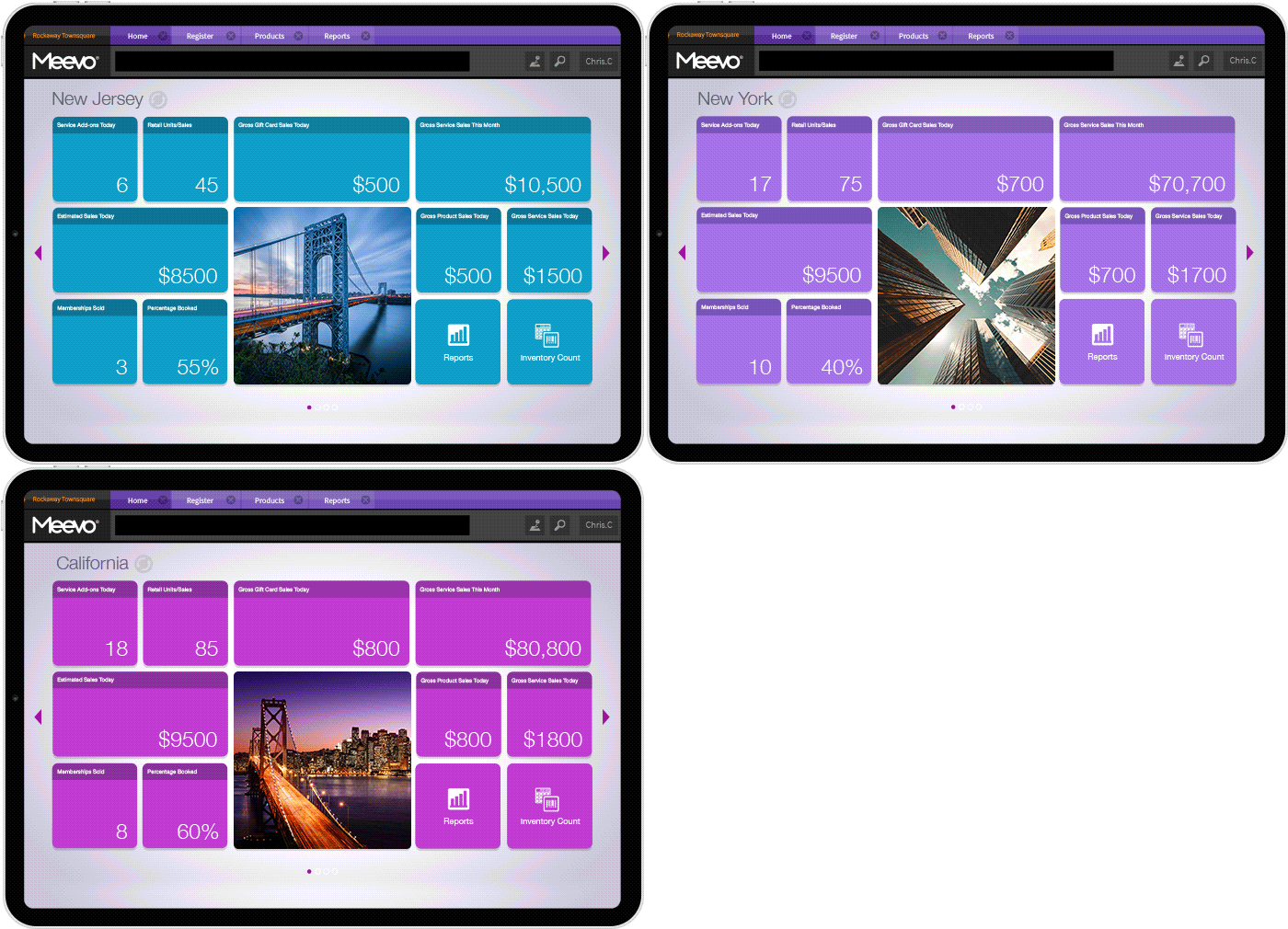
- Smart Center is a customizable dashboard that opens at login with reports and other information chosen for each employee’s role. For example, service providers can easily follow their rebooking rates and goals, while owners can immediately see numbers like the day’s sales and appointment totals.
- The Meevo Business Intelligence (BI) app makes business results available from a phone. Owners can conveniently check sales and staff performance or compare results across dates and locations without having to be on a computer.
Once a spa has several service providers, it’s difficult to track performance reliably in your head or by looking at the appointment book. Detailed reporting shows where the business can bring in more revenue — opportunities that more basic reports would not reveal.
“Being able to analyze things, whether it’s a time frame basis, per location basis, or department basis, I have that all at my fingertips. Real-time data, looking back to the first day we started with Meevo.”
– Ty Samples, Owner of DuBunné Day Spa
Staff Management and Inventory Tools Handle More of the Work as the Spa Grows
One or two calendars and a small amount of inventory are manageable with entry-level spa software that either doesn’t have those tools or doesn’t automate enough of the work. Once you progress to more than a few service providers and the spa gets busy, those tasks start to take up more time and create more opportunities for mistakes.
With Meevo, staff and inventory management are connected to the same system used for booking and checkout. Many routine updates happen automatically, reducing administrative work.
- The Scheduling Manager shows employee hours and time-off requests in one weekly view. Managers can copy regular shifts into another week instead of building the staff schedules again.
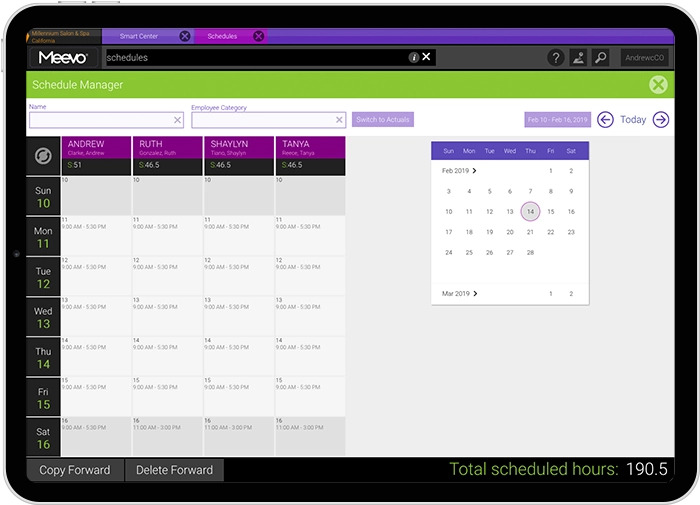
- Employee hours move directly from the built-in time clock into payroll. Meevo prompts staff to clock in and out, then calculates pay using the rules you set. It supports salary and hourly pay as well as straight or tiered commissions.
- The MyMeevo app puts employee schedules on their phones. Staff can check upcoming shifts and submit time-off requests themselves.
- One employee profile works across multiple locations. Staff use the same login wherever they work, and their pay can be assigned to a home location.
- Meevo helps build purchase orders based on current stock levels. Its inventory tools update counts as retail products are sold or treatment supplies are used and track how quickly each item moves. This helps managers keep frequently used products available without ordering excess stock that may expire.
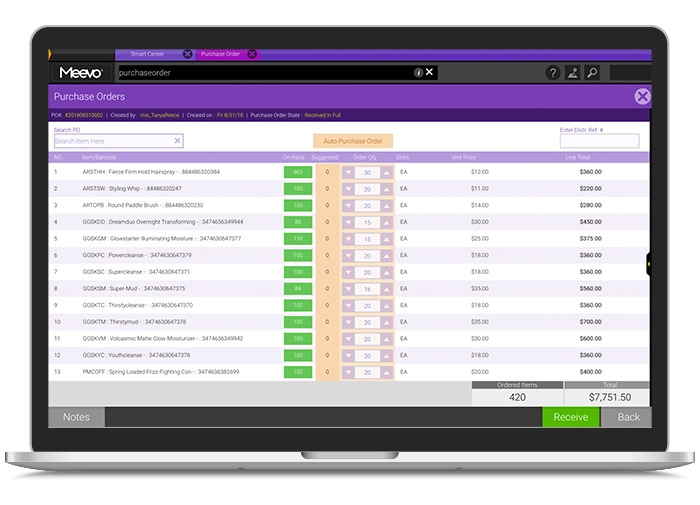
- Staff can scan inventory right from the sales floor. Using a mobile device, they snap a barcode photo and log product details on the spot instead of walking back to a stockroom terminal, and the count updates in Meevo immediately.
- Central Office keeps inventory connected across locations. Managers enter products once and oversee stock for every spa from one place.
Interested in how Meevo would work with your spa’s service providers, rooms, and services? Schedule a demo for a personalized look at the platform.
3 Spa Scheduling Software Options for Solo Providers and Small Teams
With fewer schedules and resources to coordinate, solo providers and small teams can often cover their day-to-day booking needs with spa management software that doesn’t offer the same depth of features larger operations require.
1. Fresha
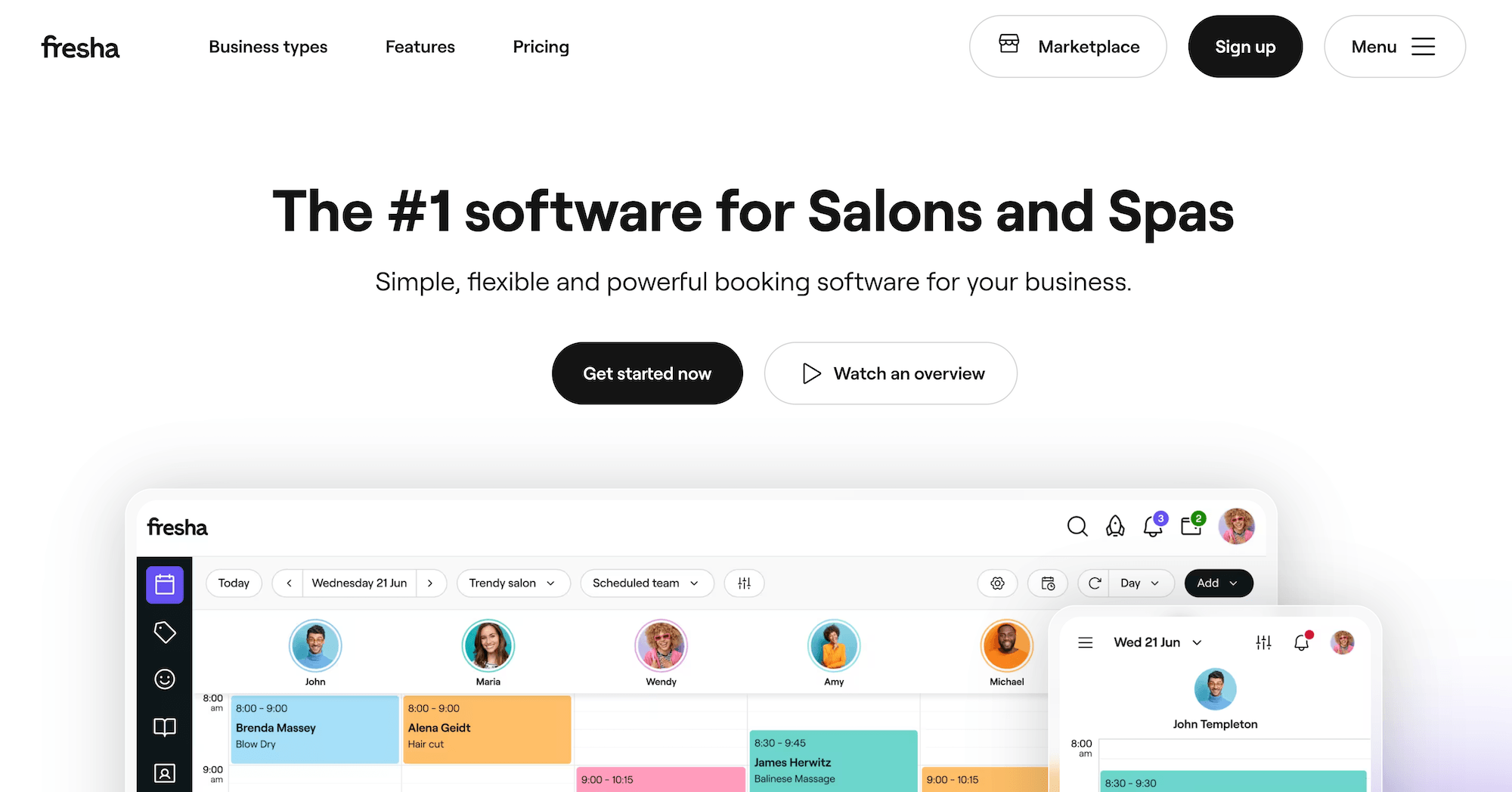
Fresha combines client management software with a consumer marketplace where people search for nearby beauty and wellness businesses. The platform charges a monthly fee for each service provider clients can book with. That structure keeps the monthly cost low while the spa has only a few providers, and the features cover the basic needs of a business that size.
Key features:
- Scheduling tools include a color-coded calendar and online booking through a Fresha booking page. Fresha sends appointment notifications and alerts waitlisted clients when a matching time becomes available.
- Rooms and equipment can be linked to services. When a client books, Fresha reserves the required room or equipment for the appointment so it can’t be assigned to someone else at the same time.
- The Marketplace adds visibility for new businesses. Clients can compare by services, prices, availability, photos, and reviews. This can help a new spa get discovered, though it also places your spa alongside nearby competitors. Fresha charges 20% of each new Marketplace client’s first appointment, with a $6 minimum.
2. Vagaro
Vagaro is appointment scheduling software for a broad range of service businesses, including spas, salons, fitness businesses, and dog groomers. Its base subscription covers the everyday booking needs of a solo provider or small spa, while the rest of the tools cost extra.
Key features:
- The calendar includes automated reminders, a waitlist, and resource scheduling. Rooms and equipment can be linked to services so you don’t get double bookings.
- Online deposits and automatic cancellation fees require an add-on. Without it, staff will have to collect deposits and charge cancellation or no-show fees manually.
- The Marketplace lists the spa at no additional charge. It can bring in new clients, but it also makes it easy for them to compare your spa with nearby competitors.
3. Square Appointments
Square Appointments is part of Square, a general business platform used by businesses ranging from retailers to restaurants. Because it serves a lot of different business types, it doesn’t have deep spa-specific features. The free plan focuses on basic booking and payments, which can be enough for a new spa with a strict software budget.
The free plan’s key features:
- Online scheduling lets clients schedule through a Square booking page and receive automated reminders. The calendar can also be color-coded by provider or service.
- Basic sales reporting shows sales totals, tips, and top-selling services. Reports covering projected revenue from future bookings and team metrics such as retention, prebooking, and schedule utilization require the Premium plan.
- Gift card sales are available with a 2.5% load fee. Square charges this fee on top of standard payment processing.
If your spa has grown past a few service providers, book a Meevo demo to see how our platform can manage a busier calendar with less manual work.