
Meevo and Vagaro are both salon and spa management platforms that help beauty and wellness businesses handle scheduling, client management, point of sale, and marketing. Where the two differ is in scale, depth, and price.
Meevo is built for larger, growing salons, spas, and med spas (think five or more service providers, sometimes across multiple locations) that need more scheduling depth, robust reporting, reliable uptime, and stronger tools for managing inventory and employees.
Vagaro is known for its affordability and simplicity, which makes it a popular choice for solo service providers and small or early-stage teams. It also serves a wide range of businesses beyond salons and spas (fitness studios, dog groomers, tattoo shops, and more), which is part of why its feature set tends to run broader but shallower.
And if you’re starting to outgrow your current software (more staff, more locations, or reporting that can’t keep up), that’s usually the point where Meevo makes sense over a lighter platform like Vagaro. Below, we’ll compare Meevo vs Vagaro across the following areas:
- Booking and appointment management
- Point-of-sale and payment processing
- Reporting and analytics
- Employee management
- Inventory tools
- Marketing tools
- Med spa and clinical features
- Onboarding and customer service
- What real users say
But first, we address pricing, since it’s often the first thing people notice.
Book a Meevo demo to explore for yourself how the platform keeps a busy salon, spa, or med spa running and growing, all from one easy-to-use system.
Meevo vs Vagaro Pricing
The two platforms price in opposite ways. Vagaro starts at $23.99 per month and builds the bill piece by piece, with a fee for each service provider and a monthly charge for many features beyond basic booking. Meevo starts at $129 per month and bundles its features into flat tiers, so the price is predictable (you’re paying for a tier, not a running total of add-ons).
Vagaro may seem less expensive at first, but a five-provider salon typically pays $150–$300 per month once you include calendar fees and the add-ons most mid-size salons rely on to run smoothly, such as no-show protection, in-depth reporting, and payroll management.
Vagaro’s Pricing
Vagaro’s base subscription is $23.99 per month and includes one bookable calendar and one location. The base plan covers the everyday basics of running a salon: online booking through a competitive marketplace, a wait list and reminders, gift cards and memberships, inventory tracking, standard reports, and a monthly allowance of marketing emails.
The bill grows from there, with a monthly fee for each additional service provider’s calendar and a separate charge for most features beyond the essentials. Plus, the whole stack of costs repeats for each location you add.
Meevo’s Pricing
With Meevo, you pick a tier instead of building your bill feature by feature, and everything in it is included. There are three salon and spa tiers:
- Lite ($129/month): Covers up to five users and includes the core system a working salon needs: appointment scheduling, online booking, client and staff management, inventory, gift card and package sales, memberships, live support, full implementation and training, and text and email marketing (2,500 email contacts and 100 text credits).
- Essentials ($229/month): Everything in Lite with no user cap, plus online presence management, real-time alerts, advanced client management (MeGo client app, self-check-in), and advanced inventory controls. Marketing allowances grow to 5,000 email contacts and 500 text credits.
- Premier ($329/month): Everything in Essentials, plus the Business Intelligence (BI) app and the MyMeevo employee app for schedules and time-off requests. Marketing allowances grow to 10,000 email contacts and 2,500 text credits.
Meevo also offers two med spa tiers. Both include clinical tools like charting, injectable tracking, and intake forms. MeevoMD Lite is $229/month for up to five users, and MeevoMD Essentials is $329/month with unlimited users, client record management, and the BI app.
For franchises and large multi-location businesses, Meevo offers custom Enterprise pricing that fully depends on your setup.
Price only tells you what you’ll pay, though — not what you’ll get for it. Here’s how the two platforms compare, area by area, starting with Meevo.
Meevo
Meevo is an all-in-one management platform for salons, spas, and med spas, built on decades of experience with over 100 thousand businesses. It’s designed for established and growing operations, where a busy calendar makes sophisticated scheduling features, reliability, and in-depth reporting essential to the day-to-day.
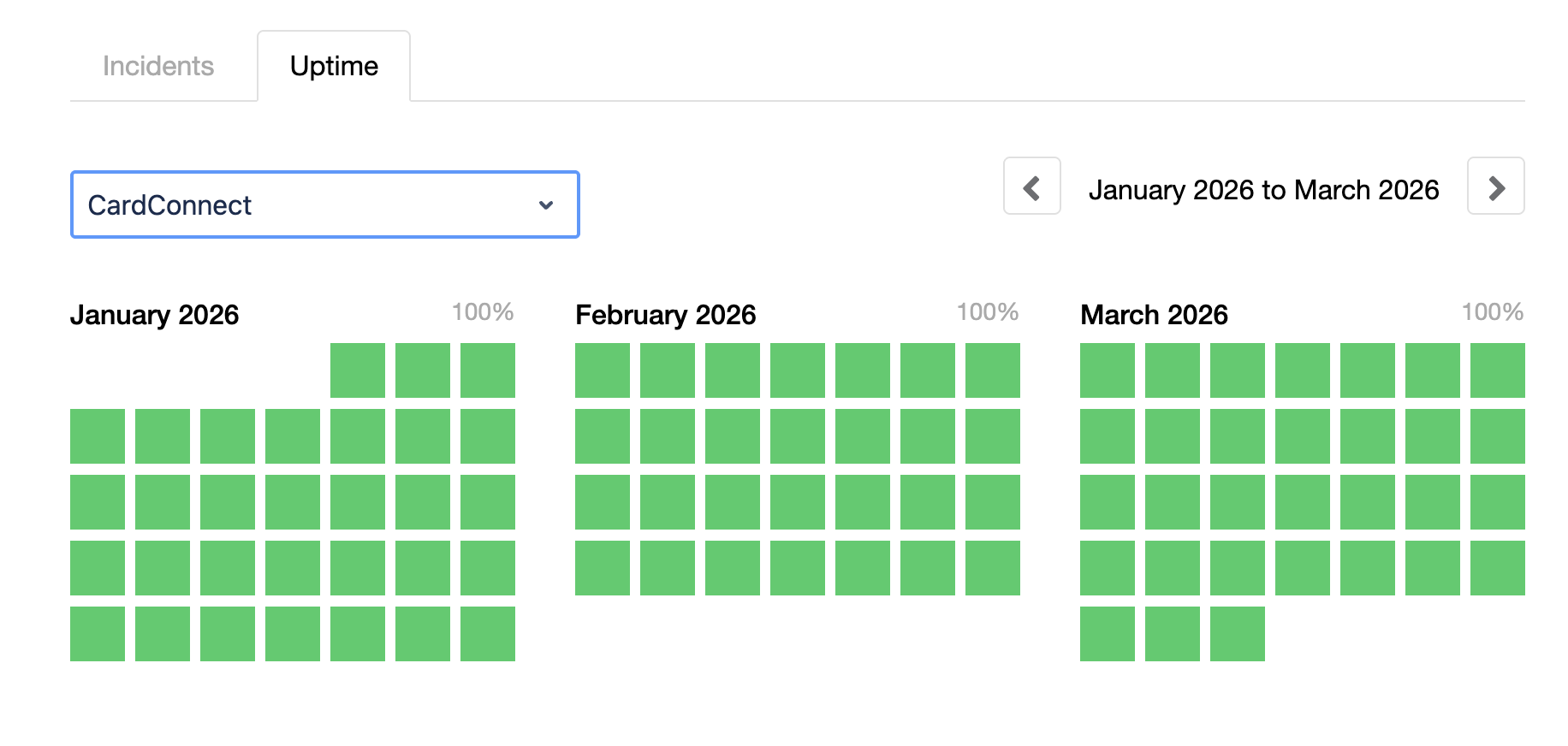
Everything runs in one connected system, including payment processing, which Meevo built in-house rather than outsourcing to a third party. That in-house control is a big part of why Meevo guarantees an industry-leading 99.95%+ uptime.
Here’s how Meevo handles each area of the business. Unless it’s marked, the feature comes with all tiers.
Booking and Appointment Management
Meevo’s scheduling tools are built to keep every chair full with as little manual work as possible. They fill gaps and reduce no-shows, which matters most when you’re coordinating several aestheticians’ calendars at once.
- 24/7 online booking happens on your own website, with your branding and service descriptions, and clients don’t need an account to book. You can also add “Book Online” buttons to Google Search and Maps. Businesses on Meevo’s online booking turn 60% more visitors into confirmed appointments.
- Meevo keeps a single profile on every client, created automatically the first time they book. It holds visit history, color formulas, stylist notes, preferences, package and membership balances, and lifetime spend (accessible from any of your locations, so the client’s history follows them wherever they book). Meevo’s matching algorithm and Intelli-Merge catch duplicates, so a client’s history never gets split across two records.
- Intelli-Booking learns how long each client actually takes and sizes their future appointments automatically, so a 45-minute client never gets squeezed into a 30-minute slot.
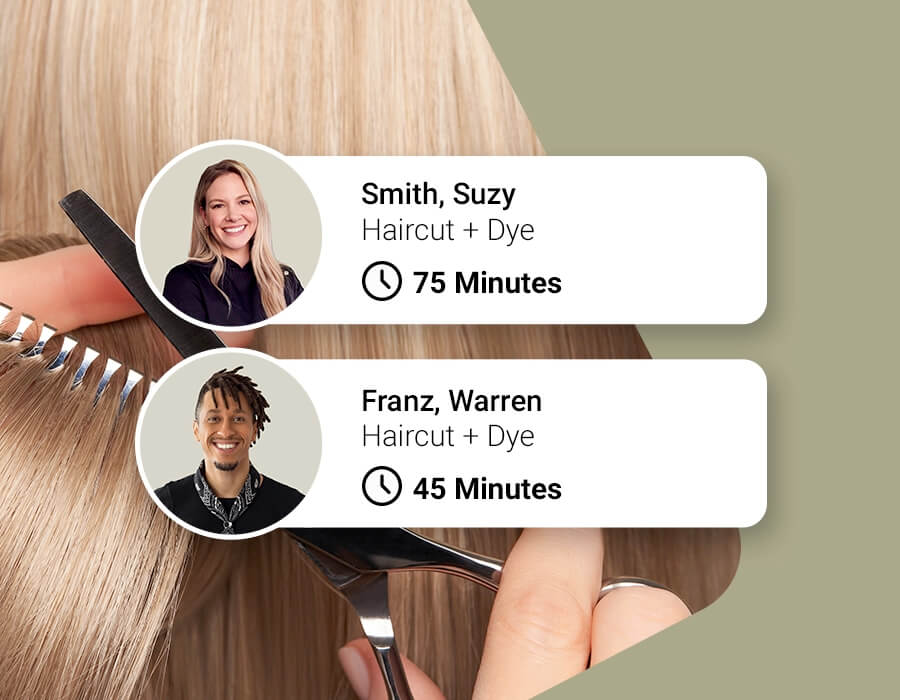
- Precision Booking schedules quick services (like bang trims or brow waxes) in exact 5- or 10-minute windows, so they don’t block off a full half-hour time slot.
- The automated wait list fills cancellations on its own. Meevo checks the appointment book every five minutes for openings, then texts waitlisted clients in order until the slot is claimed. When a client replies, Meevo books the appointment itself with no front desk involvement (unless they specifically request a phone call). You can also set up VIP clients who move to the front of the line without anyone else knowing.
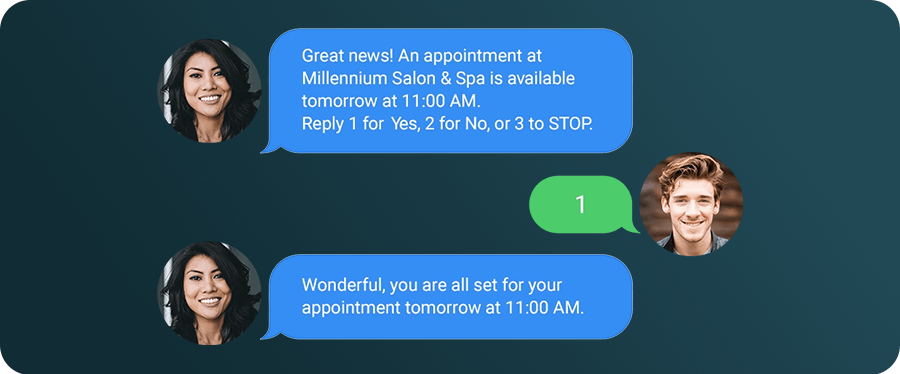
- Deposits and cancellation policies protect the schedule. Clients agree to your terms when they book, and you can require a deposit or card on file. Businesses using deposits practically make no-shows a thing of the past, and Meevo’s tools overall cut no-shows by up to 20%.
- Groups of up to five can book together, with Meevo assigning the service providers, rooms, and chairs itself. Resource management also stops rooms and equipment from being double-booked, even when staff are technically free.
- The appointment book is color-coded and drag-and-drop, with a user-friendly interface that your staff can pick up quickly. Each appointment block on the calendar also shows small icons that you can hover over to see client context, like whether they’re new, returning, or VIP.
- Convobar®, Meevo’s patented AI-powered search bar, lets staff type or speak a plain-language command (“haircut with Jane on Friday”) to jump to a schedule, open slot, or report. It makes booking up to 10x faster than clicking through menus.
- Automated reminders go out by text or email, and clients confirm with a reply or reschedule themselves through a direct link. The front desk can see who hasn’t confirmed and follow up while there’s still time to fill the slot.

- Upsell prompts during online booking suggest a related add-on before the client confirms, like a gloss with a color service. Businesses using them see average tickets rise 10–20%.
- Clients can check in from their phone on arrival, which notifies staff automatically and keeps the reception area clear (included in Essentials tier & up).
- Clients can prepay at booking, which speeds up day-of checkout (on top of protecting against no-shows).
- Multi-location booking runs from one view. Staff can see and book across every location, clients can search for the most convenient spot, and their profile follows them to whichever location they visit.
Point of Sale and Payment Processing
Checkout is the last impression a client takes away from a visit, so it should be quick and smooth every time. MeevoPay is Meevo’s in-house payment processor, which allows payments, bookings, and reporting to genuinely run as one system.
By the time a client is ready to pay, their services, add-ons, package balance, and membership pricing are already at the register, so staff aren’t re-entering details or double-checking prices while the client waits.
From there, checkout takes three clicks and a card tap (or swipe). MeevoPay accepts all standard payment methods, including Apple Pay and Google Pay. Plus, the first POS terminal is free.
Beyond the register itself, Meevo’s POS system comes with several advantages:
- Uptime is guaranteed at 99.95% and usually runs even higher. And if a very rare outage does happen, offline mode keeps taking payments and reconciles them automatically afterward. This prevents payment interruptions that slow down checkout and make your business look less reliable.
- Meevo handles chargebacks for you. An in-house, US-based team handles every dispute, winning about 53% of chargebacks against an industry average of 35–40%. The system also works to prevent them in the first place, with built-in fraud protection that keeps the overall chargeback rate under 0.02% of transactions.
- Product recommendations appear at checkout, giving staff suggestions tied to the services the client just received.
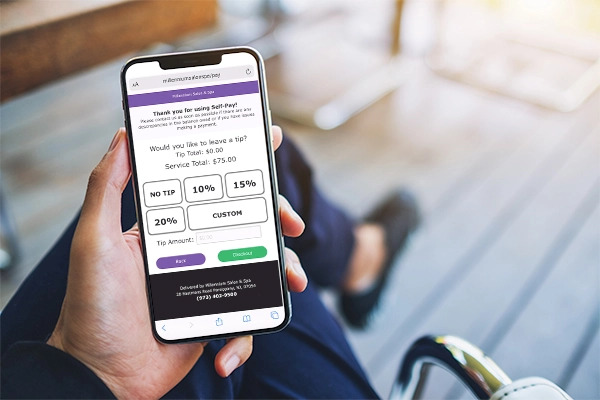
- Clients can pay chairside or from their own phone through a secure Self-Pay link, keeping your front desk clear.
- Rebooking is built into the checkout screen with the service provider’s openings already visible, so the next appointment goes on the books before the client leaves the chair.
On top of that, tipping runs through MeevoTips, which comes with every subscription. At checkout, a client-facing screen suggests tip amounts based on the service total, which lifts average tips by more than 22%.
Tips reach the service provider’s digital wallet instantly instead of waiting for payroll. Clients cover a small processing fee of around 2%, so your business pays nothing to run it, and same-day tips are the kind of perk that helps keep good aestheticians around.
Reporting and Analytics
Meevo comes with a deep reporting suite and KPIs that go well beyond basic sales numbers, all included in every tier rather than sold as an add-on. Because bookings, payments, inventory, and payroll feed the reports automatically, the numbers are always current.
- More than 150 reports come built in, from profit margin by service to which stylist attracts the most new clients.
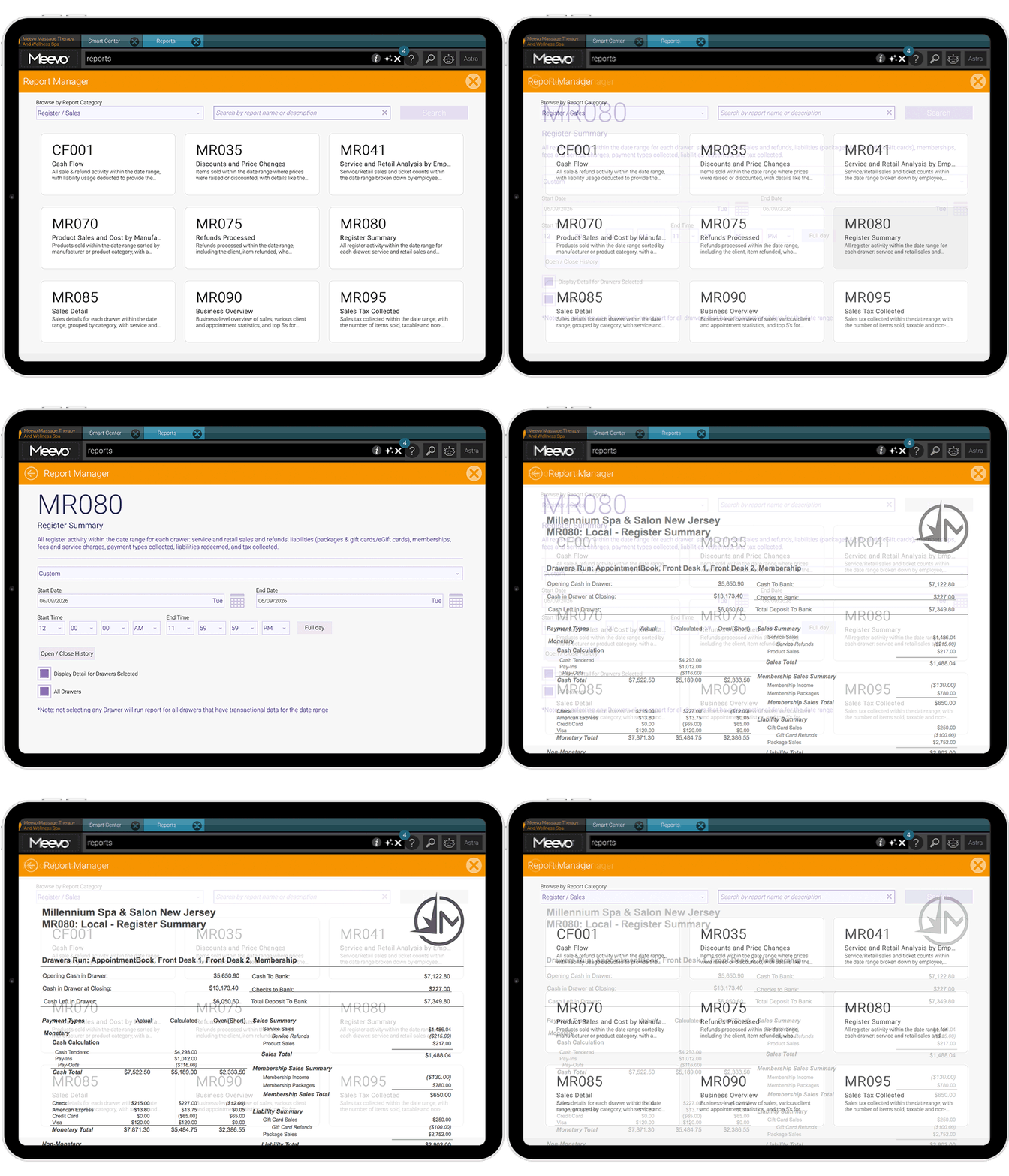
- One report shows a stylist’s full picture (retention, average ticket, productivity, new clients per month) instead of making you piece together five or six separate reports.
- You set your own retention window at three, four, or six months, so a client who visits every six weeks and one who comes twice a year aren’t measured on the same clock.
- Advanced Dashboards pull your numbers into graphs and charts on one screen, tracking trends over time. They cover everything from sales and appointment traffic to client demographics and memberships. For example, a chart of appointment traffic by day and hour shows exactly when you’re busiest, so you can staff heavier on the times that need it instead of guessing.
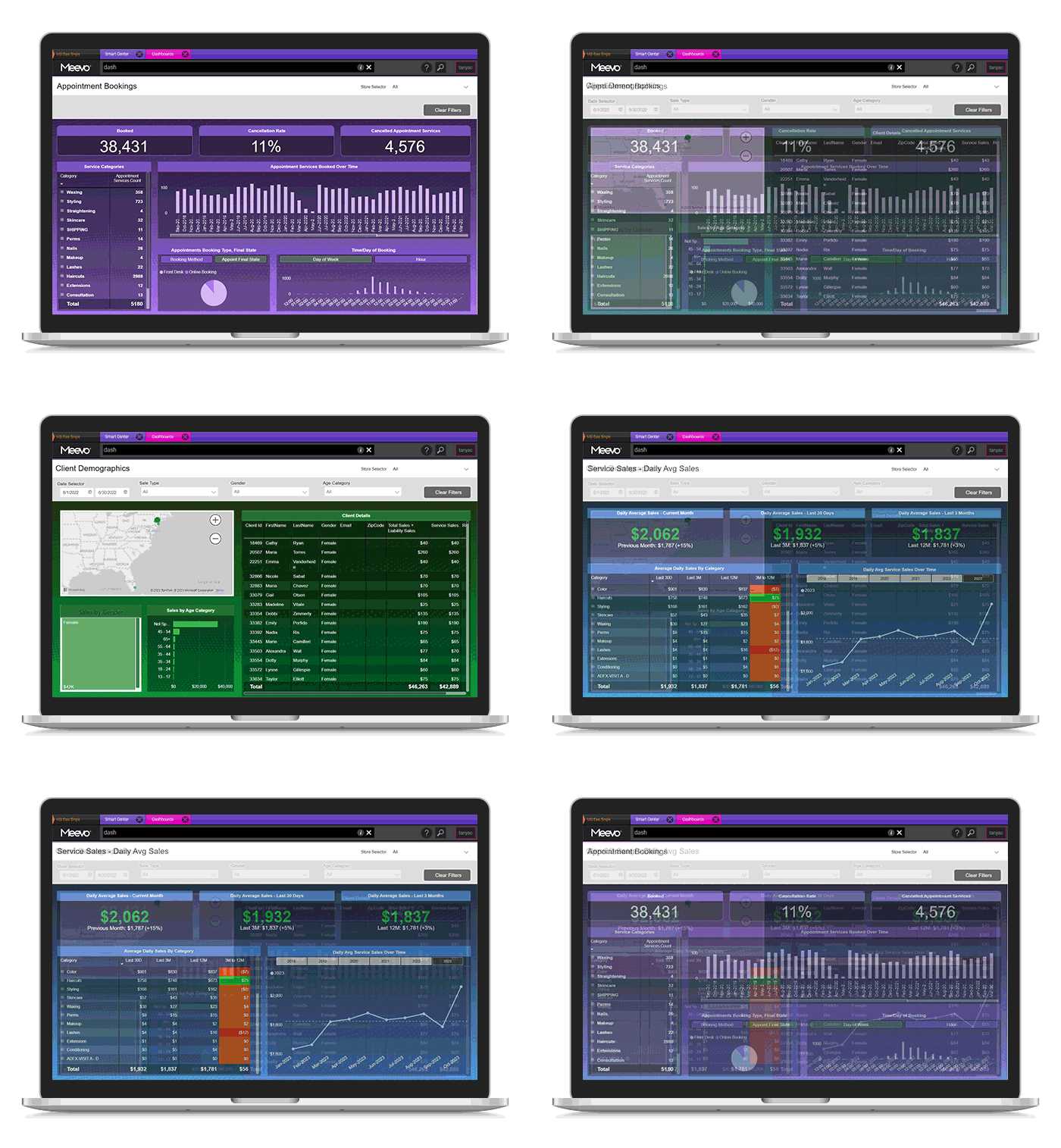
- Smart Center is the dashboard each person sees when they log into Meevo, made up of tiles showing live numbers that update throughout the day. You decide what’s on each role’s version. An owner might set theirs to today’s bookings and total sales, while a stylist’s shows their own schedule, rebooking rate, and retail numbers.
- Missed Opportunity tracking logs every waitlisted client you couldn’t fit in, giving you a running total of turned-away revenue and a follow-up list.
- The Meevo BI app puts your key numbers on your phone so you can check on the business without logging into the full platform. It covers 20+ KPIs, from overall sales down to a specific employee’s numbers, and lets you compare across date ranges or locations (included in Premier tier).
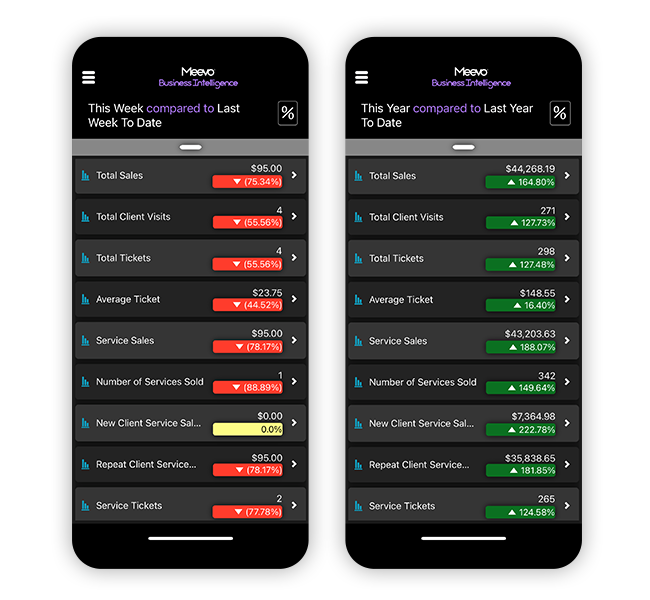
If there’s a question you want answered about your business, Meevo has a report for it.
Employee Management
Meevo covers the full employee side of the business, from schedules to payroll, inside the same system as the appointment book.
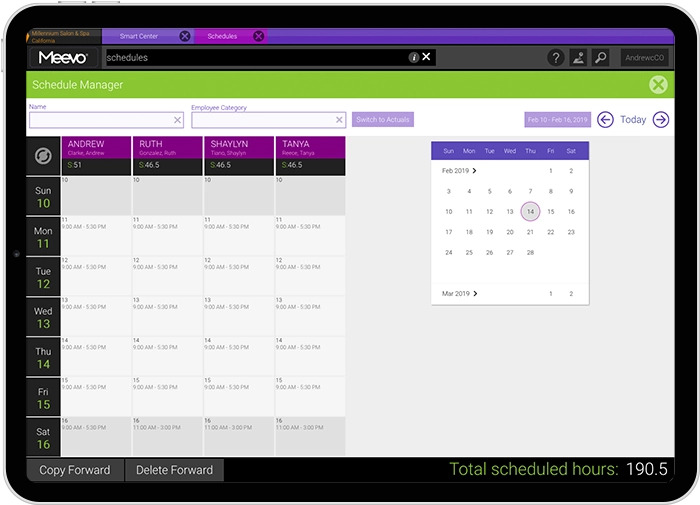
- The Scheduling Manager shows the week at a glance, with copy-paste scheduling and time-off requests visible up front.
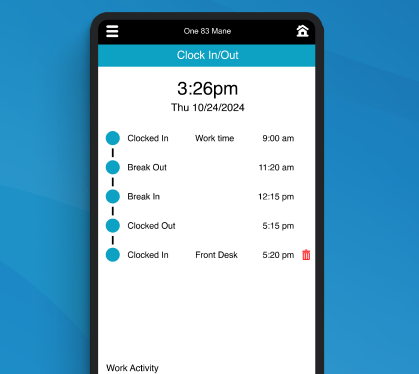
- A built-in time clock prompts staff to clock in and out, and those hours flow straight into payroll.
- Payroll handles any pay structure: hourly, salary, straight commission, tiered and sliding scales, multiple rates per person, and commission overrides for services, retail, packages, and memberships. And ADP connectors let you submit payroll directly from Meevo.
- Raises and promotions can be scheduled in advance, with new pay rates and service prices activating on promotion day.
- Staff goals are built in. You can set targets like rebook rate, average ticket, or retail sales for each employee, and progress shows up right on their Smart Center. Seeing how they’re doing every time they log in is its own motivator.
- Security is role-based down to the screen. You control what each employee sees, restrict off-site access to sensitive data, and get alerts for events like refunds. An activity log records every action in the system.
- The MyMeevo app gives staff their schedules on their phone, where they can check appointments and submit time-off requests without going through the front desk (included in Premier tier).
- Staff working across locations use one profile and one login, and can be paid from a home location.
Inventory Tools
Meevo’s inventory management is tied to the register, which keeps stock counts accurate without anyone doing manual checks.
- Every sale updates the count in real time for retail shelves and back bar supplies alike.
- Meevo builds purchase orders for you. It knows your stock levels and how quickly you go through each product, so reorders go out before you sell the last unit, and you’re never over-ordering items that sit on the shelf until they expire.
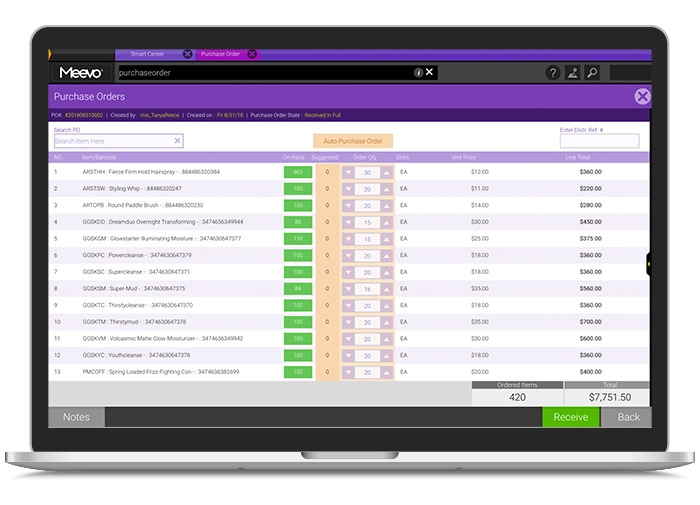
- Staff can log products by scanning barcodes from a mobile device, and multi-size products get entered once with all variants on the same screen.
- Assignable floor locations track where each product physically sits, whether on the sales floor or in the back (included in Essentials tier & up).
- Stock counts and updates can be done in bulk, so a physical inventory check or a price change across dozens of products doesn’t have to happen one item at a time (included in Essentials tier & up).
- Multi-location businesses enter products once through the Central Office, and every location stays in sync.
Marketing Tools
Meevo’s marketing suite covers both sides of growth: staying in front of the clients you have and getting found by the ones you don’t. It’s built right into the platform, so every campaign draws on the client records your business already keeps.
- Email marketing includes hundreds of industry-specific templates, an AI writing assistant, A/B testing, and automated campaigns to segmented groups like new clients, birthdays, or clients overdue for a visit.
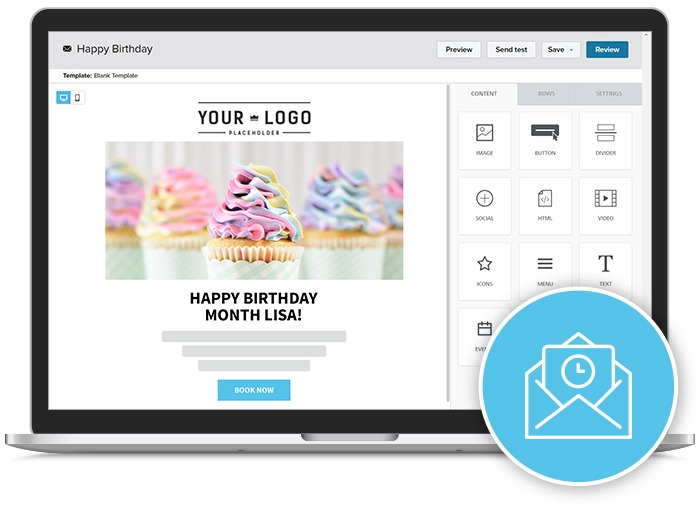
- Text marketing is included as well, with email and text allowances that grow with each subscription tier.
- Online Presence Management syncs your listings everywhere at once. Change your hours or services one time, and the update pushes to Google, Yelp, Facebook, and many other platforms (included in Essentials tier & up).
- Reviews from every site appear in one dashboard, where built-in AI can draft individualized responses in your brand’s voice (included in Essentials tier & up).
- Local search insights track the competitors you name, showing who ranks near you, how your ratings compare, and which service keywords are winning (included in Essentials tier & up).
- Social posting runs from the same dashboard, with a content calendar and scheduled posts to your Facebook Page and Google Business Profile (included in Essentials tier & up).
Med Spa and Clinical Features
MeevoMD tiers cover the clinical documentation and compliance an aesthetic medical spa practice actually uses, without the price or learning curve of a full medical EMR.
- Meevo is 100% HIPAA compliant across the platform. Clinical records are gated by role, and every chart view or edit is logged in a full audit trail.
- A chart record is created automatically for every visit, pre-filled with notes from the client’s last appointment so service providers aren’t starting from scratch.
- Charting includes image annotation, so service providers can mark injection sites and treatment areas, map treatment plans, and track progress like weight loss. Visit note templates and approvals keep documentation consistent and accurate.
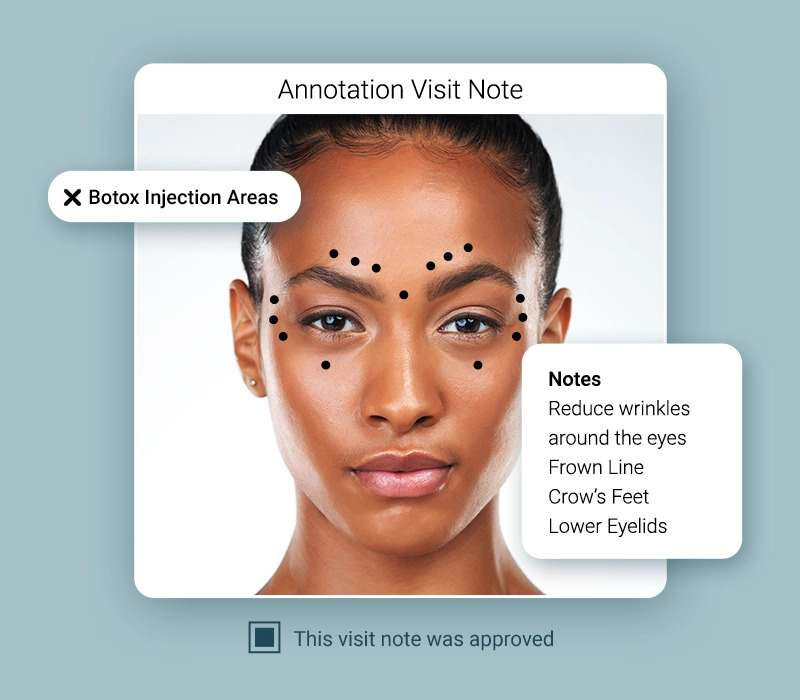
- Intake forms, consent forms, and SOAP notes are attached to the appointment type and sent automatically at booking, confirmation, before the visit, or at check-in, then saved to the client’s profile.
- Injectable and product tracking count every unit used in a service, keeping billing precise and inventory accurate.
- Medical directors get a dedicated approval screen, where they can review submitted charts remotely using their own login, approve them individually or in bulk, or send one back to the service provider for edits.
- Integrations include CareCredit for client financing and TouchMD for visual consultations and imaging.
Onboarding and Customer Service
Meevo’s onboarding is built around making sure your whole team knows how to use the system before you go live, and that client support continues once you’re up and running.
- A dedicated Implementation Specialist handles your move to Meevo and personally walks your team through the platform. The process is tailored to how your business runs.
- Your data makes the move with you. Meevo’s team handles bringing client records, appointment history, and product data over from your old system, and spends real time cleaning it up along the way.
- A Client Success Manager takes over after launch as your ongoing advocate inside the company.
- Support is US-based and human, reachable by phone or live chat Monday through Friday from 8 a.m. to 8 p.m. ET and Saturday from 9 a.m. to 5:30 p.m. ET, with an emergency after-hours callback line. Meevo’s support team holds a 98.5% satisfaction rating.
- Help is built into the software too, with guided walkthrough tours, detailed user guides, and Meevo Academy’s role-based training videos and webinars available around the clock.
What Real Users Say
-
“Some of our pain points before choosing Meevo were system outages, failure to connect, loss of information, transfer problems, integration issues, training, slowdowns — all of those problems don’t exist within the Meevo ecosystem.”
– Jay Bullock, Founder of Local Honey Salon & Apothecary
-
“I would say, do it. I have personally looked into many of them, and I feel like Meevo, what they offer, is amazing. And most of all, their support — you cannot beat that. Sometimes the software is great, but you don’t get good customer service. I think, when it comes to Meevo, we have that perfect combination of both.”
– Farida Lynch, Founder & Lead Skin Therapist at Farida Studio
-
“One thing I love about this platform is its versatility. I run two different beauty businesses, and I can manage both effortlessly on the same system. It’s flexible enough to handle any type of business, which makes it a great option for anyone in the industry. I honestly can’t think of any downsides.”
– Briee G, CEO, Salon Manager & Medical Aesthetician
Want to see how these features handle your schedule, services, and staff? Book a Meevo demo now.
Vagaro
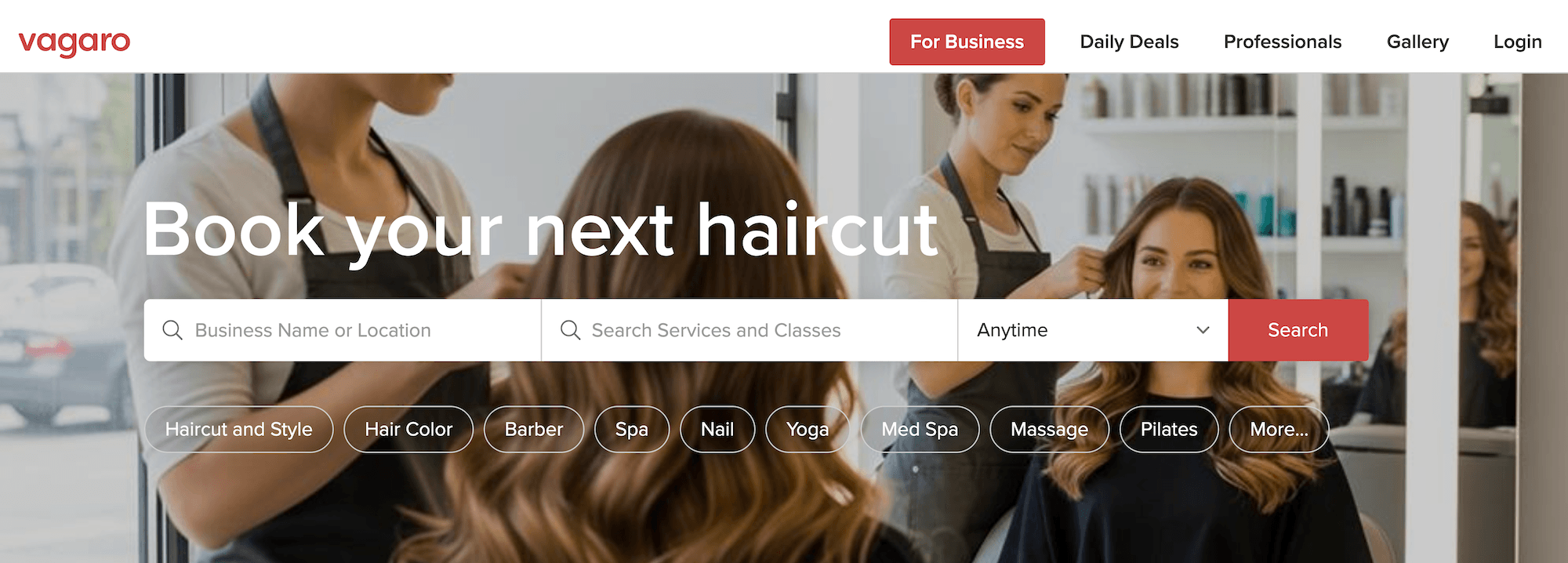
Vagaro is an all-in-one booking and business management platform known for its low starting price and its consumer marketplace, where millions of people search for local services. It’s designed for solo service providers, freelancers, and small or newer teams, where keeping costs down matters more than feature depth, and the marketplace can bring in clients a young business doesn’t yet have.
It’s also built for a much wider market than Meevo: salons, spas, and med spas, but also gyms, yoga studios, dog groomers, chiropractors, and more. That range may be why its features cover a lot of ground without going especially deep in any one industry.
Booking and Appointment Management
Vagaro’s base plan covers the everyday booking needs of a small operation.
- Clients can book 24/7 through the Vagaro Marketplace, a widget embedded on your own site, or directly from Google, Yelp, and Facebook. Rebooking and appointment management happen through Vagaro’s consumer app, so the experience carries Vagaro’s branding unless you pay for the branded website ($20/month) or branded app ($100/month plus a $100 setup fee).
- Calendar is color-coded and drag-and-drop, with customizable time slot intervals, booking lead-time rules, Google Calendar sync, couples and group bookings, class scheduling, and resource booking for rooms and equipment.
- The wait list can notify clients automatically when a slot opens, or the front desk can work it manually. A “Money Maker” option offers the open slot to the highest-paying wait-listed client first.
- Automated reminders go out by email, text, and push notification as soon as an appointment is booked.
- Deposits and cancellation fees for online bookings require the Online Shopping Cart add-on ($10/month). Without it, there’s no way to hold a card or charge for a no-show on an online booking.
- Client self check-in is available through the Check-In App ($10/month). It lets clients check themselves in on a tablet when they arrive and register as new customers.
Point of Sale and Payment Processing
Vagaro processes payments through its own merchant services, with a full line of hardware available for purchase: the PayPro terminal, a mobile card reader, plus extras like receipt printers, barcode scanners, and cash drawers. New accounts get the basic card reader free (terms apply).
- Checkout ties into the calendar, so the client’s services and any products come up at the register, and clients can pay by card, Apple Pay, or Google Pay.
- Chargebacks are mostly yours to manage. Vagaro’s dispute tool gives you eight days to respond. If you don’t respond in time, Vagaro auto-submits a rebuttal from evidence already on file (though their own guidance notes that manually uploaded evidence is what improves your odds). This is manageable for a solo service provider with a couple of disputes a year. At multi-provider volume, it becomes a recurring front desk task.
- A rebooking prompt appears at checkout, so staff can set the next visit while the client is still at the register.
- Tips are collected at checkout and paid out on the payroll cycle rather than received on the same day (the standard way tips are managed).
One reliability note: Customers report downtime issues, with outages and slow checkouts that happen during busy stretches. One reviewer put it this way:
“When the system goes down, there is essentially zero offline functionality. Staff cannot reliably access calendars, view client notes, confirm appointments, or process payments. For businesses that depend on scheduling software to operate throughout the day, being completely locked out puts your front desk and client experience in the dark.”
Reporting and Analytics
Vagaro’s reporting covers what a smaller business typically needs to know.
- Around 30 built-in reports span six categories: sales, employees, customers, appointments, inventory, and messaging and billing. Reports are fixed in what they measure. You can filter by date, employee, or location, but you can’t change a report’s definitions. The retention report, for example, counts anyone who has ever visited before as a returning client, and there’s no way to adjust that window.
- A widget-based dashboard shows your key numbers in real time, like sales and bookings, viewable from any device. You can add, remove, and reorder widgets, and access levels control which employees can see or change them.
- Deeper analytics is a paid add-on. Custom reports, Power BI templates, and data warehouse access come with the Data Lake add-on ($40/month). It’s raw data to build your own reports from, rather than a deeper set of ready-made ones.
Employee Management
Vagaro handles the scheduling and permissions side of staff management in the base plan.
- Each service provider gets a calendar with availability windows, service specializations, and vacation blocking, plus role-based permissions and time tracking.
- Commissions are configurable by percentage, flat fee, or a hybrid of the two, down to the individual service or product.
- Payroll reporting is included, but paying staff happens elsewhere. Vagaro calculates what everyone is owed, and you either run payroll through the Vagaro Payroll add-on ($34/month plus $5 per employee) or export to QuickBooks or Xero (each a $10/month add-on).
Inventory Tools
Inventory management and tracking come with the base plan and cover the day-to-day basics.
- Retail and backbar products are tracked in real time, with counts deducted automatically at checkout, low-stock alerts, and audit tools.
- Purchase orders are quick to build, with smart filters and quantity forecasting based on your actual sales, so you’re restocking in line with what’s moving.
- Multi-location inventory is partly connected. The product catalog (names, brands, vendors, barcodes, pricing) syncs across locations from a flagship account, but stock counts are managed by location.
Marketing Tools
Vagaro’s marketing tools lean toward one job: getting a newer business in front of new clients.
- The Vagaro Marketplace lists your business in a consumer search engine. For a business still building its book, that visibility is hard to get any other way. The flip side is that your listing appears alongside nearby competitors, which matters more once you have an established clientele.
- Email marketing comes with the base plan at 1,000 emails per month, with paid tiers for higher volume. Text marketing is separate, starting at $20/month for 1,000 credits.
Med Spa and Clinical Features
Med spa clinical tools come as a mix of built-in features and paid add-ons.
- SOAP notes are HIPAA-compliant and customizable with templates and shortcuts, and before-and-after photos are stored securely on the client’s profile. Role-based access controls limit who can see clinical records.
- Intake and consent forms require the Forms add-on for $10/month. Completed forms attach automatically to the client’s profile.
- Photo and document storage runs on Vagaro Drive, an add-on starting at $10/month, which covers the files, images, and forms saved to client profiles and appointments.
- E-prescribing is built in through ScriptSure ($40/month per prescriber plus $5/month per medical assistant). This matters most for practices on the medical end of Vagaro’s range, like med spas offering weight-loss or hormone programs, or the mental health clinics the platform also serves.
Onboarding and Customer Service
Onboarding is quick, partly because there’s simply less to configure than on a platform built for larger operations. A small business can be up and running within days.
- The Imports & Onboarding team handles your data migration with three personalized onboarding sessions. The import appointment takes under an hour, the import itself one to three days, and the team can bring over client lists, stored cards, service menus, past and future appointments, memberships, inventory, employee profiles, and more. Every account includes one free premium import.
- Vagaro University offers free workshops and video tutorials, and one-on-one training is available at $100 per session.
- Customer support runs through chat, email, and phone, advertised as 24/7. Vera, the AI assistant, handles first-line chat with an option to escalate to a human.
What Real Users Say
-
“We liked that it was very customizable, and also liked that the business gets a ‘profile’ and the visible reviews were a plus. It was easy for my staff to use as well, and it did have a lot of features which were helpful for the business. I had constant issues with Vagaro glitching with certain features, but the most frustrating one was online booking on the client’s end. Many times, clients were unable to book an appointment, the website would crash, or they’d get an error message.”
– Valentina A, Spa Owner
-
“Vagaro has a fairly easy interface for clients and providers alike. There are so many features to help keep your business flowing and increase visibility. The pricing is still something that I struggle to accept. While the à la carte model is beneficial, the features that are optional I find are necessary to add, and it increases the pricing exponentially.”
– Arne S, Esthetician & Owner
-
“I like the customization features, although I feel there could be more. I like some of the tools like booking widgets that allow for ease of scheduling. I feel like some of the customization upgrades should be priced at a lower price…maybe packages of upgrades such as allowing for sole proprietors to customize differently than multi-location companies. So I’m not having to pay $10 for this and $10 for that a month and eventually paying over $50 or $60 a month as a sole proprietor. Whereas a package that would include things like a wait list or automatic customer replies for someone that doesn’t have a front desk person would be amazing.”
– Shawn H, Therapist & Owner
An honest summary: A brand-new business with one or two providers will probably do fine with Vagaro. A growing salon, spa, or med spa with a full book, several providers, and real decisions riding on the numbers will feel the difference with Meevo.
Schedule a demo to see how Meevo can manage every part of your business, from the appointment book to payroll.