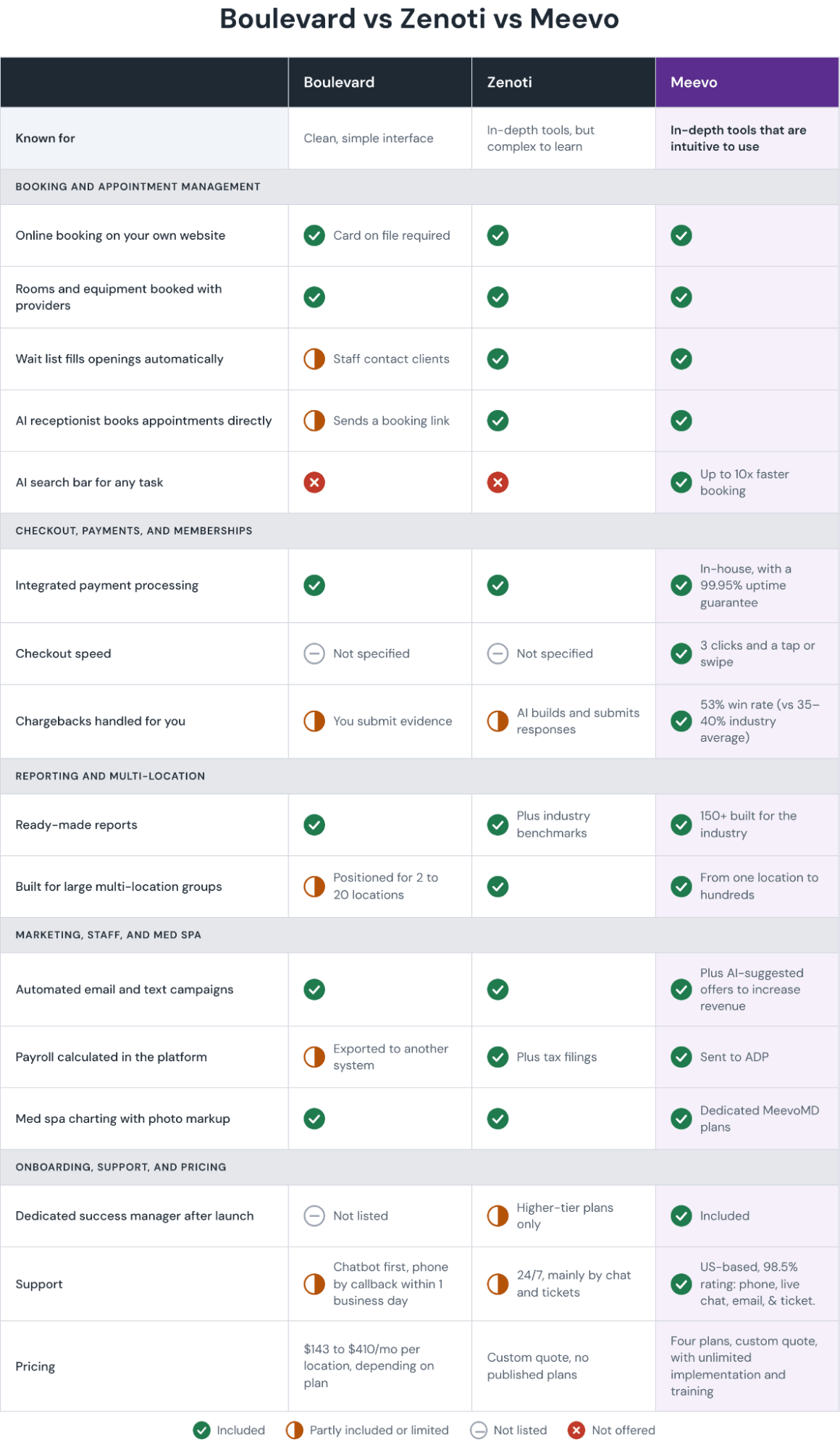
Boulevard and Zenoti are both all-in-one platforms for established salons, spas, and med spas. Each one runs booking, checkout, client records, memberships, marketing, and reporting from a single system, though each has different strengths:
- Boulevard is designed around ease of use. Many people choose it for its clean interface and the easy booking experience it gives clients. However, its reporting is lighter, and its tools for managing several locations are more limited. Customers also can’t call support directly, so getting help in the middle of a busy day means going through chat and waiting for a callback.
- Zenoti is a full-featured platform built for large businesses with several locations. Multi-location groups and franchises use it for its detailed reporting and central management across sites. However, reviewers often describe it as complex to learn, and support is mainly through chat and tickets.
Before we get into the comparison, there is a third option worth knowing about: Meevo.
Meevois our all-in-one platform for multi-provider salons, spas, and med spas, in one location or several. Over decades of working with hundreds of thousands of businesses, we have shaped and evolved Meevo around how the industry actually works.
It offers both the depth to run a busy operation and everyday ease of use. With Meevo, you get detailed reporting and central management across locations, along with intuitive booking and checkout tools. Plus, support is live and US-based by phone and chat, with a 98.5% client support rating.
Below, we compare all three platforms, starting with Meevo, on:
- Booking and appointment management
- Checkout, payments, and memberships
- Reporting
- Multi-location management
- Marketing, staff, and inventory management
- Med spa features
- Onboarding and support
- Pricing
Book a Meevo demo to see how it gives you the depth of Zenoti and the ease of use of Boulevard in one platform.
Meevo: All-in-One Software for Multi-Provider Salons, Spas, and Med Spas
Meevo is all-in-one management software for mid-sized and larger salons, spas, and med spas. Choosing between Boulevard and Zenoti can feel like choosing between ease of use and depth, and Meevo is built to give you both.
On the depth side, the platform’s multi-location tools, like Central Office and client profiles shared across locations, let the same system run a single busy salon or a group with several sites.
Meevo includes 150+ ready-made reports specific to the industry, which lay out how the business is performing in a way owners can read at a glance and act on.
Everyday work stays quick and simple for the team, too. For example, with Meevo’s AI-powered search bar, staff can find a provider’s next opening or pull up a specific report in seconds. Checking a client out takes just a few clicks rather than a long series of screens.
“Meevo was extremely easy for me, and I’ve also worked alongside people who aren’t as tech-savvy, and they found ease of use with it as well. So that’s one of the wonderful things about Meevo—it’s easy to learn, but at the same time, you still have a continuous opportunity to discover more.”
— Ashley, Guest Care Director of J. Con Salon
Below, we provide an in-depth look at how Meevo handles each part of running the business, so you can see how its features compare to Zenoti vs Boulevard.
Booking and Appointment Management
At a business with multiple service providers, the appointment book changes all day. Meevo’s appointment booking tools handle a lot behind the scenes, from filling cancellations to matching rooms and equipment, while remaining intuitive for the front desk to use.
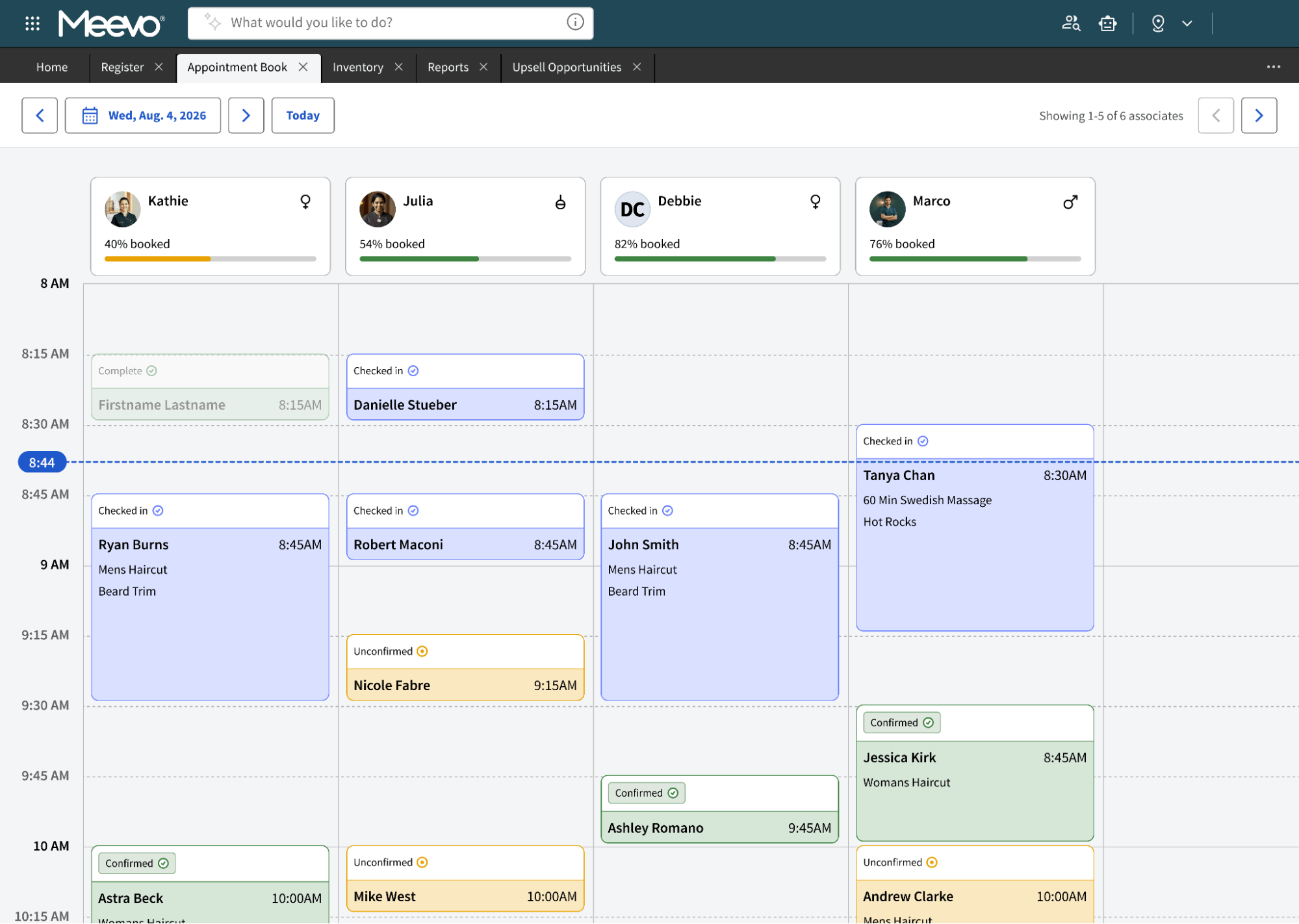
The appointment book is color-coded and drag-and-drop, so staff can see each service provider’s day at a glance and move appointments easily. Clients can book 24/7 on your website or from Google Search and Maps, with no login required, and Meevo creates their client profile automatically the first time they book.
Beyond the calendar itself, these tools take on the work of filling it and keeping it accurate.
- An AI Receptionist answers calls and can book, reschedule, or cancel appointments. You choose when it’s active: all the time, overflow and after hours, or after hours only.
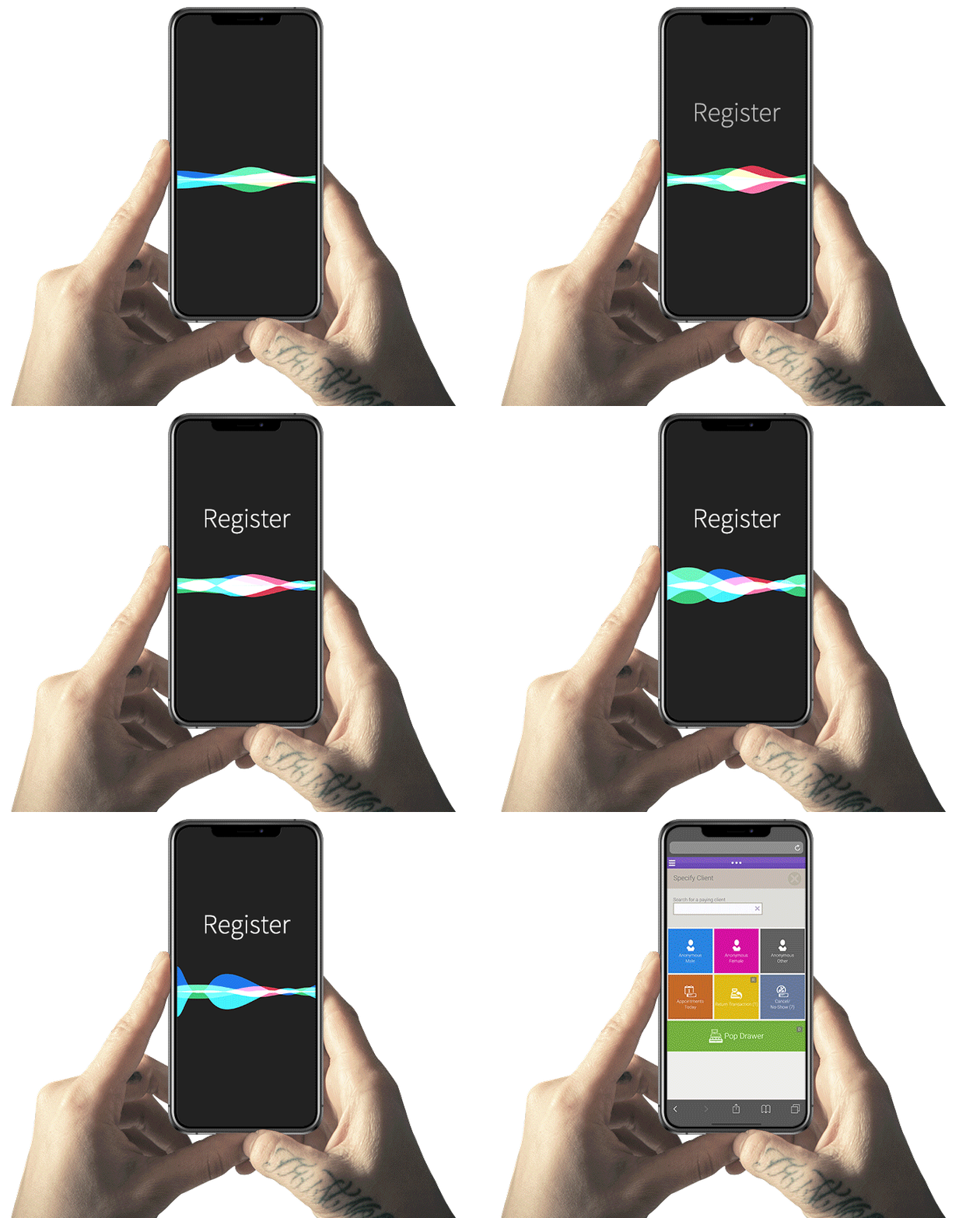
- Convobar® is Meevo’s patented AI-powered search bar, which sits at the top of the screen and brings staff anywhere in the system without clicking through menus. Staff type or say what they want in plain language, like “inventory” or “tomorrow’s schedule,” and Meevo opens it. For booking, they can enter something like “haircut with Angelina on Tuesday,” and Meevo shows her open times so they can book the client in one step.
- Online booking suggests add-ons before the client confirms, like a gloss treatment with a color service. Businesses using these prompts see average tickets rise 10% to 20%.
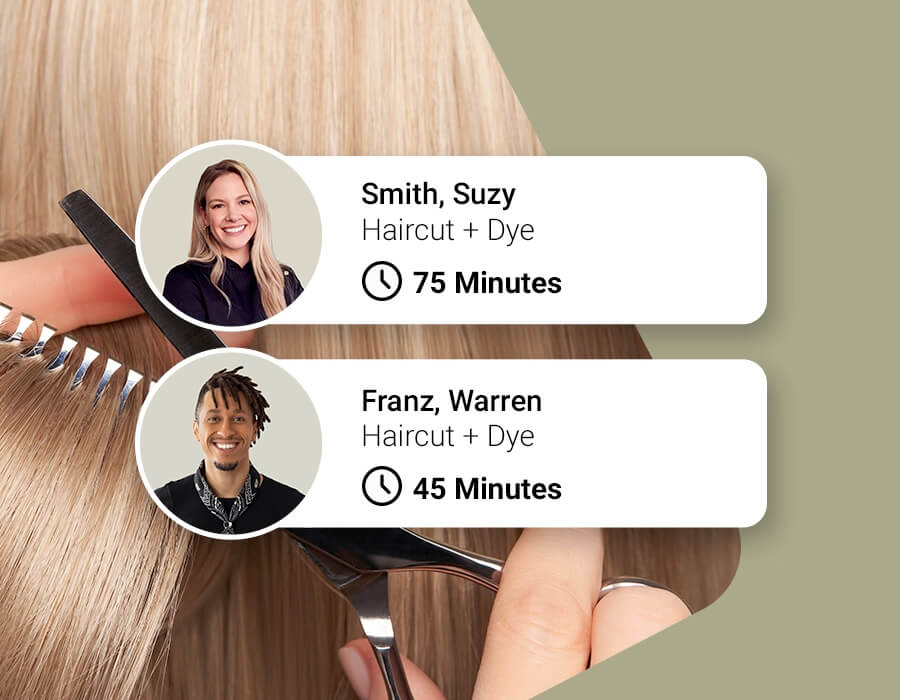
- Intelli-Booking and Precision Booking give each appointment the right amount of time on the schedule. Intelli-Booking remembers how long a client usually takes with each aesthetician and books that amount of time going forward. Precision Booking lets you book in 5- or 10-minute increments, so a quick service like a brow tint isn’t given a bigger time slot than it needs.
- Resource management books rooms and equipment along with service providers, so a time only shows as open when everything the service needs is free. Meevo can also rotate appointments across resource rooms so they get even use.
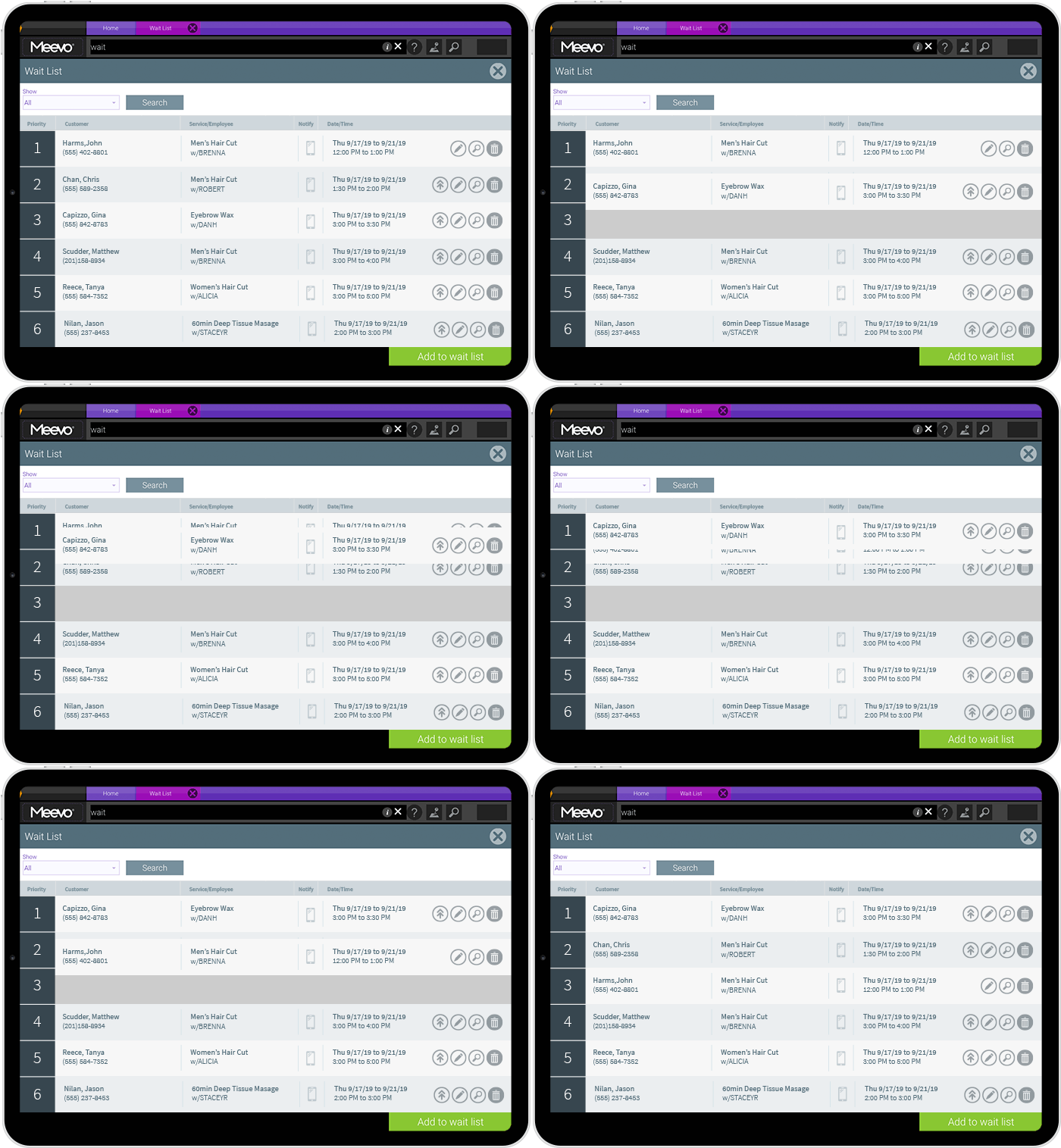
- The wait list fills cancellations automatically. When a slot opens, Meevo texts clients on the list one at a time until someone claims it, and VIP clients can be moved to the front.
- Automated reminders and booking policies reduce no-shows. Meevo texts or emails clients when they book and again before their visit, and they can confirm or reschedule from a link in the message. You can also require clients to leave a card on file or pay a deposit when they book, and to agree to your cancellation policy. For businesses that require deposits, no-shows are close to zero.
- MeGo is Meevo’s mobile app for clients, branded with your business’s name. From the app, clients can book, buy products and gift cards, check in when they arrive, and message the front desk.
Checkout, Payments, and Memberships
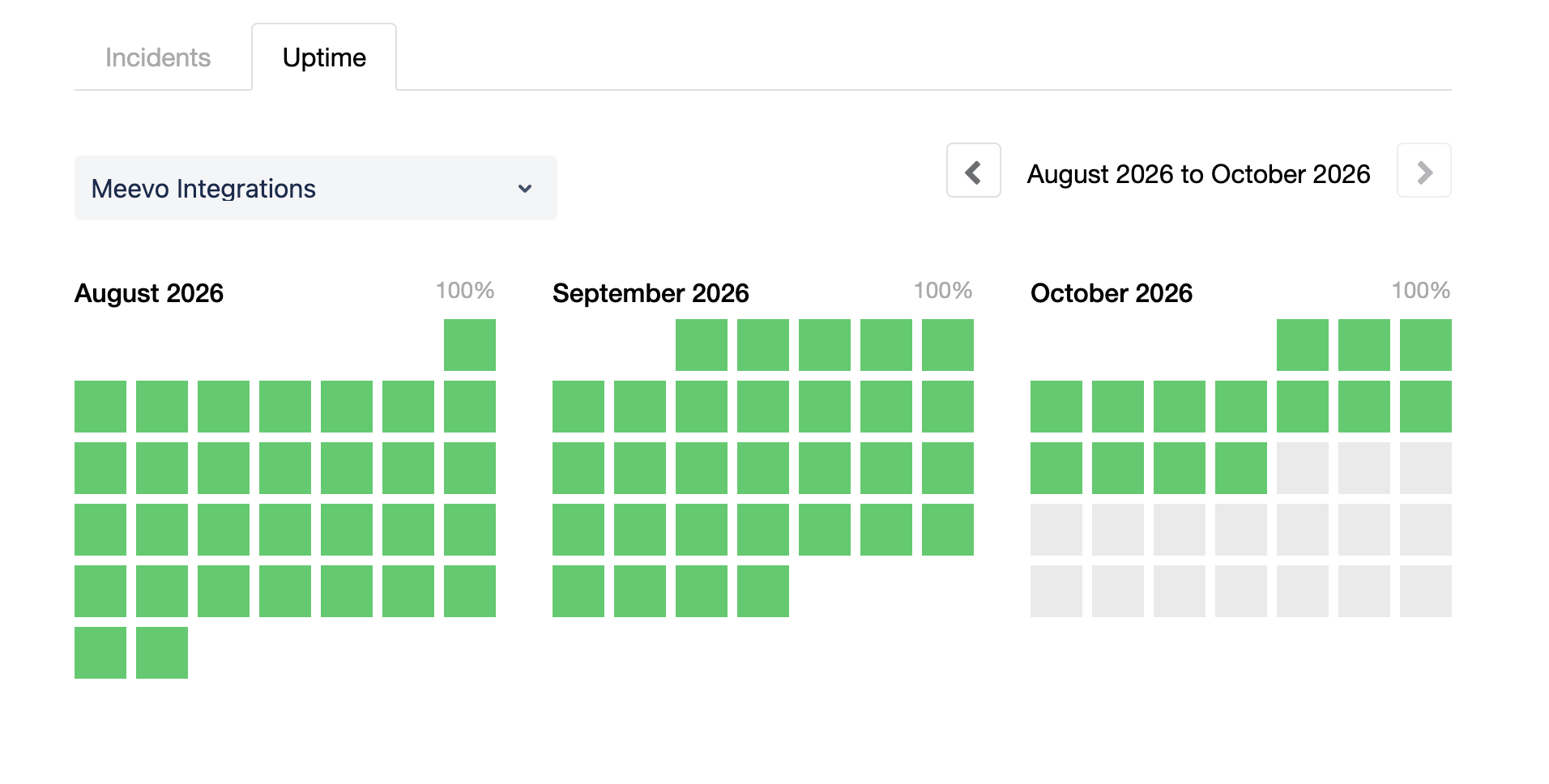
MeevoPay is Meevo’s built-in payment processing and point of sale, which means checkout runs inside the same system as booking and client records. Meevo guarantees at least 99.95% uptime, and actual uptime is often higher, so the register is working when a client is ready to pay.
Checkout is quick, with just three clicks and a tap or swipe, and clients can pay by card, Apple Pay, or Google Pay.
- Rebooking and product reminders are built into checkout. Each service provider’s open times show on screen, so staff can easily schedule the next visit before the client leaves. If a client bought a product on an earlier visit, the register shows when they’re likely running low so staff can remind them to buy again.
- Memberships, packages, and loyalty points are easy to manage at checkout. Membership discounts apply automatically, the register prompts staff to redeem packages, and loyalty balances are ready to use. Membership credits can also be swapped or split. For example, a client with a 2-hour massage credit can use it for two 60-minute massages or put half toward a different service, all without manual workarounds in the platform.
- MeevoPay handles chargeback disputes for you. Our team wins about 53% of disputes, compared to an industry average of 35% to 40%. MeevoPay Shield also uses AI to flag likely fraud and adds an extra layer of verification, helping keep the overall chargeback rate under 0.02% of transactions.
- MeevoTips, Meevo’s built-in tipping tool, shows clients suggested tip amounts at checkout, raising tips by 22% or more on average. Service providers get paid out the same day instead of waiting for payroll. Your business also doesn’t pay processing fees on tip amounts.
Reporting
When you manage a whole team or more than one location, you can’t see everything happening on the floor. Detailed reporting usually means more to learn, but Meevo’s reports come ready-made and are built around how salons, spas, and med spas actually measure success, like rebooking rate, client retention, and average ticket.
View this post on Instagram
- Meevo includes more than 150 ready-made reports built for the industry. They cover sales, payroll, client retention, inventory, new clients by service provider, and more, so owners don’t have to build reports from scratch or know which numbers to pull.
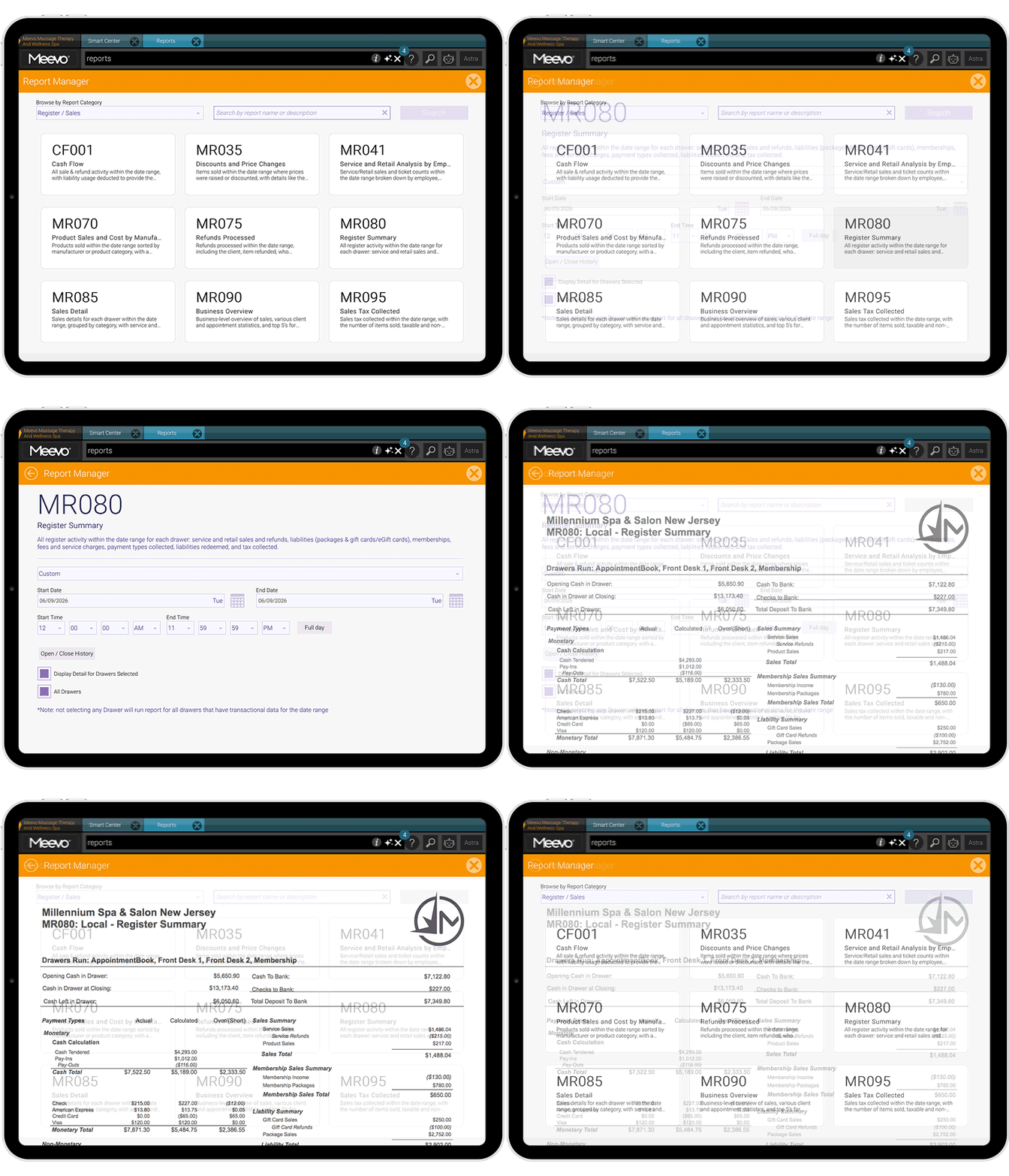
- One KPI report shows each service provider’s full performance. It combines sales, rebooking rate, productivity, and new clients in one place, so you don’t have to open several reports to review one person. The same report is available for each location.
- You choose the window Meevo uses to measure client retention. You can set it to 3, 4, or 6 months to match how often your clients actually come in. For example, a client who visits every four months for color counts as retained, not lost.
- The Missed Opportunities report shows wait list requests your schedule couldn’t fit. If a client on the wait list doesn’t get a slot, Meevo logs it as a missed opportunity. You can use the report to build a follow-up list and reach out to those clients, and to see which services and times have more demand than your schedule can handle.
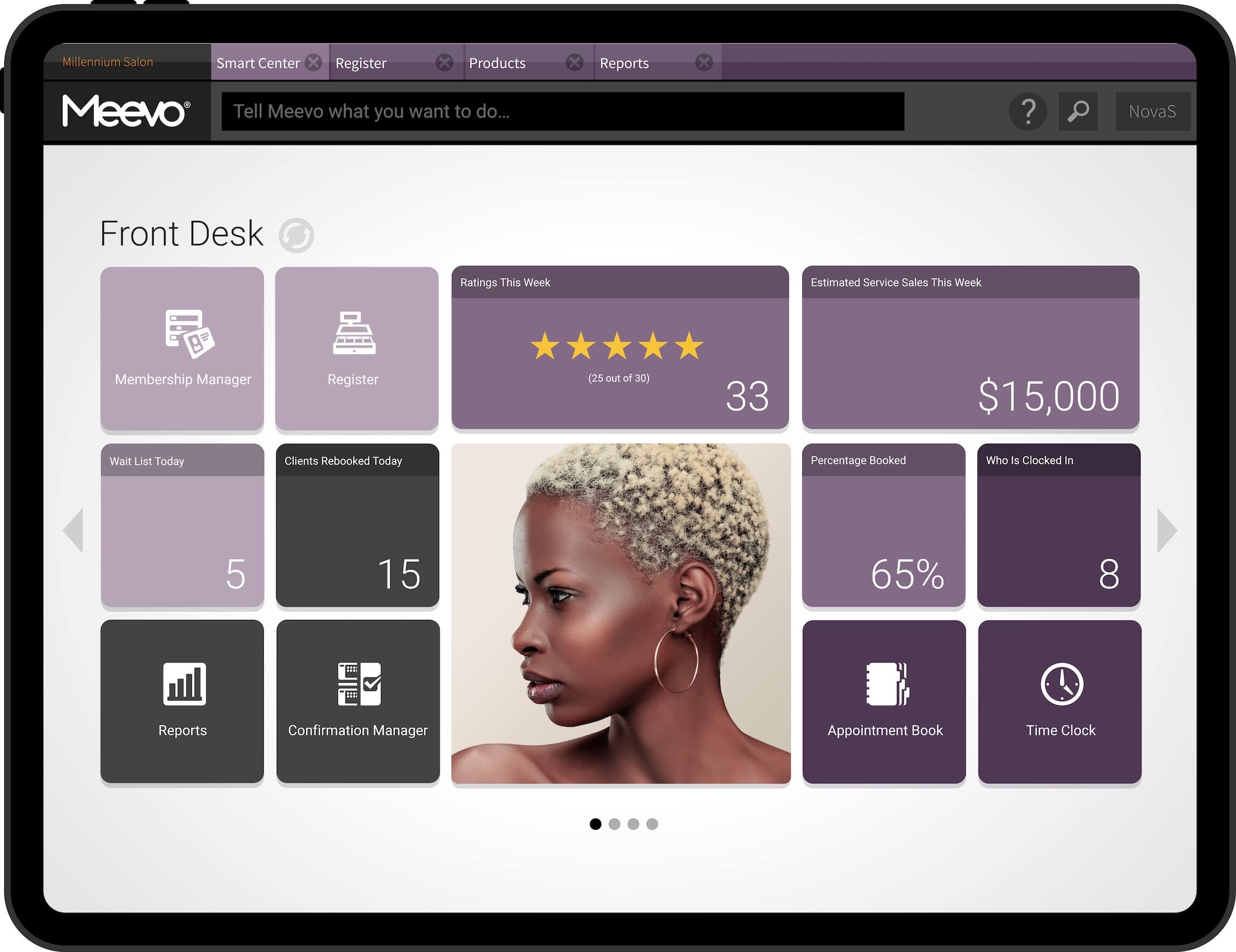
- Smart Center is the home screen each employee sees when they log into Meevo. It’s made up of tiles you pick, such as today’s sales, upcoming appointments, or progress toward a goal, and the numbers update live throughout the day. You set up a different version for each role, so an owner sees business-wide sales and new client counts, while a service provider sees their own schedule, numbers, and goals.
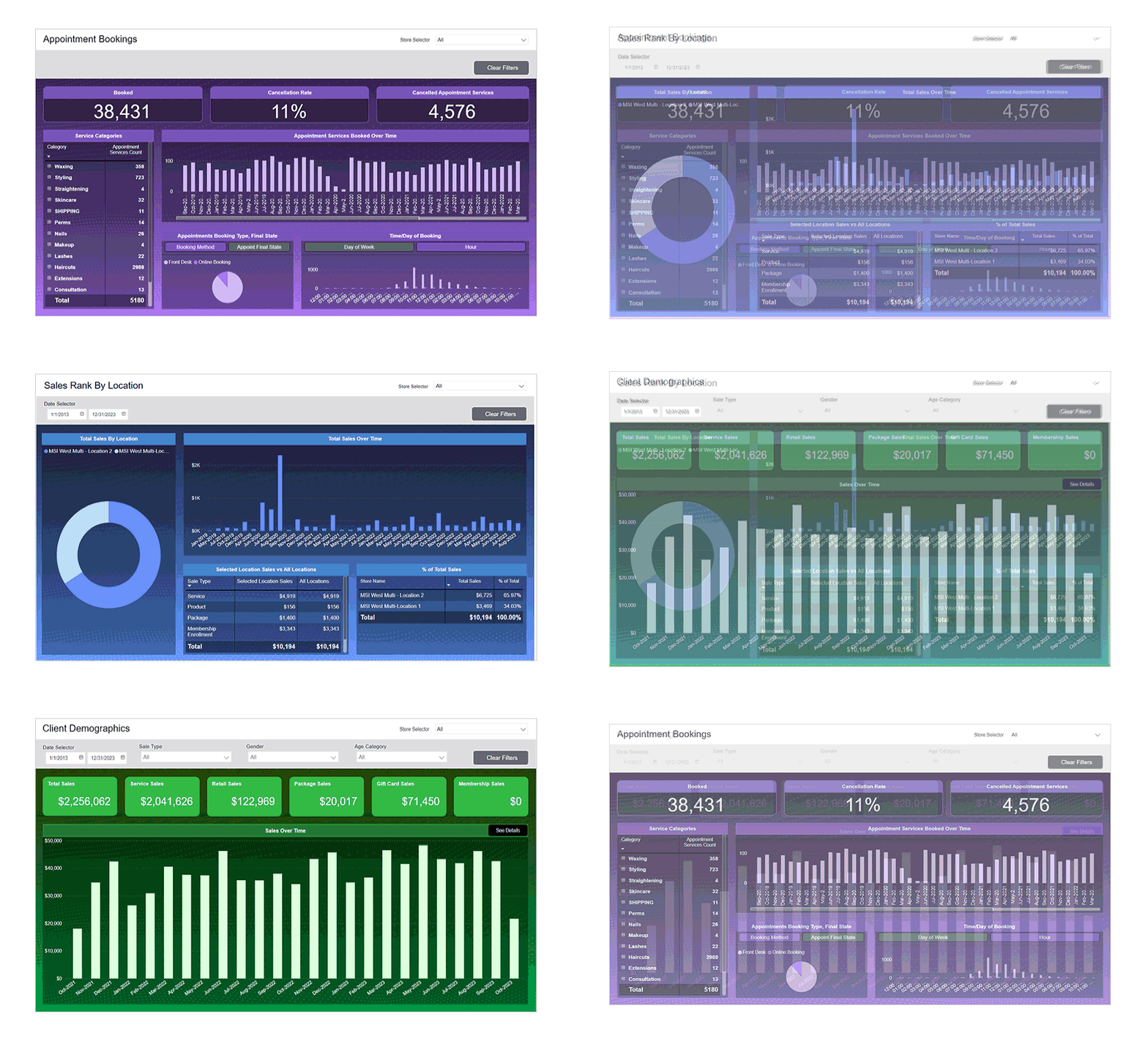
- Performance Dashboards turn your numbers into charts and graphs that show trends over time. You can see how things like sales, memberships, appointment traffic, or client retention have changed over several months without running individual reports.
- Reports can be scheduled to run automatically. That way, reports you check regularly, like payroll or month-end sales, are always ready when you need them.
- The Meevo Business Intelligence (BI) app puts key numbers on your phone. Owners can check sales and compare date ranges or locations without logging into the full platform.
Multi-Location Management
Meevo gives you control over every location without making daily work more complicated for your team. Owners can update services and pricing for every site in one step and see how each location is doing without logging into them one by one.
- Central Office lets you set up services, products, and pricing once for every location. Changes apply to every site at the same time, and you can schedule price changes ahead of time by location, region, or market. Individual locations can still have their own pricing or discounts where it makes sense. When you open a new location, it starts with the setup you already have in Meevo.
- Central Office has its own Smart Center dashboard with a view of every location. You choose tiles that show combined numbers, like total sales across all sites. That way, you can check on the whole business from one screen without switching between locations.
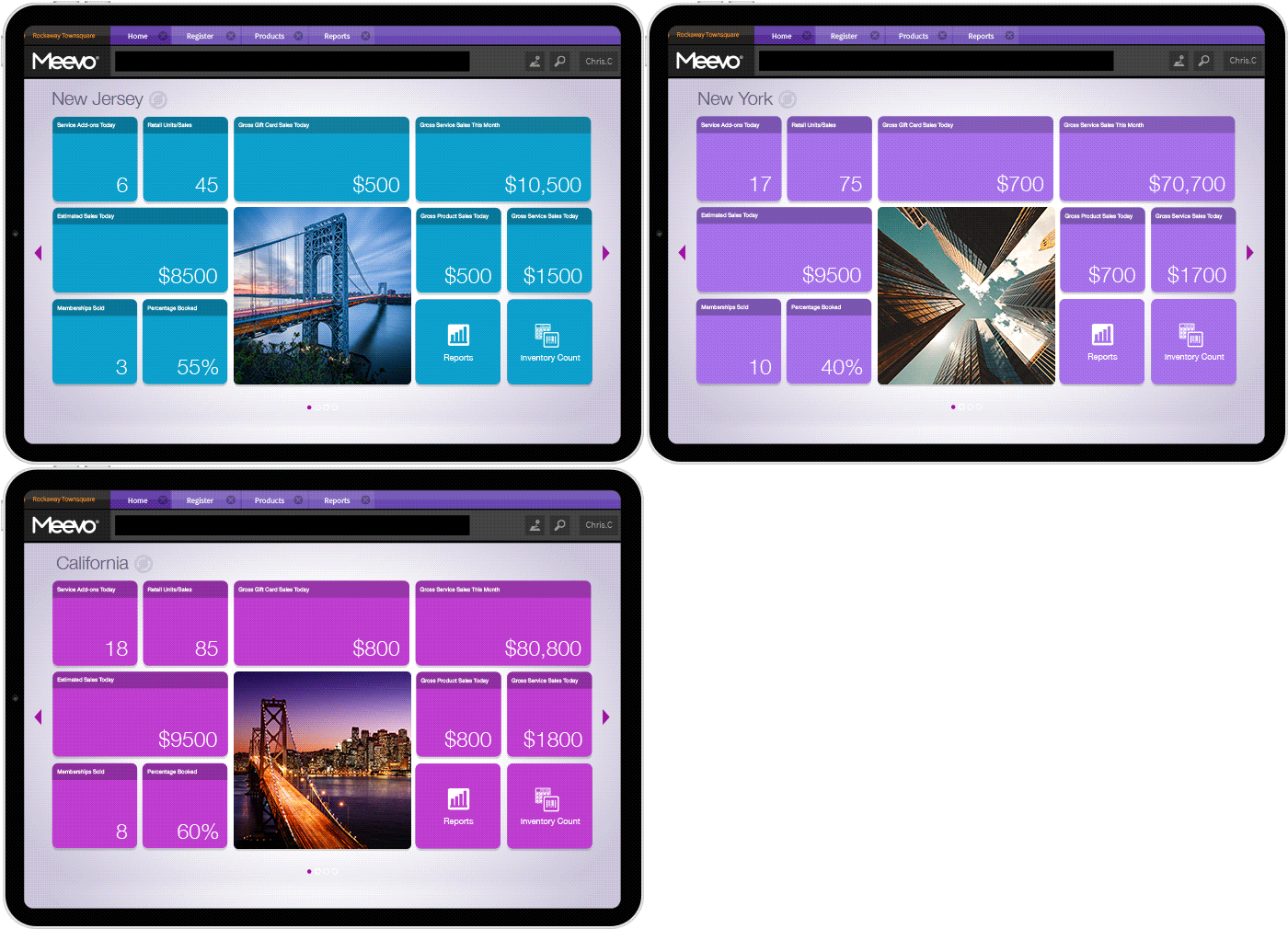
- Each client has one profile that works at every location. Their history, notes, and preferences come up at any front desk, and they can use their membership benefits at whichever location they visit. Staff can also see every location’s appointment book, so they can book a client at whichever site works best for them.
- Employees have one profile and one login across all locations. Service providers who work at more than one site don’t need a separate account for each one. They can also be paid from a single home location, even when they work at several.
- Reports can combine every location or compare them side by side. You can see how sites stack up on numbers like sales and average ticket in one report, instead of exporting each location and lining them up yourself. Regional managers can be assigned a group of locations, so their reports show only the sites they oversee.
Marketing, Staff, and Inventory Management
Meevo covers marketing, employee management, and inventory, using the same client, appointment, and sales records as the rest of the platform.
- The AI Marketing Advisor finds where your business is missing revenue and builds the offer for you. For example, it might notice that many of your color clients have never added a gloss treatment, and suggest a discount on their first one. Each suggestion shows how many clients qualify and how much estimated revenue you could be generating. Nothing goes out until you approve it, and Meevo tracks what each offer actually earns.
- Campaign journeys send automated follow-up emails and texts as part of one campaign. A client might get a thank-you email after their visit, then a text with a rebooking link a few weeks later. Templates and a built-in AI writing assistant make the messages quicker to put together.
- Staff schedules, time off, and hours worked are tracked in the same system as the appointment book. The built-in Time Clock reminds employees to clock in and out, and managers can build the week’s schedule with copy and paste.
- Meevo calculates payroll from hours, services, and sales. It handles hourly, salary, and commission pay, including tiered and sliding commission, and sends payroll to ADP through Meevo’s integrations. You can also schedule raises and service price changes ahead of time.
- Inventory updates as products are sold at the register or used during services. When stock runs low, Meevo builds a purchase order based on how quickly each product sells, and you review it before it’s sent.
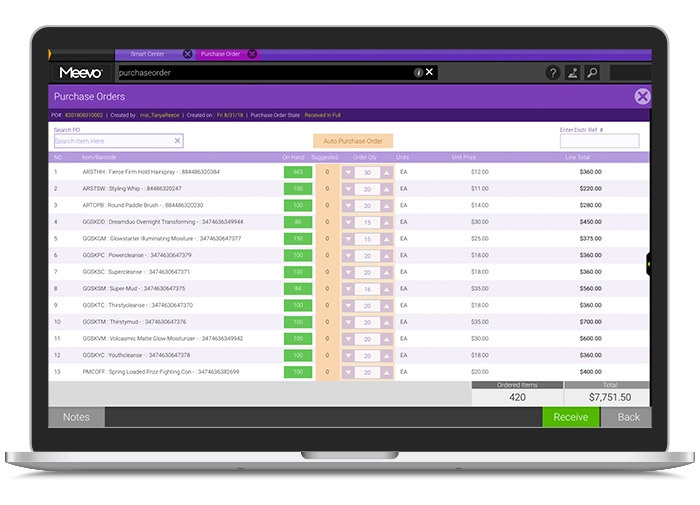
- Staff can count and receive stock from the floor using a mobile device. They scan barcodes as they go, and Meevo tracks where each product is kept, whether on the retail shelf or in the back.
Med Spa Features
MeevoMD is Meevo’s med spa platform. It adds the clinical tools practices need and is HIPAA compliant. Access is set by role, so each person only sees the parts of a client’s record their job requires.
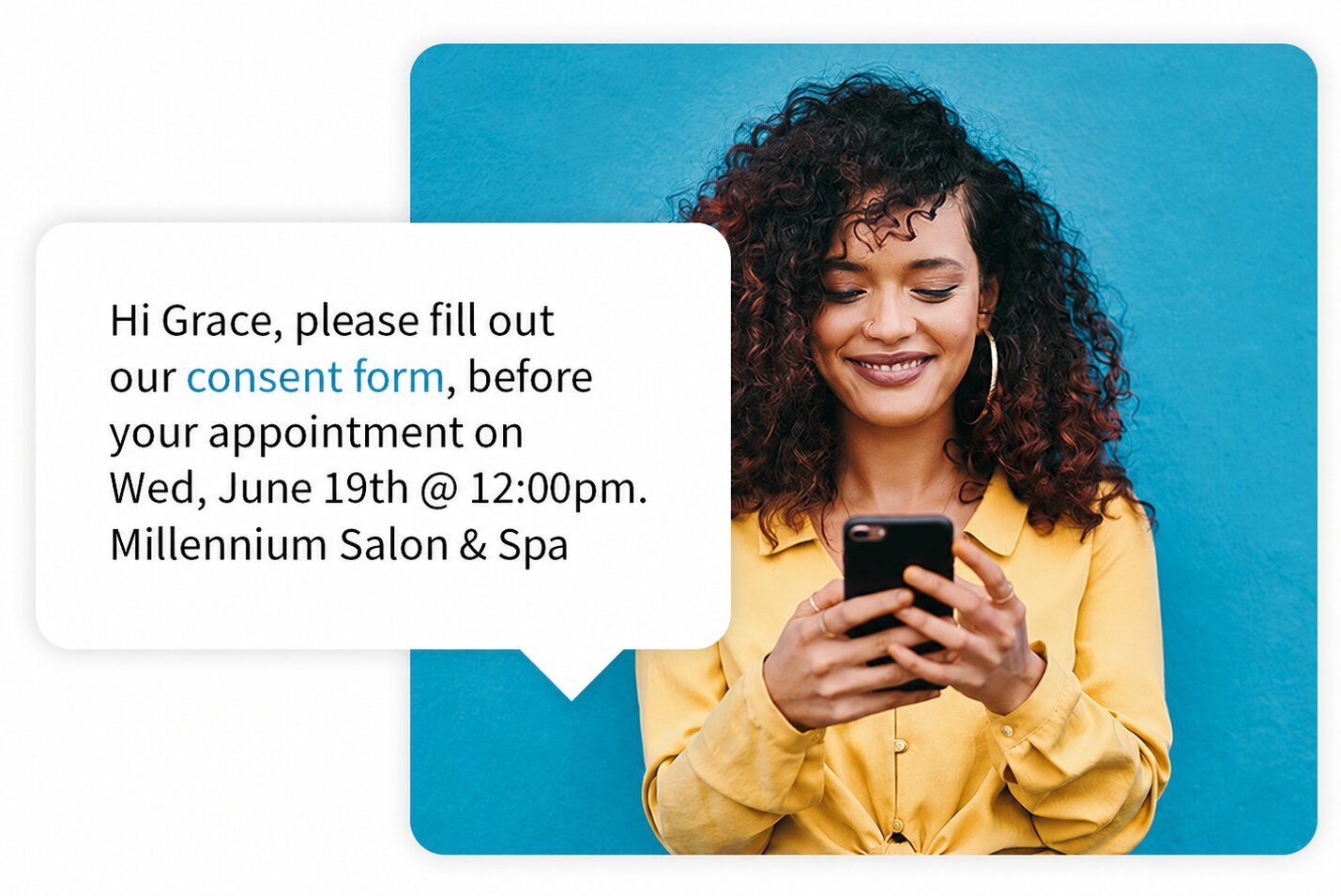
- Intake and consent forms go out automatically before each visit. Forms are tied to appointment types, so clients get the right ones to fill out ahead of time, and appointments start on time. Signed forms save directly to the client’s profile.
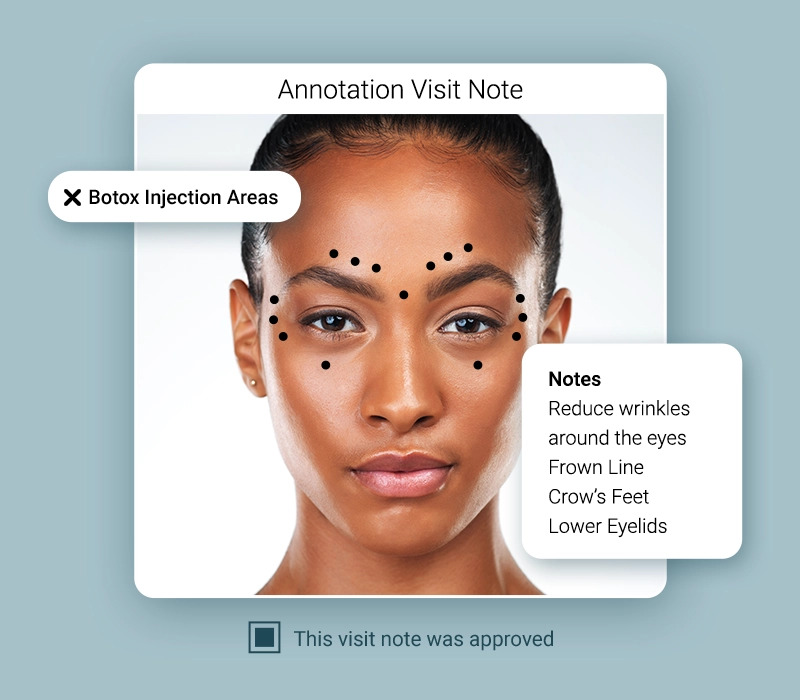
- Service providers can take before-and-after photos and mark them up inside Meevo. With Image Annotation, they can mark injection sites and treatment areas or map out a treatment plan right on the photo. Photos are taken on a tablet and saved to the client’s profile with their treatment and SOAP notes.
- AI tools for clinical charting cut down the time service providers spend on notes. AI Patient Overview summarizes a client’s chart history before the appointment, and AI Chart Summary turns a finished visit into a written summary in one click. With AI Voice-to-Chart, service providers dictate the visit and Meevo fills in the chart. Anything it couldn’t complete is marked for review.
- Medical directors can review and approve charts remotely. Charts waiting for sign-off appear on one screen, and the medical director can approve them one at a time or in bulk.
- Product Lot & Expiration Tracking follows injectables and other products from delivery through use. Meevo alerts staff when a lot is close to expiring or when an expired lot is still in stock. Any lot can also be traced to the clients who received it.
- Clients can pay with HSA or FSA cards, or finance treatments through CareCredit. This makes higher-priced treatments and packages easier for clients to say yes to.
Onboarding and Support
Switching software means moving years of client history, balances, and settings to a new system. Meevo’s onboarding makes that move easy for your team, with a dedicated specialist handling the data and training built around your own business.

“I think the surprise was the ease of implementing it. The staff was terrified because we had gone down this path before with other software, and it was a disaster. We were shocked at how seamless it was to onboard with Meevo. It’s very user-friendly.”
— Ginny Eramo, Med Spa Managing Director at Interlocks Med Spa
- A dedicated implementation specialist manages your conversion from start to finish. The process is customized to how your business runs, and the team puts extra focus on cleaning up your data before it moves, so you don’t carry duplicates or errors into Meevo.
- Your team can train and test in a copy of your own data before going live. Staff practice booking, checking out, and running reports with your real clients and services, so nothing feels unfamiliar on launch day.
- Client account balances, loyalty points, and product counts carry over from your previous system. Clients keep what they’ve earned or prepaid, and your inventory starts in Meevo with the stock levels you already had.
- A Client Success Manager takes over after launch. They’re your main contact at Meevo and help you make use of features you haven’t set up yet as your business grows.
- Support is live and US-based, by phone and chat. Meevo’s support team holds a 98.5% client support rating. Staff can also get answers anytime through MIA, Meevo’s AI assistant, and Meevo Academy’s role-based training videos.
Implementation, training, and live support are included with every Meevo plan.
Pricing
Meevo builds a custom quote for each business, based on one of four plans for salons and spas:
- Lite is for smaller salons and spas with up to five users. It covers the core of the platform, including booking, checkout, client and staff management, inventory, memberships, and email and text marketing.
- Essentials is for growing salons and spas. It includes unlimited users, plus tools that become more useful as you add services and staff, like advanced inventory controls.
- Premier is for larger salons and spas. With a big team, owners aren’t always on the floor, and staff need to manage more on their own. Premier adds tools for both.
- Enterprise is for franchises and multi-location groups. It adds centralized staff management across locations, access to Meevo’s data warehouse for deeper analysis, and dedicated enterprise support.
Medical spas have their own quote-based Lite and Essentials plans.
Schedule a demo to see how Meevo handles everything from booking to reporting for your multi-provider business, whether you have one location or several.
Boulevard: Client Experience Platform for Spas, Med Spas, and Salons
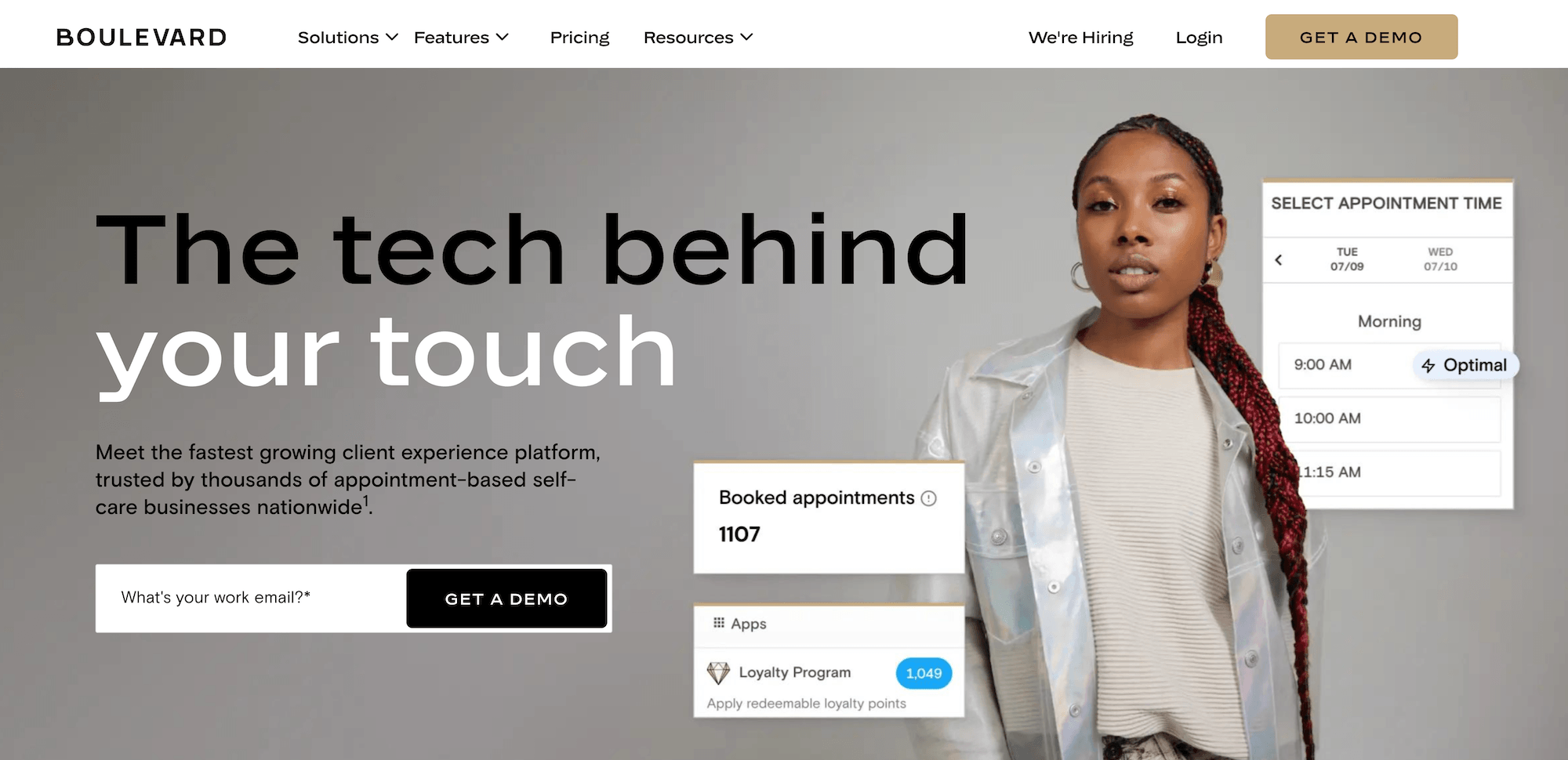
Boulevard is all-in-one spa, med spa, and salon software designed around ease of use. It covers the essentials of running the business day-to-day, with a modern interface. To keep things simple, it does less of the work automatically than more in-depth platforms like Meevo and Zenoti, so as a business grows, more tasks may fall to staff or require other tools.
Booking and Appointment Management
Boulevard puts a lot of its focus on online booking, which it designs to match each business’s brand. Here are its main booking features.
- Clients can book anytime through a booking window on your website. Booking also works from your Google, Facebook, and Instagram profiles, and clients can cancel or reschedule from their confirmation email. Online bookings require a card on file, and you can require deposits for specific services. Both help protect against no-shows and late cancellations.
- Precision Scheduling™ highlights the best times to book. When a client books online or staff book from the calendar, it points them to times that fit neatly next to existing appointments. This helps avoid short gaps in a provider’s day that are too small for another booking.
- Resource scheduling books rooms and equipment along with service providers. A service only shows as available when the provider and any resources it needs are free.
- Clients can join a wait list online when their preferred time is full. When a slot opens up, staff check the list and contact clients to book them (the process isn’t fully automated).
- Beau, Boulevard’s AI receptionist, answers phone calls for your business. It answers common questions, sends callers a booking link, and transfers calls or takes messages when needed. You can set it to answer every call, only missed calls, or only after hours.
Checkout, Payments, and Memberships
Boulevard has built-in payment processing, and memberships and packages are handled in the same system.
- Checkout runs on Boulevard’s Duo card reader, paired with an iPad. Clients can tap, dip, or swipe, and they see an itemized breakdown before paying.
- Clients can pay over time with Affirm or Klarna, while the business is paid upfront.
- Memberships renew automatically. Clients can buy them while booking online or at checkout, and memberships can renew monthly or annually.
- The Dispute Resolution Center lets you respond to chargebacks from the Boulevard dashboard. You submit the evidence for each dispute yourself, and Boulevard provides rebuttal letter templates and guidance.
Reporting
Boulevard’s reporting covers the core numbers most salons and spas track, with summary dashboards for a quick read on the business.
- Business and Sales Summary dashboards show key trends at a glance. You can click into any chart to see the detailed report behind it.
- The report library is organized by category, including appointments, clients, financials, marketing, and staff operations.
- Boulevard tracks sales, appointments, client retention, memberships, gift cards, and team performance. Numbers tied to sales and revenue refresh more often, so they stay close to current through the day.
- You can customize a report’s columns, grouping, and filters, then save that setup to use again. You can keep a saved report for yourself or share it with everyone who has access to it.
- Managers can export reports or share them with the team, so staff see the numbers that apply to them.
Multi-Location Management
Boulevard positions its multi-location tools for groups with 2 to 20 locations.
- Client records and reporting are shared across locations. Owners can see every client and view numbers for all sites together without switching between separate systems.
- Reports can be filtered by location to compare bookings, revenue, and service demand across sites.
- Products can be set up once and turned on at every location or only at specific ones. You can also see stock levels by location.
- Gift cards and loyalty points work at every location. Clients can use a gift card balance or earn and redeem points at any of your sites, no matter where they started.
- Each client has a primary location, which determines which locations can include them in marketing campaigns.
Marketing, Staff, and Inventory Management
Boulevard covers the day-to-day work around marketing, staff, and inventory.
- Automated campaigns run in the background by email, text, or both. Pre-built options include reminders to rebook, birthday messages, and messages to win back clients who haven’t visited in a while.
- The Time Clock tracks hours worked, and Boulevard calculates commission and tips. These figures are exported to your own payroll system, since Boulevard doesn’t run payroll itself.
- Inventory updates as products are sold, and staff log other changes by type (such as product used in services, received stock, recounts, damage, theft, and returns). Each product keeps a history of every change, so you can see when and why stock went up or down.
- Staff create and receive product orders to suppliers inside Boulevard. They add products by name, SKU, or barcode, or filter by stock level to add several at once. Orders download as a PDF to send to the supplier. When a shipment arrives, staff can receive the full order in one click or enter quantities for a partial delivery.
Med Spa Features
Boulevard is HIPAA-compliant. Its clinical tools, like photo markup, chart review, and the clinical section of the client profile, come with a separate med spa add-on.
- Each client profile has a clinical section for allergies, medications, and prescriptions. Service providers can check it before a treatment, and ePrescribe uses the same medication and allergy information for safety checks when writing a prescription.
- Forms and charts can include photos that providers mark up. Clients or staff can upload a photo or take one on an iPad or phone. Service providers can then mark treatment points on the image, and photos save to the client’s gallery for before-and-after comparisons.
- Intake and consent forms can be sent with the booking confirmation. Clients fill them out before they arrive, and providers can insert saved phrases for common notes to keep charting consistent.
- Forms and charts can be sent to a reviewer for sign-off. A medical director or other reviewer can comment on them and approve or reject them, so key documents are formally signed off.
Onboarding and Support
Boulevard assigns a specialist to help with setup, while ongoing customer support often relies on chat and self-serve resources.
- An onboarding specialist helps set up your service menu, staff accounts, and business settings. They also help you decide which data to migrate, such as appointments and client contact lists, and what to archive.
- Boulevard Academy offers training videos, short lessons, and live webinars, so teams can learn the system before going live.
- Support starts in chat with Billie, Boulevard’s AI agent. Billie first suggests answers from the help center, and if those don’t solve the issue, you can connect with a person in the same chat.
- Phone support is by request. A team member calls you back within one business day, often sooner.
Pricing
Boulevard has four plans. Prices are listed on its website and charged per location. For example, a business with three locations pays the plan price three times.
- Essentials is $143 per month, billed annually, for a single location with up to five service providers. It covers the core tools for booking, checkout, and client management.
- Premier is $293 per month per location, billed annually, for growing businesses, with unlimited service providers. It adds more tools for marketing and bringing in new clients.
- Prestige is $410 per month per location, billed annually. It includes forms and charting, which other plans pay for separately, plus more free texts, email blasts, and storage.
- Enterprise is custom-priced for larger, more complex businesses. It adds more advanced options for connecting Boulevard to other software.
Zenoti: Wellness Business Platform Designed for Scale
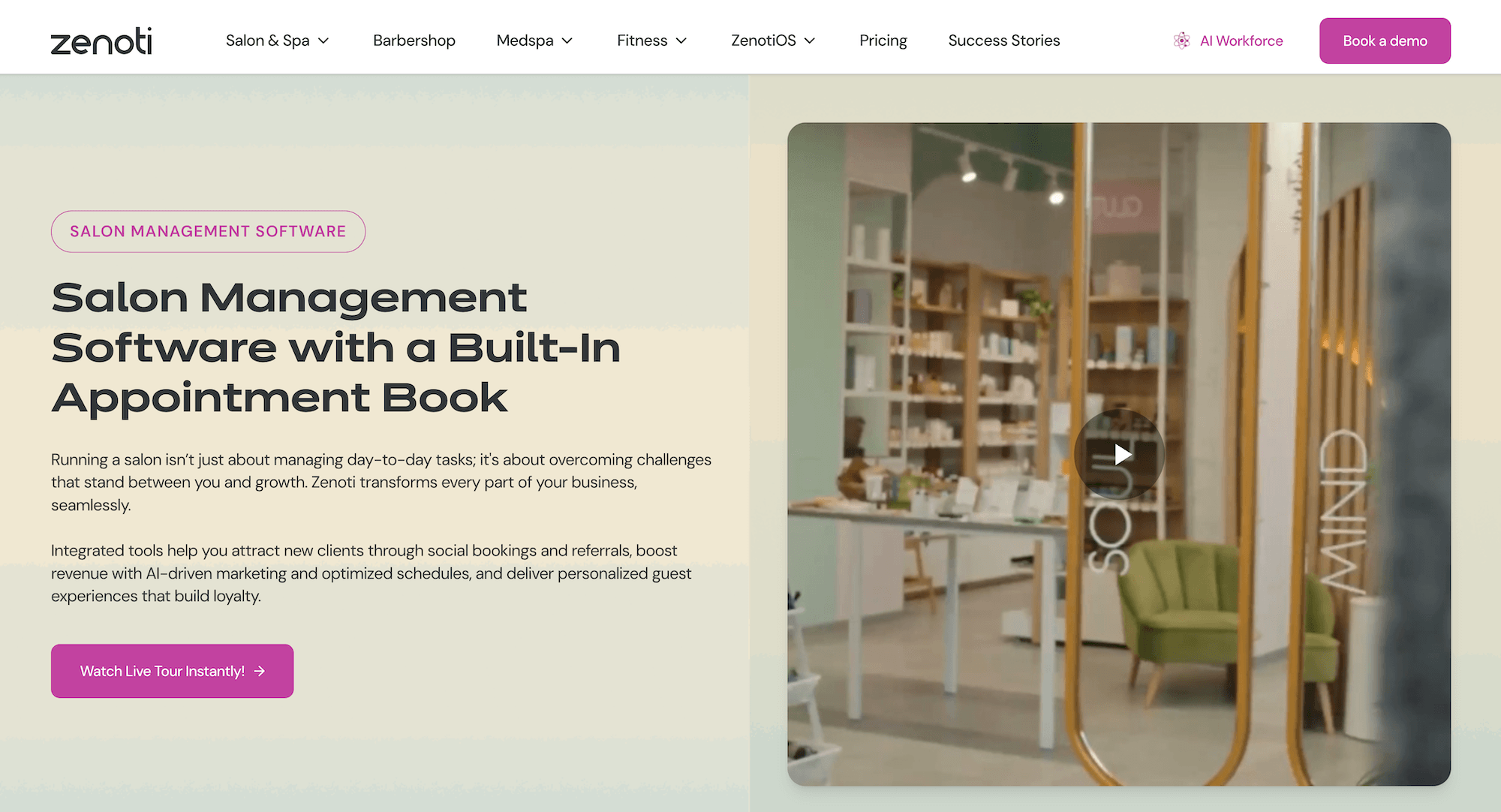
Zenoti is all-in-one software for salons, spas, med spas, and fitness businesses. It’s built with large and multi-location operations in mind, with central control across sites and a focus on AI tools.
Because it covers so much, reviewers have described the platform as complex to use, with a steep learning curve.
Booking and Appointment Management
Booking in Zenoti works the same way across every location, from online booking to the front desk calendar. Here are its main booking features.
- Clients can book online 24/7 through your website, a branded mobile app, or Google, Facebook, and Instagram. They can book several services or a group in one visit.
- You can require a card on file or a deposit to protect against no-shows. Deposits can be a flat amount or a percentage of the price, apply only to certain services, and be skipped for clients with a package or membership.
- The calendar is color-coded and drag-and-drop, with daily, weekly, and monthly views. When staff book, Zenoti checks that the provider, room, and any equipment are all available.
- The wait list fills cancellations automatically. Clients join it online or through the app when their preferred time is full. When a slot opens, Zenoti texts and emails the next client in line, and if they don’t confirm within the time window you set, it moves on to the next person.
- An AI receptionist answers calls and books and reschedules appointments. A separate AI chat assistant handles questions and bookings on your website.
Checkout, Payments, and Memberships
Zenoti has built-in payment processing, called Zenoti Payments, connected to booking, reporting, and payroll.
- Clients can pay by card, Apple Pay, Google Pay, tap-to-pay, or a payment link sent by text. Zenoti also lets businesses pass card processing fees on to clients who pay by credit card.
- Memberships can renew monthly or annually, and prepaid packages track usage across visits. Members can use their benefits at any location, and you set the rules for expiration and rollover credits.
- Loyalty points are awarded automatically at checkout for services, retail purchases, referrals, and membership renewals. Programs can be flat or tiered, and clients can see their points balance on receipts, in the app, and online.
- Zenoti’s AI Dispute Manager prepares chargeback responses for you. When a client disputes a charge, it gathers the evidence, like appointment details, payment records, and signed consent forms, and drafts the response letter.
Reporting
Zenoti’s reporting is built for owners and managers overseeing large teams, where the goal is to track performance across the whole business rather than just day to day.
- Owners can compare revenue by client, provider, or service, and see performance across locations and staff as it happens.
- Zenoti tracks rates for no-shows, cancellations, rebooking, retention, and memberships, along with trends for each provider.
- You can build your own custom reports and dashboards, though you need to know which numbers to use.
- Industry benchmarks show how your numbers compare to similar businesses, based on data from Zenoti’s customers and filtered by industry, size, and region.
- Staff can see their own dashboards with numbers like rebooking rate, upsells, tips, and commissions.
Multi-Location Management
Zenoti is designed for groups and franchises with many locations.
- Your head office sets standards like services and pricing for the whole business, and they apply automatically to each region and location. Individual locations can still adjust settings where their local market needs it.
- Clients have one profile across locations, and members can use their benefits at any site.
- Reporting combines every location in one view, making it easier to compare newer and established sites or track a promotion across the business.
- Owners with several locations or brands can switch between them without signing out.
- Inventory can be tracked and moved between locations, so one site can send stock to another that’s running low.
Marketing, Staff, and Inventory Management
In Zenoti, marketing, staff, and inventory can each be managed location by location or for the whole business. Once they’re set up, a lot of the routine work in these areas can run automatically.
- Automated emails and texts go out based on what clients do, like how long it’s been since their last visit. You can target groups by service history, visit timing, or loyalty tier, and plan campaigns across your locations.
- Zenoti calculates and runs payroll, including hourly pay with overtime, salary, commission, tips, and bonuses. It also handles federal and state tax filings.
- Staff clock in and request time off through the staff app.
- Inventory updates as products are received, used, or returned. You can set stock levels that trigger alerts or automatic purchase orders, and staff can scan barcodes for quick, accurate counts.
- You can set how much product each service should use, and Zenoti compares that to what’s actually used.
Med Spa Features
Zenoti is HIPAA-compliant and includes clinical tools for med spas within the same platform used for booking, checkout, and client records.
- Charting templates are set up by procedure. For injectables, they record the product, units per site, lot number, and expiration date. For laser, they record the device, settings, and treatment area.
- AI Scribe listens to the conversation during a treatment and fills in the chart notes.
- Before-and-after photos are linked to the specific visit and chart. Face and body guides help providers take consistent photos.
- Providers can submit charts for a doctor’s review, and a compliance dashboard shows unfinished forms and documentation.
- Licensed providers can use e-prescribing to send prescriptions from the client’s record to any pharmacy connected to Surescripts.
Onboarding and Support
Zenoti’s onboarding includes data migration and training, and support is available around the clock.
- Zenoti moves your data from your previous system, including clients, services, staff, products, memberships, upcoming appointments, gift card balances, and inventory.
- The team guides you through setting up services and staff, and staff take online courses through Zenoti University based on their role.
- After launch, you get up to three days of remote support from Zenoti’s implementation team.
- Support is available 24/7 through Zenoti’s global support team, mainly by chat and tickets. A dedicated Customer Success Manager is included with higher-tier plans.
Pricing
Zenoti doesn’t list prices. Each business gets a custom quote, and multi-location pricing depends on the number of locations and what you need.
Pricing is built on a core platform, with two optional AI add-ons: AI Plus and AI Workforce.
Choose Meevo for Full-Featured Software That’s Easy to Use
Boulevard is built around simplicity, while Zenoti focuses on depth. Meevo offers both, so you don’t have to choose between tools that are easy for your team and tools that can keep up as your business grows.
If you run a multi-provider salon, spa, or med spa, Meevo gives you what you need to run it smoothly:
- Everyday work that stays quick for your team and helps grow revenue. Booking, checkout, and finding information take just a few clicks, and built-in automation keeps the schedule full.
- Reporting that shows exactly where your revenue comes from. More than 150 ready-made reports cover every provider, service, and location, so you can see what’s working and act on it without building reports yourself.
- Multi-location management that makes growing to new sites easier. New locations start with the setup you already have, and you can oversee every site together instead of managing each one separately.
- Support from a team that knows the industry, with a 98.5% client support rating. You get a dedicated specialist during onboarding, and you can reach a live, US-based team by phone and chat when you have a question.
Weighing Zenoti vs Boulevard? Consider Meevo instead, a full-featured platform that’s intuitive to use. Schedule a demo to see how it manages your whole business in one system.